

Graphic designers need tools that can keep up with detailed creative work. Whether you are creating packaging artwork, illustrations, logos, digital paintings, photo edits, or social media graphics, having a responsive drawing display can make the creative process more natural.
The HUION Kamvas Pro 16 V2 is designed for artists and graphic designers who want a large drawing area without carrying a bulky workstation accessory. Its 15.6-inch display, battery-free pen, high pressure sensitivity, customizable shortcut keys, and slim body make it suitable for a wide range of digital design tasks.
For designers looking for a Portable Drawing Tablet with Screen for Graphic Designer work, this model combines a paper-like drawing surface with a color-focused display and computer connectivity. It is important to note that the Kamvas Pro 16 V2 is a pen display rather than a standalone tablet. It needs to be connected to a compatible computer or laptop.
Why a Portable Drawing Tablet with Screen Can Help Graphic Designers
A drawing tablet with a screen gives designers a direct way to interact with their artwork. Instead of looking at a computer monitor while drawing on a separate tablet, you can place the pen directly on the image displayed on the screen.
This can make certain creative tasks feel more intuitive, especially when working on illustrations, retouching, sketching, or detailed vector artwork.
Direct on-screen drawing
The Kamvas Pro 16 V2 allows you to draw directly on its 15.6-inch display.
This can be useful when creating detailed illustrations, editing paths, painting digital artwork, or working on other visual projects.
Better control over creative details
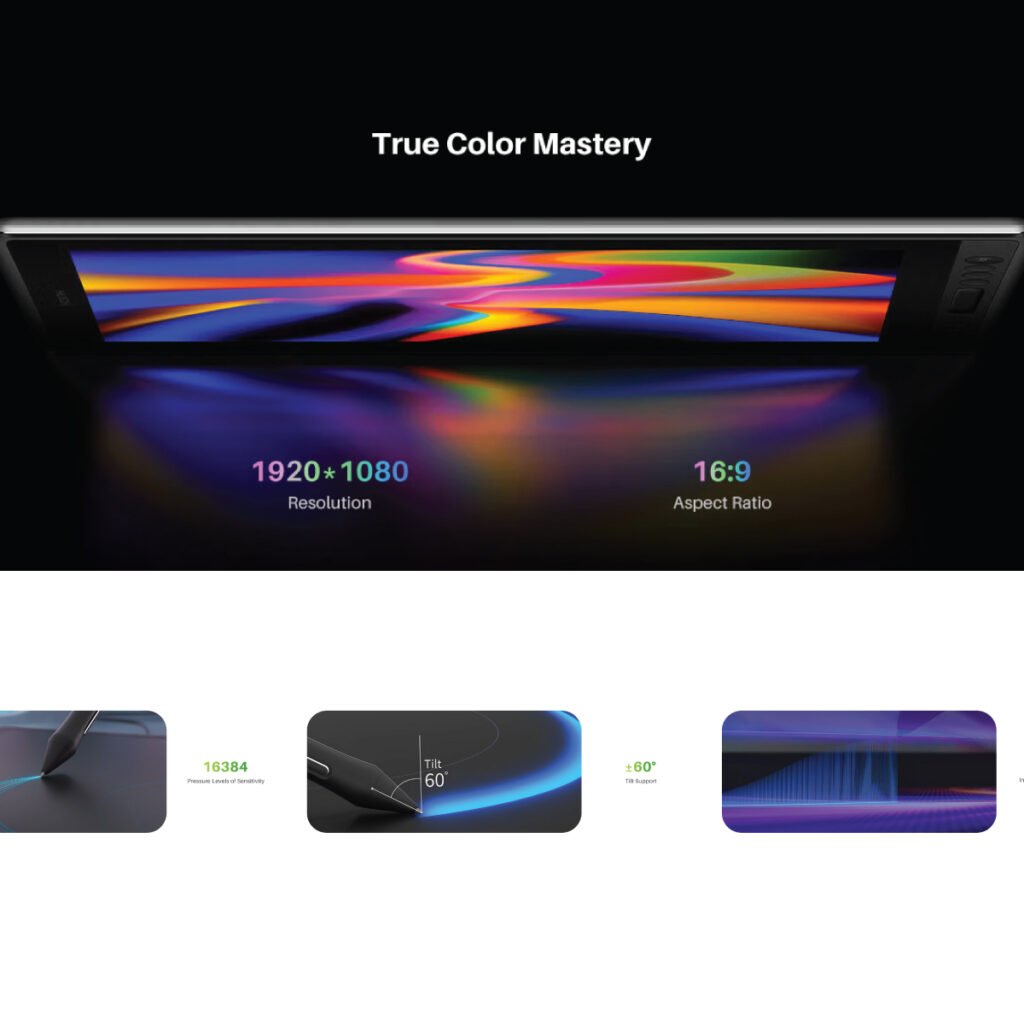
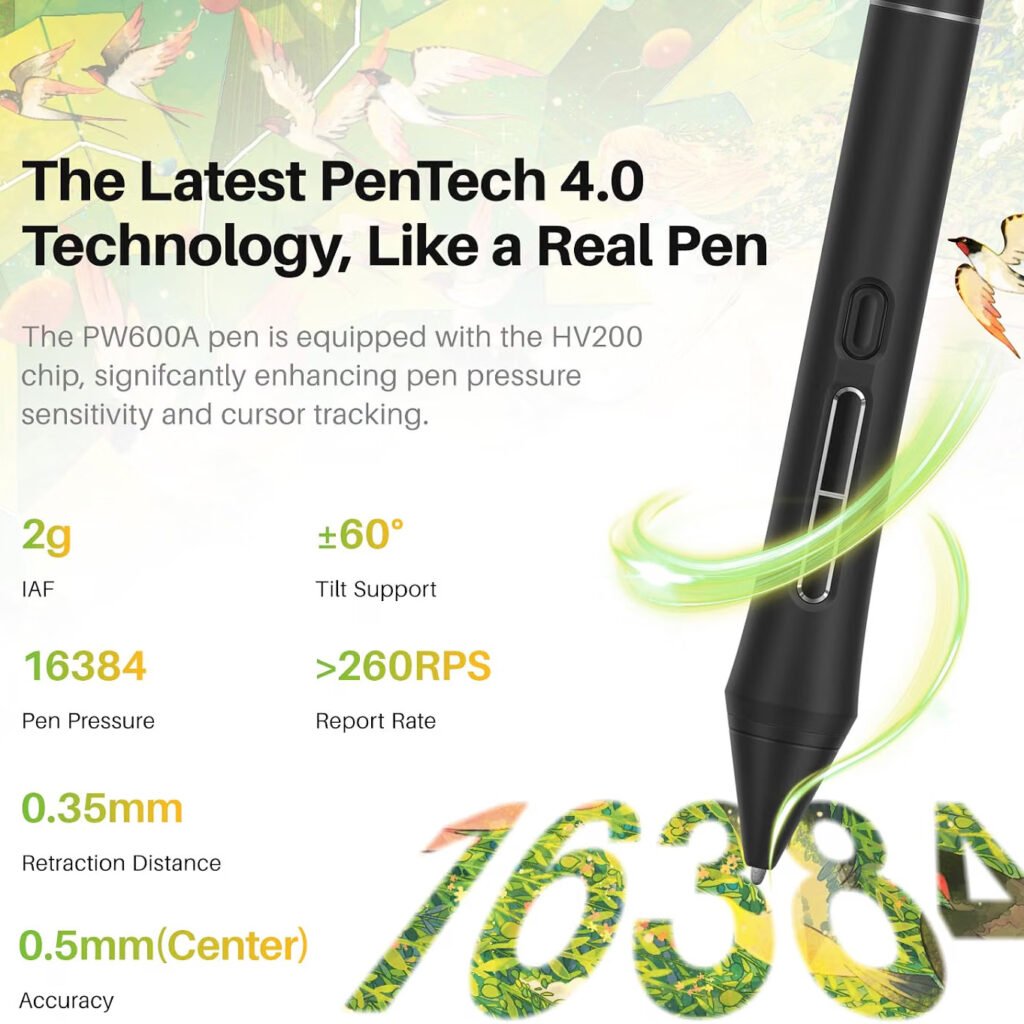
The PW600A battery-free pen supports 16,384 pressure levels.
This high pressure sensitivity can help capture differences in pen pressure, allowing designers and artists to create more nuanced strokes.
Useful for professional design software
The display works with popular creative applications including Adobe Photoshop, Clip Studio Paint, SAI, and Lightroom.
For graphic designers who already use professional creative software, this compatibility can make the tablet easier to integrate into an existing workflow.
Specification Table for Portable Drawing Tablet with Screen for Graphic Designer
| Specification | HUION Kamvas Pro 16 V2 |
|---|---|
| Brand | HUION |
| Model | Kamvas Pro 16 V2 |
| Product Type | Pen Display |
| Standalone Operation | No |
| Screen Size | 15.6 inches |
| Display Type | Full-Laminated Digital Drawing Display |
| Surface | Anti-Glare |
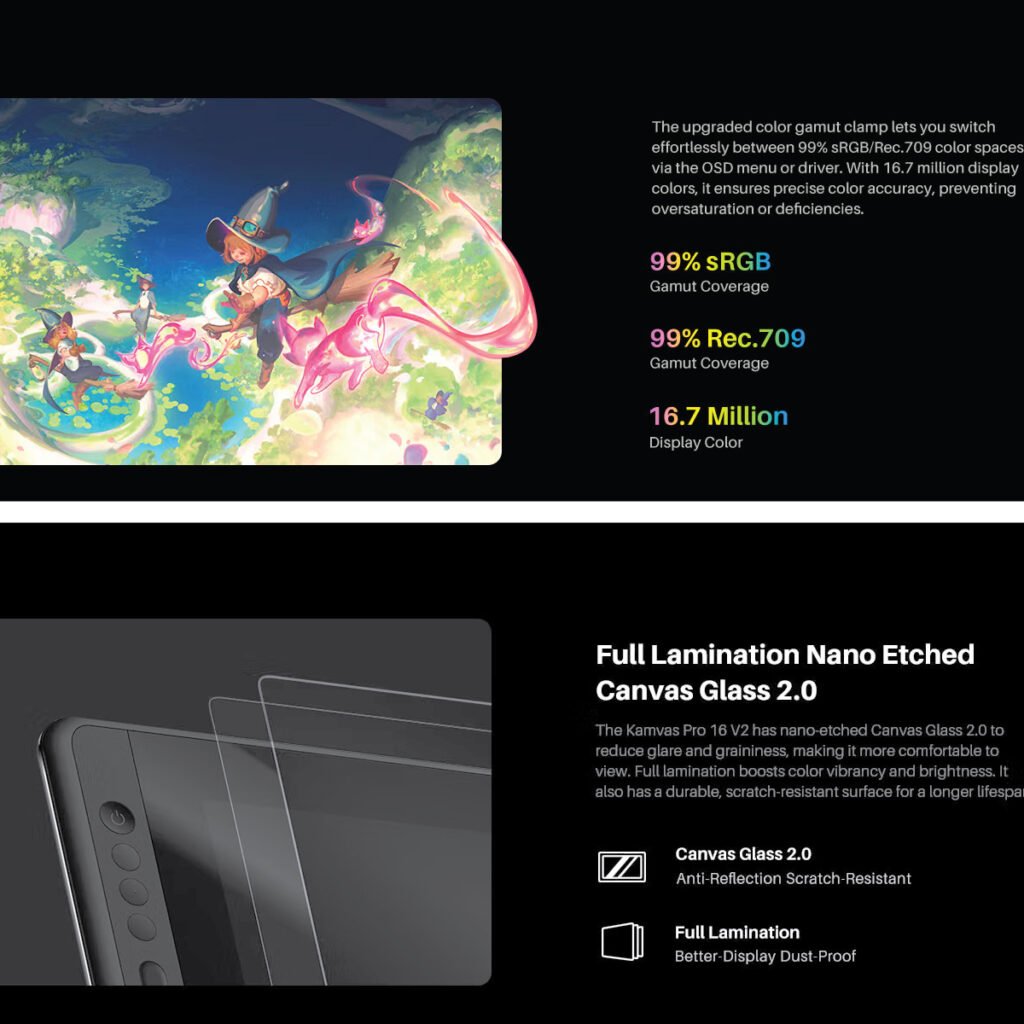
| Color Coverage | 120% sRGB |
| sRGB Coverage | 99% |
| Rec.709 Coverage | 99% |
| Colors | 16.7 Million |
| Viewing Angle | 178° |
| Pen Model | PW600A |
| Pen Technology | Pentech 4.0 |
| Pressure Levels | 16,384 |
| Pen Resolution | 5080 LPI |
| Pen Battery | Battery-Free |
| Pen Buttons | 3 Side Keys |
| Express Keys | 6 Customizable Keys |
| Touch Control | Smart Touch Bar |
| Thickness | 0.453 inches |
| Weight | 2.65 lb |
| Included Stand | ST200 Aluminum Stand |
| Stand Angles | 14.5° to 45° |
| Stand Positions | 6 |
| Cable | 3-in-1 Cable |
| Connection Port | Recessed Type-C |
| Operating System | Windows 7+, macOS 10.12+, Linux |
| Linux Support | Ubuntu 20.04 LTS |
| Compatible Software | Adobe Photoshop, Clip Studio Paint, SAI, Lightroom |
| Display Function | Drawing Monitor |
| Touch Screen | No |
The specifications highlight the balance between portability and professional creative features. The large 15.6-inch display provides a comfortable workspace, while the slim body and included stand make the device easier to fit into a flexible workstation.
(Earns commissions on qualifying Amazon purchases)
HUION Kamvas Pro 16 V2 Overview
The HUION Kamvas Pro 16 V2 is a 15.6-inch pen display designed for digital drawing and creative work.
It is not a standalone computer or independent drawing tablet. Instead, it connects to a compatible computer or laptop and acts as an external drawing display.
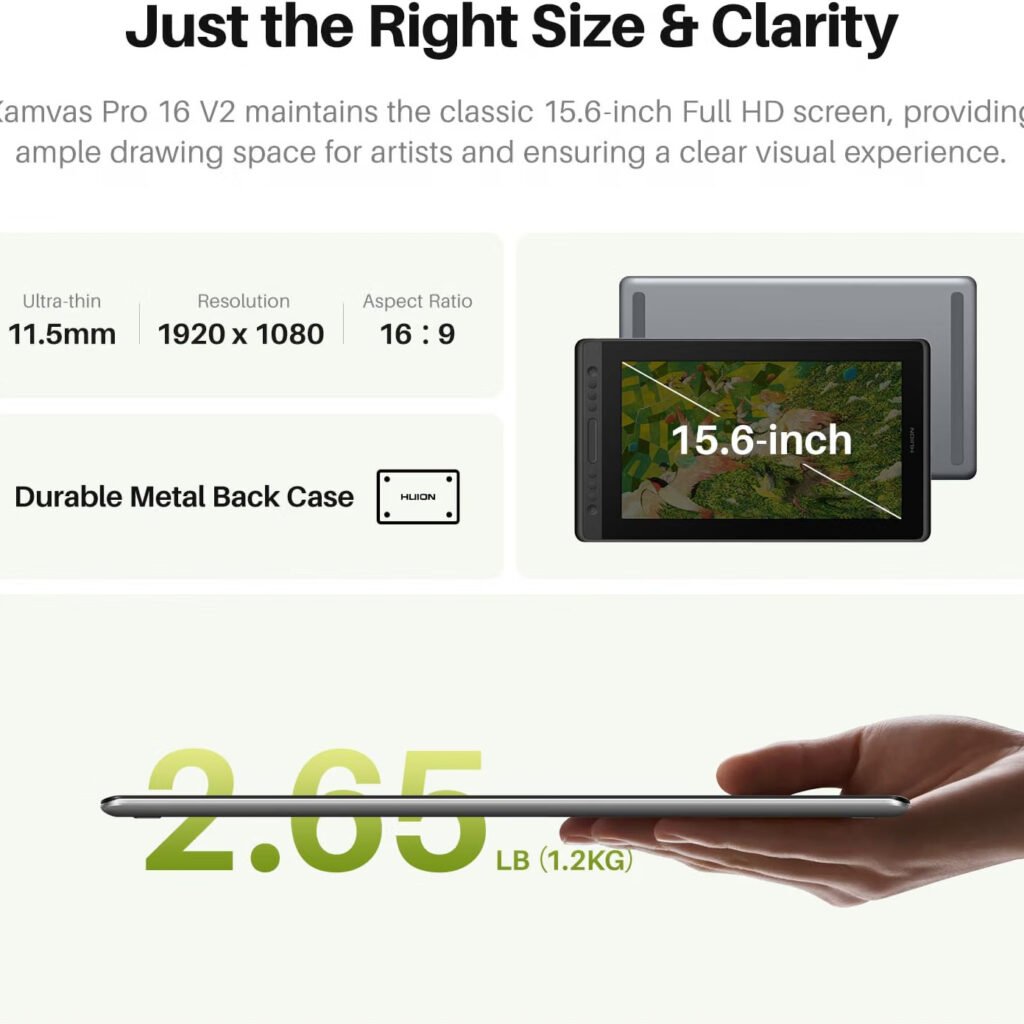
15.6-inch drawing display
The 15.6-inch screen provides a substantial working area while keeping the overall device relatively compact.
For graphic designers, this balance can be useful when you want more drawing space without moving to a much larger pen display.
Full-laminated display
The screen uses full lamination to reduce the gap between the display and the drawing surface.
This can help reduce visual parallax and make the pen position feel more closely aligned with the artwork on screen.
Anti-glare surface
The display features an anti-glare finish designed to reduce reflections.
This can be useful when working near windows, desk lamps, or other light sources.
16,384 Pressure Levels for Detailed Design
One of the key features of the Kamvas Pro 16 V2 is its PW600A battery-free pen.
The pen uses Pentech 4.0 technology and provides 16,384 pressure levels.
Natural pen control
Pressure sensitivity allows the pen to respond differently depending on how firmly you press.
For artists, this can be useful for controlling stroke thickness, opacity, and other brush behaviors when supported by the software.
Battery-free pen
The PW600A does not require a battery.
This means you do not need to charge the pen before starting a design session.
For freelancers and professional designers, a battery-free stylus can simplify the daily workflow.
5080 LPI resolution
The pen system provides 5080 LPI resolution.
This supports detailed input and can be useful for designers working on fine lines, illustrations, retouching, and other precision-focused tasks.
Paper-like Drawing Experience
The surface of a drawing display can affect how comfortable it feels to work for long periods.
The Kamvas Pro 16 V2 is designed with a paper-like texture intended to create a more natural drawing experience.
Reduced parallax
Full lamination helps reduce the distance between the pen tip and the displayed image.
This can make drawing feel more direct because the cursor appears closer to where the pen is touching the surface.
Reduced glare
The anti-glare display can help reduce distracting reflections during long design sessions.
This can be particularly helpful in bright home offices or professional studios.
Comfortable creative workflow
A paper-like surface can be useful for designers who prefer a little resistance instead of drawing on a completely smooth glass-like surface.
The experience can be especially relevant to illustrators, digital artists, and designers who spend many hours working with a stylus.
Color Performance for Graphic Design
Color accuracy is important for many graphic design projects.
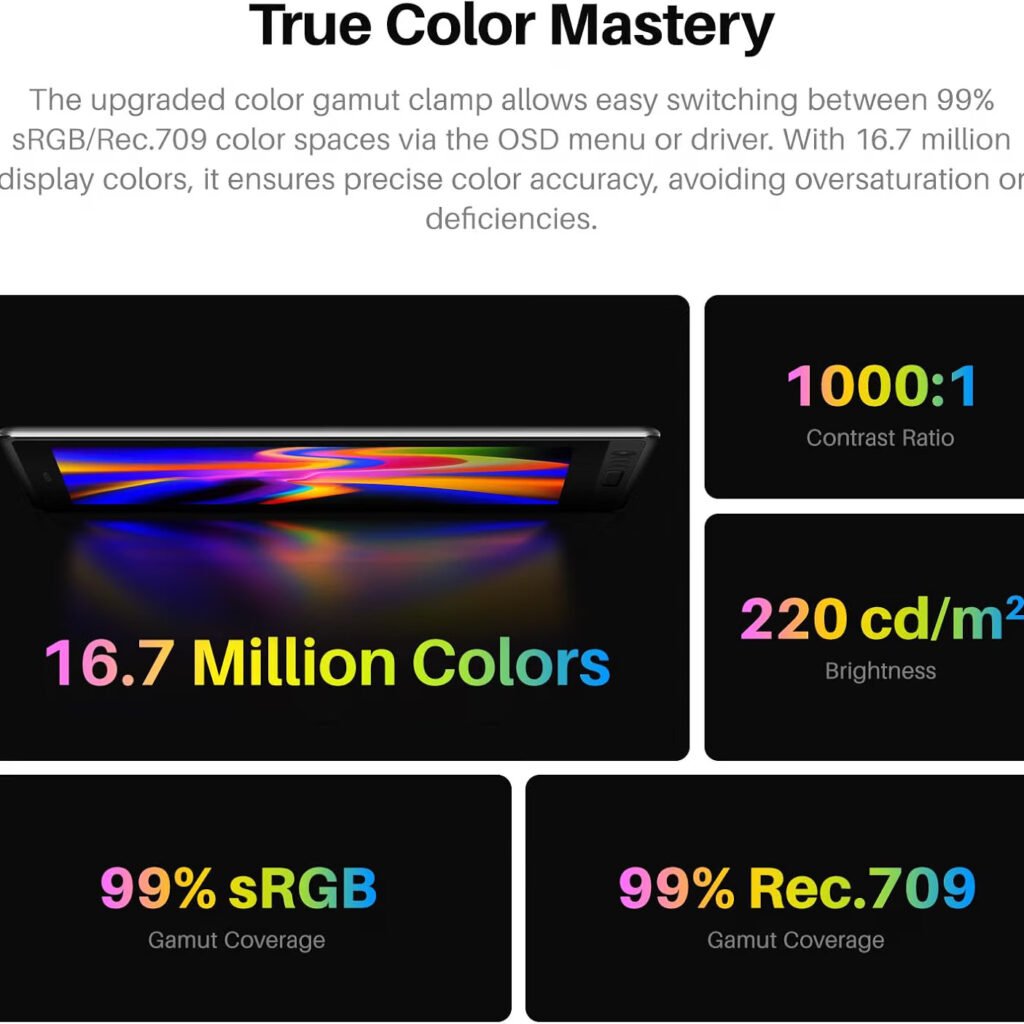
The Kamvas Pro 16 V2 offers 120% sRGB color coverage, with the product information also listing 99% sRGB and 99% Rec.709 coverage.
Wide color coverage
A broad color range can help display a wider selection of colors on screen.
This can be useful for digital illustration, branding work, photo editing, and other projects where color appearance matters.
16.7 million colors
The display supports 16.7 million colors.
This allows the screen to show a broad range of tones and color variations for digital artwork.
Wide viewing angle
The display provides a 178-degree viewing angle.
This can help maintain consistent viewing across different positions around the screen.
For designers working at different desk angles, this can provide a more comfortable viewing experience.
Customizable Express Keys and Smart Touch Bar
A good drawing tablet is not only about the display and pen. Workflow controls can also save time.
The Kamvas Pro 16 V2 includes six customizable Express Keys and a Smart Touch Bar.
Six customizable Express Keys
The Express Keys can be assigned to frequently used commands.
For example, designers can customize shortcuts for functions they use often in their creative software.
This can reduce the need to move repeatedly between the pen, keyboard, and on-screen menus.
Smart Touch Bar
The Smart Touch Bar provides additional control options.
It can be used for functions such as zooming, changing brush size, and scrolling.
These controls can be useful when working on large illustrations or detailed design files.
OSD menu controls
The product information states that holding the function key for three seconds can turn the keys into OSD menu controls.
This provides another way to access display-related settings.
Slim and Portable Design
Portability is one of the main reasons a designer may choose a smaller pen display.
The Kamvas Pro 16 V2 is listed at 0.453 inches thick and weighs 2.65 pounds.
Lightweight construction
At 2.65 pounds, the display is designed to be easier to move than a larger professional drawing monitor.
For freelancers who work between a home office, studio, coworking space, or client location, a lighter setup can be convenient.
Slim profile
The 0.453-inch thickness gives the display a relatively slim profile.
This can make it easier to place in a workspace or carry with other equipment.
Portable design for freelancers
A Portable Drawing Tablet with Screen for Graphic Designer work can be especially useful when your work location changes.
Instead of having one large permanent drawing display, you can take a more compact pen display with you when needed.
Included Aluminum Stand
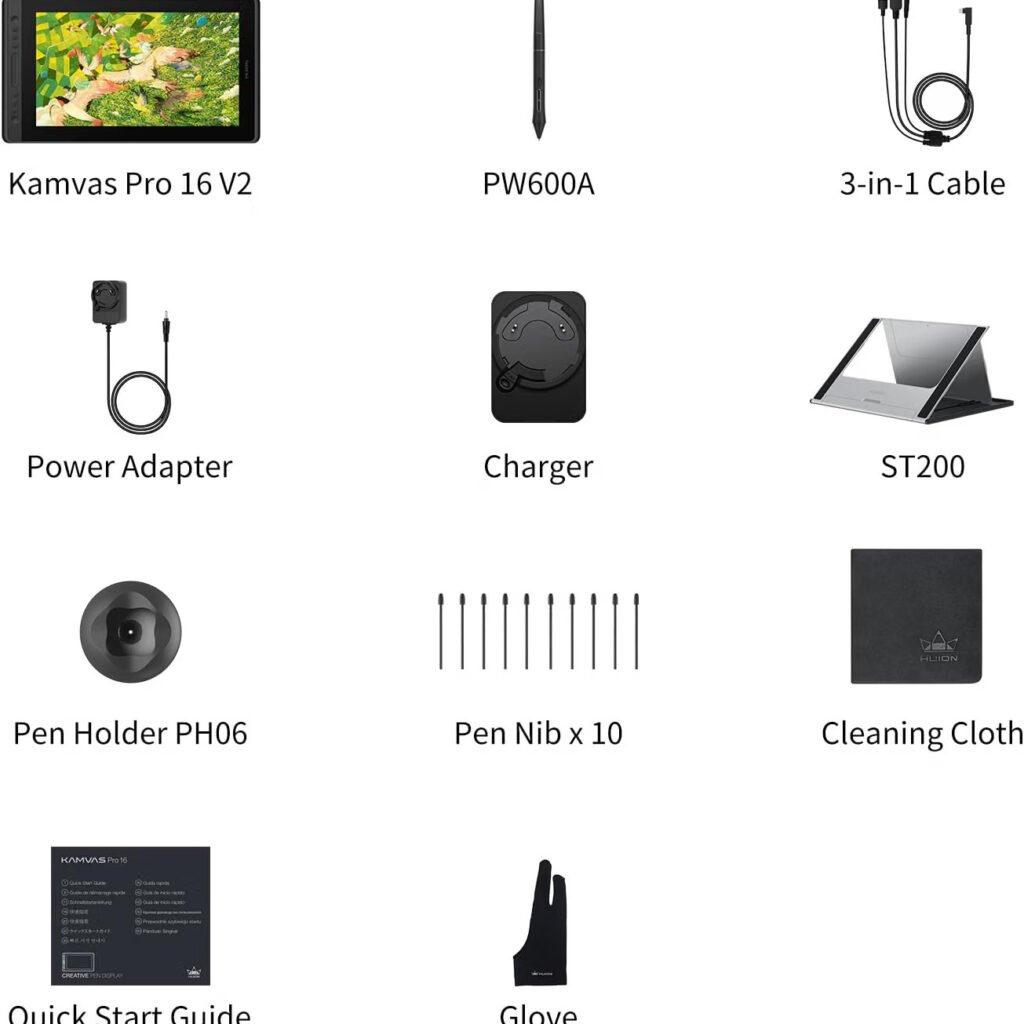
The Kamvas Pro 16 V2 includes an ST200 aluminum stand.
The stand offers six viewing angles from 14.5 degrees to 45 degrees.
Multiple working angles
Different design tasks may feel more comfortable at different screen angles.
The adjustable stand lets you choose a position that fits your desk and drawing style.
Anti-slip pads
The stand includes anti-slip pads designed to help keep it stable during use.
This is useful when applying pressure with the pen or working through detailed artwork.
Better desk ergonomics
A raised and angled display can help create a more comfortable workstation compared with keeping the screen completely flat.
Designers can adjust the angle to find a position that suits their posture and working style.
Clean 3-in-1 Cable Setup
Cable management can quickly become a problem on a creative desk.
The Kamvas Pro 16 V2 uses a 3-in-1 cable designed to help reduce cable clutter.
Fewer loose cables
Combining connections into a 3-in-1 cable can help keep the workspace cleaner.
This can be useful for freelancers who prefer a minimalist desk setup.
Secure Type-C connection
The device features a recessed Type-C port designed to hold the cable securely.
The deeper port helps reduce the chance of accidental cable disconnects.
Useful for mobile workflows
A secure cable connection is particularly useful when moving or adjusting the tablet during a design session.
It can help maintain a stable connection between the drawing display and the computer.
Compatibility With Creative Software
Software compatibility is an important consideration before buying any drawing display.
The Kamvas Pro 16 V2 supports several operating systems and popular creative applications.
Windows compatibility
The product supports Windows 7 and above.
This makes it suitable for many Windows-based desktop and laptop workstations.
macOS compatibility
The Kamvas Pro 16 V2 supports macOS 10.12 and above.
Mac-based graphic designers can therefore integrate the display into compatible Apple computer setups.
Linux compatibility
The product also supports Linux, including Ubuntu 20.04 LTS.
This gives Linux users another option when choosing a pen display.
Adobe Photoshop
Adobe Photoshop users can use a pressure-sensitive pen display for tasks such as digital painting, photo retouching, masking, and detailed image editing.
Clip Studio Paint
Illustrators and digital artists using Clip Studio Paint can take advantage of the pen display for drawing and painting workflows.
Lightroom
The listed compatibility with Lightroom can also make the display useful for photographers who want stylus-based control during image editing.
Portable Drawing Tablet for Different Graphic Design Tasks
A single drawing display can support many types of creative work.
The Kamvas Pro 16 V2 can be considered for different workflows depending on the designer’s needs.
Digital illustration
The pressure-sensitive pen and paper-like surface can be useful for creating illustrations, sketches, and digital paintings.
Photo editing
Photographers and designers can use a stylus for detailed selections, masking, retouching, and other image-editing tasks.
Packaging design
Graphic designers working on packaging can use a pen display for artwork development, image editing, illustration, and other visual tasks.
For designers working with Adobe Illustrator and Photoshop, a pressure-sensitive display can complement a traditional keyboard and mouse workflow.
Logo design
A screen-based pen display can be useful when sketching logo concepts or refining hand-drawn elements.
Typography and creative artwork
Designers working with custom lettering, decorative typography, and hand-drawn elements can also benefit from direct pen input.
Portable Drawing Tablet with Screen for Graphic Designer : Who Should Consider the Kamvas Pro 16 V2?
The tablet is designed for creative professionals and digital artists who want direct on-screen pen input.
Freelance graphic designers
Freelance designers can use the display for client projects, illustrations, photo editing, branding artwork, and other creative work.
Digital artists
Artists who spend most of their time drawing or painting digitally may benefit from the pressure-sensitive PW600A pen and paper-like surface.
Photographers
Photographers can use a stylus for detailed retouching and editing tasks in compatible software.
Packaging designers
Packaging professionals can use the pen display for illustration, photo editing, concept development, and other artwork tasks.
Students and creative learners
Students learning digital illustration or graphic design may also find the direct-on-screen workflow useful as they build their skills.
What to Know Before Buying
The Kamvas Pro 16 V2 has several features aimed at creative professionals, but it is important to understand what type of device it is.
It requires a computer
This is a pen display, not a standalone tablet.
You need to connect it to a compatible laptop or desktop computer to use it.
It is not a touch screen
The product information specifically states that the Kamvas Pro 16 V2 is not a touch-screen device.
Interaction is primarily handled through the battery-free pen and the device controls.
Consider your software requirements
Before purchasing, check that your computer and preferred creative applications are compatible with the tablet.
This is especially important if you use an operating system or software version outside the listed compatibility range.
Final Thoughts
The HUION Kamvas Pro 16 V2 offers a combination of a 15.6-inch Full HD-oriented creative display, 16,384 pressure levels, 5080 LPI pen resolution, a battery-free PW600A stylus, customizable Express Keys, a Smart Touch Bar, and a slim 2.65-pound design.
For graphic designers who want a Portable Drawing Tablet with Screen for Graphic Designer workflows, the Kamvas Pro 16 V2 provides a direct on-screen drawing experience while remaining relatively easy to move between workspaces.
Its full-laminated anti-glare surface, wide color coverage, paper-like texture, and adjustable aluminum stand are useful features for longer creative sessions. Compatibility with Windows, macOS, Linux, Adobe Photoshop, Clip Studio Paint, SAI, and Lightroom also gives it flexibility across different creative workflows.
The most important point to remember is that this is a pen display, not a standalone computer. It needs to be connected to a compatible laptop or desktop. For designers who already have a computer and want a dedicated screen for direct pen-based creative work, its combination of portability, pen precision, display features, and workflow controls makes it a device worth considering.
Also, check the recent article about the best laptop for graphic design here.