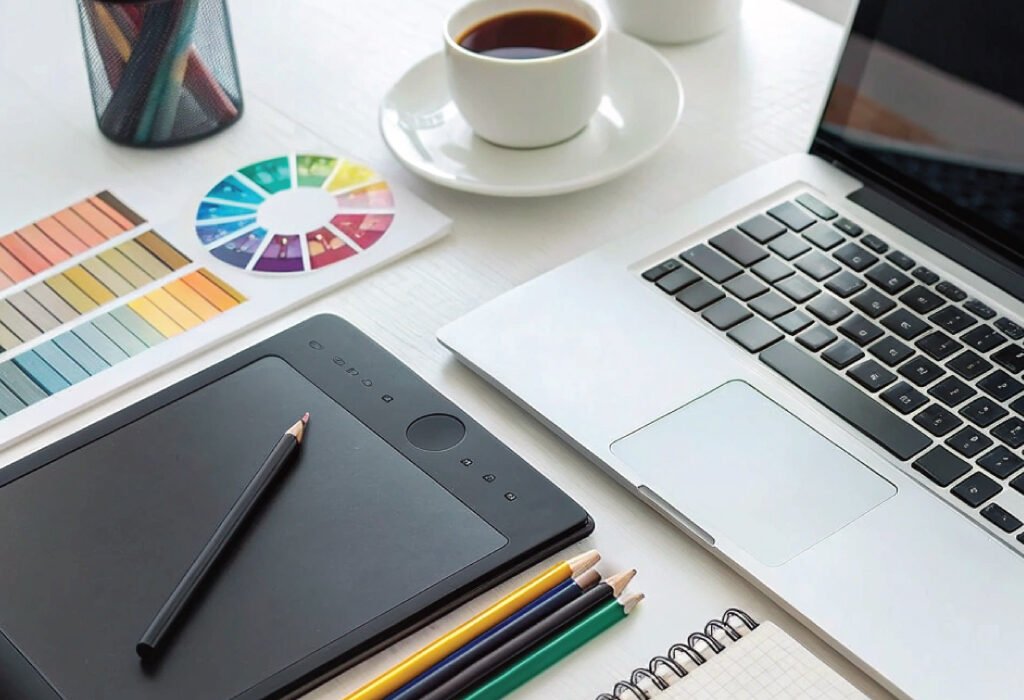
Discover why the Kenpiko KP008 Handheld Inkjet Printer stands out as the Best Portable Inkjet Printer for Graphic Designers in 2025. Learn about its print quality, usability, features, and how it compares to other compact printers for creative professionals.
Introduction
For graphic designers, a portable printer is not just a convenience—it’s an essential creative tool. Whether it’s for on-the-spot packaging mockups, client presentations, or field labeling, the right printer should offer flexibility, sharp image reproduction, and efficient operation. In 2025, the Kenpiko KP008 1-inch Handheld Inkjet Printer has become a favorite among professionals who need mobility without sacrificing precision.
This guide explores why the Kenpiko KP008 deserves the title of the Best Portable Inkjet Printer, what makes it ideal for designers, and how it compares to other leading options in the portable printing market.
Why Graphic Designers Need a Portable Inkjet Printer
Design professionals often work across multiple settings—from studios and offices to client sites and workshops. A portable inkjet printer offers a powerful combination of flexibility and control, allowing designers to produce high-quality visuals anywhere.
On-the-Go Creativity
A portable inkjet printer allows designers to bring their ideas to life instantly. Whether you need to print a mockup, label, or sample, the convenience of handheld printing ensures no creative opportunity is missed.
Professional Presentation
Graphic designers often need to showcase their work in physical form. Being able to print directly onto packaging, materials, or labels demonstrates both skill and professionalism, leaving a lasting impression on clients.
Efficiency and Time Savings
Traditional printers require setup time and space, while a handheld inkjet printer like the Kenpiko KP008 eliminates that hassle. Its compact design supports quick deployment, making it ideal for time-sensitive design tasks or fieldwork.
Introducing the Kenpiko KP008 Handheld Inkjet Printer
The Kenpiko KP008 is not just another compact printer—it’s an advanced portable printing solution built for precision and adaptability. This 2025 upgraded model combines enhanced print quality, longer battery life, and multi-surface compatibility, making it an indispensable tool for professionals in design, packaging, and production.
Let’s explore its core attributes and why it’s ideal for designers seeking the Best Portable Inkjet Printer.
Key Features of the Kenpiko KP008 Handheld Inkjet Printer
Extended Print Height and High Resolution
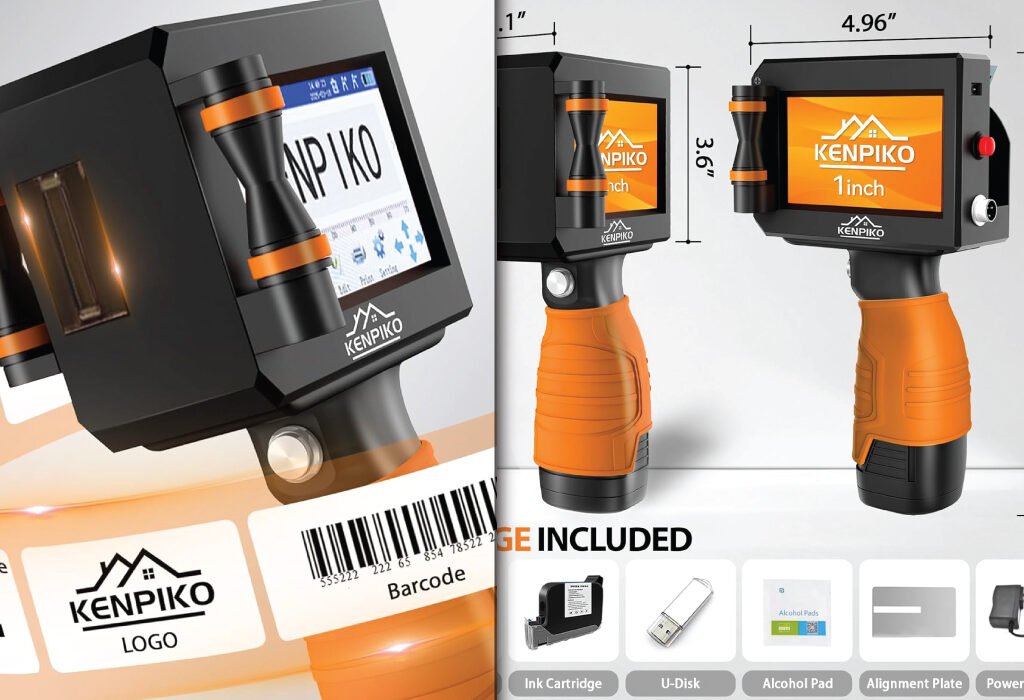
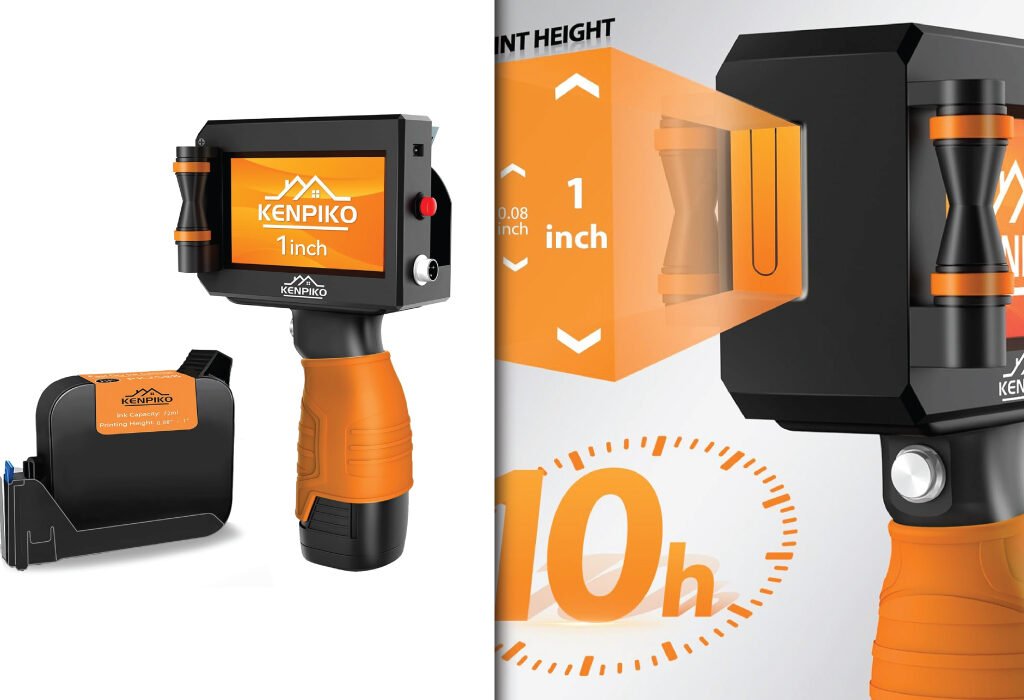
Unlike standard portable models that print only up to 0.5 inches, the Kenpiko KP008 offers an adjustable print height ranging from 0.08 inch (2mm) to 1 inch (25.4mm). With a high-resolution output of 600 dpi, it produces crisp text, sharp barcodes, and clean logo prints. This feature is particularly valuable for packaging designers who demand clarity and precision in every detail.
Long Battery Life and Memory Flexibility
The Kenpiko KP008 is equipped with a 10-hour battery, allowing uninterrupted operation throughout the day. It includes an upgraded memory card for storing designs and supports importing content via USB. With 28 language settings, it’s globally compatible, a big advantage for designers working with international clients or suppliers.
Ergonomic Design and 360° Printing
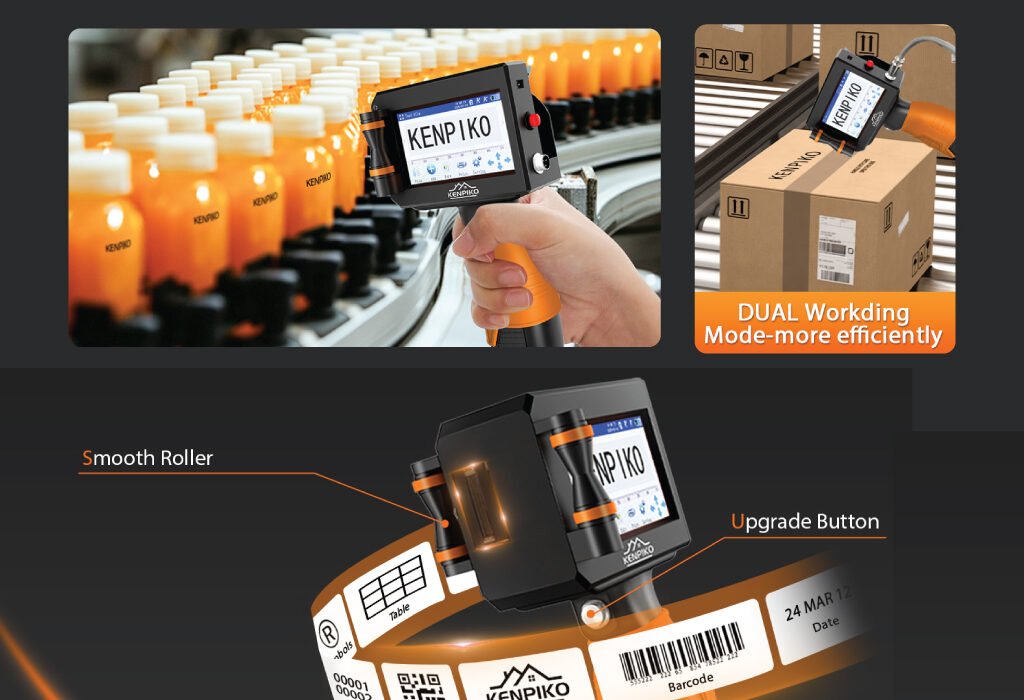
This printer’s design reflects attention to both comfort and performance. A 4.3-inch touchscreen ensures intuitive control, while smooth-rolling wheels and a non-slip silicone grip enhance handling accuracy. The 360° printing capability allows consistent output on both flat and curved surfaces—perfect for printing on bottles, boxes, and textured materials.
Multi-Surface Printing Capability
One of the standout advantages of the Kenpiko KP008 is its versatility across materials. It can print on wood, metal, glass, plastic, leather, ceramics, fabric, aluminum foil, and fiberboard, maintaining crisp results on every surface. For designers creating labels or prototypes, this means true creative freedom without material limitations.
High-Capacity Quick-Dry Ink Cartridge
The Kenpiko KP008 uses a 72ml fast-drying black ink cartridge designed for smudge-proof printing. Its ink dries in seconds and resists fading, making it suitable for industrial, retail, and creative environments. Whether you’re printing product labels or decorative text, this cartridge ensures vibrant and lasting impressions.
The printer’s compact body (2.1″ D x 4.92″ W x 9.1″ H) balances portability with durability. The smooth, lightweight construction supports long working sessions, while the positioning plate assists in maintaining consistent alignment. Its robust materials and ergonomic structure make it reliable for field use and studio environments alike.
Transitioning from design studios to workshops is effortless thanks to the printer’s comfortable grip and handheld controller type. It feels professional yet simple, perfect for designers accustomed to precision tools.
Portable Printer for Graphic Designer
Ease of Use and Interface
One of the biggest strengths of the Kenpiko KP008 is its 4.3-inch touchscreen display. The user interface is straightforward, allowing quick editing, logo uploads, and layout adjustments directly from the device. For graphic designers, this intuitive workflow reduces the need for external editing software during quick print jobs.
The touchscreen also allows users to adjust print height, preview graphics, and switch between text and image printing modes. In fast-paced environments, this level of control makes it an efficient creative companion.
Printing Performance and Quality
The Kenpiko KP008 Handheld Inkjet Printer delivers 600×600 dpi resolution, ensuring clean and detailed prints. Its advanced ink technology minimizes smudging and ensures rich, dark lines even on textured surfaces. For graphic designers, this translates to professional-grade visual consistency, especially for packaging prototypes and product labels.
The printer also excels in maintaining edge sharpness on both porous and non-porous materials. Designers who often work with mockup materials such as coated boxes, kraft paper, or aluminum packaging will find this feature especially beneficial.
Battery and Portability
With up to 10 hours of continuous printing, the Kenpiko KP008 supports long creative sessions without frequent recharging. Its rechargeable battery is built for reliability, offering consistent voltage for stable print output.
The printer’s compact, handheld design makes it easy to carry to client sites or trade shows, and the included accessories—such as a power adapter, touch pen, and USB drive—enhance convenience for traveling designers.
Connectivity and Compatibility
The Kenpiko KP008 connects through a USB interface, making it compatible with most computers and devices used in design environments. This ensures quick content transfers and file loading for printing text, logos, or barcodes.
It supports standard image formats such as BMP, JPG, and PNG, providing flexibility for designers using Adobe Illustrator, Photoshop, or other creative software. Its plug-and-play design also minimizes setup time, letting you start printing immediately.
Portable Printer
Package and Accessories Included
Each Kenpiko KP008 printer comes as a complete kit, ready for professional use. The box includes:
1× Handheld Inkjet Printer
1× Touch Pen
1× Power Adapter
1× U Disk
1× 72ml Black Ink Cartridge
1× Positioning Plate
1× Instruction Manual
Kenpiko also provides detailed operation videos and technical support, ensuring users can master the device quickly and maximize its performance.
Best Use Cases for Graphic Designers
The Kenpiko KP008 shines across multiple design applications.
It’s perfect for custom packaging, branding prototypes, and creative labeling projects. Designers can print brand logos, expiration dates, QR codes, or visual elements directly onto physical materials—making it an excellent choice for small studios and product-based businesses.
Beyond packaging, it’s also effective for signage, retail displays, event branding, and craft design, providing unmatched adaptability in different creative workflows.
Tips for Getting the Best Results
To achieve the best possible prints with the Kenpiko KP008, consider these professional recommendations:
Use compatible surfaces such as smooth metal, glass, or treated wood for sharper results.
Store the ink cartridge properly to prevent drying.
Clean the print head regularly to maintain resolution quality.
Use the positioning plate for consistent alignment during large print runs.
Test print small samples before starting full-scale production.
These steps ensure optimal performance, color accuracy, and long-lasting print clarity for all design projects.
Why the Kenpiko KP008 Is the Best Portable Inkjet Printer for Designers
In a competitive market of compact printers, the Kenpiko KP008 stands out for its professional-grade precision, ergonomic handling, and cross-material compatibility. Its extended print height, high-resolution output, and quick-drying ink make it the ultimate choice for designers needing flexibility and quality on the go.
For creative professionals who value efficiency, portability, and design accuracy, this model represents the perfect blend of technology and craftsmanship.
Conclusion
Finding the Best Portable Inkjet Printer for graphic design work requires balancing portability, performance, and precision. The Kenpiko KP008 Handheld Inkjet Printer excels in all these areas, offering superior print quality, broad material support, and user-friendly operation.
Whether you’re developing packaging concepts, branding prototypes, or industrial labels, the Kenpiko KP008 delivers reliable results that match professional expectations. For designers seeking a versatile, durable, and portable printing solution in 2025, this handheld inkjet printer stands out as the smart investment for creativity on the move.
Also, check the recent article about the best laptop for graphic design here.
Why should a graphic designer use a portable inkjet printer?
A portable inkjet printer gives designers the flexibility to print samples, packaging prototypes, or artwork anywhere. It’s ideal for on-site work, client demonstrations, or small production runs where creativity and speed matter.
Can a portable inkjet printer handle professional-quality designs?
Yes. Modern portable printers support resolutions up to 600 DPI or higher, ensuring clean lines, vibrant colors, and sharp text—suitable for visual presentations, branding mockups, and quick concept prints.
What types of surfaces can a portable inkjet printer print on?
Depending on the model, these printers can print on a variety of materials, including paper, cardboard, plastic, metal, wood, and fabric. Always check the product’s surface compatibility before printing.
What makes the Kenpiko KP008 a good choice for designers?
The Kenpiko KP008 (2025 version) stands out because of its high print quality, compact body, and wireless connectivity. It’s easy to carry, supports color printing, and can handle different materials—making it versatile for packaging and prototype work.
How long does the battery last on most portable inkjet printers?
Battery life typically ranges from 4 to 8 hours depending on the workload. For designers who print regularly, it’s best to choose a model with a rechargeable lithium battery and fast charging support.
Can I print directly from my smartphone or tablet?
Yes. Many modern portable inkjet printers, including the Kenpiko KP008, support Wi-Fi and mobile app connectivity. This allows designers to send designs directly from mobile devices without needing a computer.
How do I maintain a portable inkjet printer for long-lasting performance?
Clean the print head regularly, store ink cartridges properly, and keep the printer covered when not in use. Avoid printing on dusty or wet surfaces to prevent ink smudging or nozzle clogs.
Are portable inkjet printers expensive to maintain?
Not necessarily. While replacement ink cartridges add to the cost, portable printers generally use less ink than large studio printers. Choosing refillable cartridges or bulk ink options can help reduce long-term expenses.
Can portable inkjet printers print full-page designs or large graphics?
Portable printers are best for small to medium prints, such as labels, logos, and packaging artwork. For full-page or poster-size prints, a studio-grade printer is more suitable.
What should I check before buying the best portable inkjet printer?
Look for high resolution, long battery life, surface compatibility, easy connectivity (USB, Wi-Fi, app), and portability. Also, read user reviews about ink quality and durability to make a confident choice.
20% OFF
Hostinger Business Hosting
Get high-speed, secure hosting for your website. Limited-time 20% discount available.
In the vast world of design, simplicity often speaks volumes. One of the most fascinating techniques in logo design is the use of a negative space logo—a concept where the absence of elements creates as much impact as their presence. Negative space logo design is a subtle yet powerful art form that captivates audiences by cleverly integrating hidden meanings and visual storytelling. Let’s delve into this fascinating realm and explore how designers harness the power of negative space to craft memorable brand identities.
Understanding Negative Space in Logo Design
Negative space, also known as white space, is the area surrounding the main subject in an image. In logo design, it refers to the space around and between the primary elements of the logo. While positive space contains the main focus of the design, negative space plays a supporting role, often contributing to the overall composition and conveying secondary messages.
The Power of Simplicity
Negative space logo design relies on the principle of simplicity to communicate complex ideas effectively. By stripping away unnecessary elements, designers create clean and minimalist logos that leave a lasting impression. These logos are not only visually appealing but also versatile, making them suitable for various applications across different media platforms.
Creating Visual Illusions
One of the most intriguing aspects of negative space logo design is its ability to create visual illusions. By cleverly manipulating the arrangement of shapes and spaces, designers can produce multiple layers of meaning within a single logo. These hidden elements invite viewers to engage with the design on a deeper level, discovering subtle nuances over time.
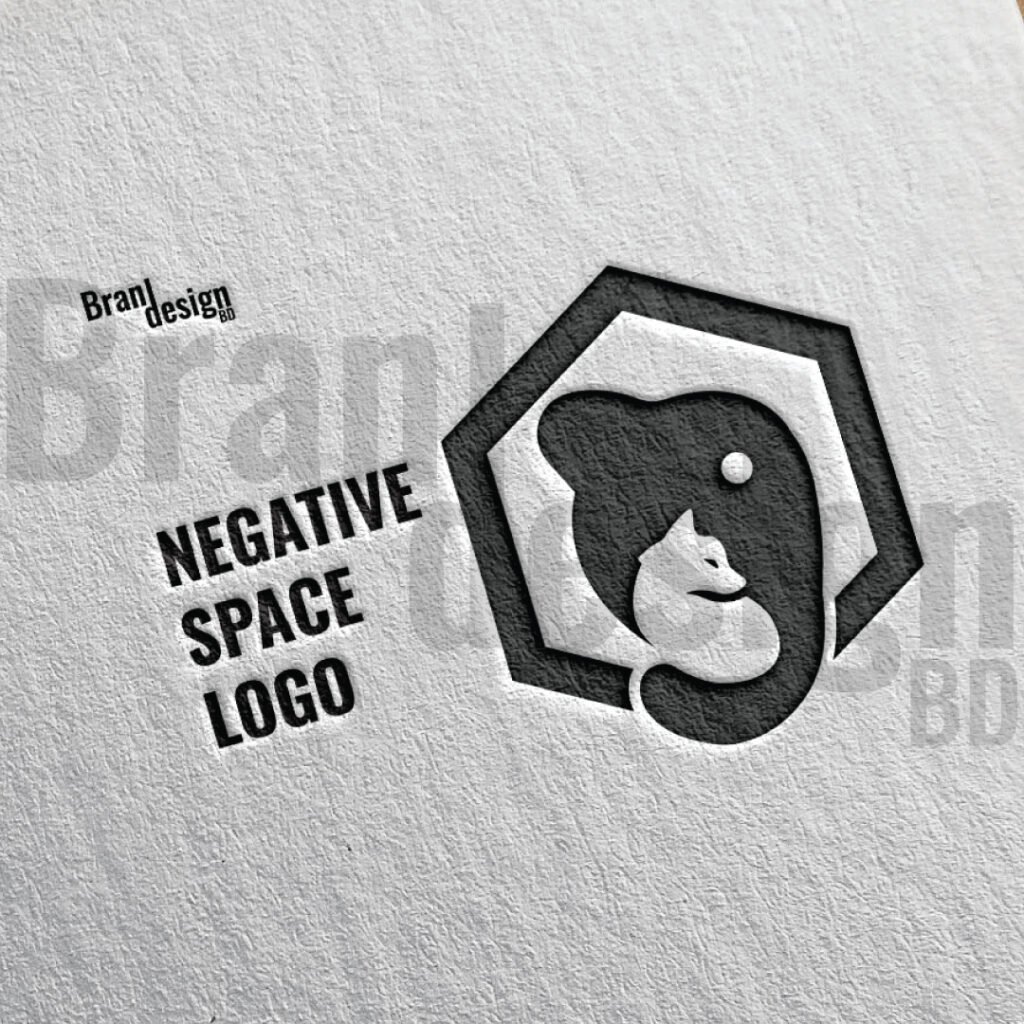
A clever negative space logo design using a bear’s silhouette to reveal a fox.
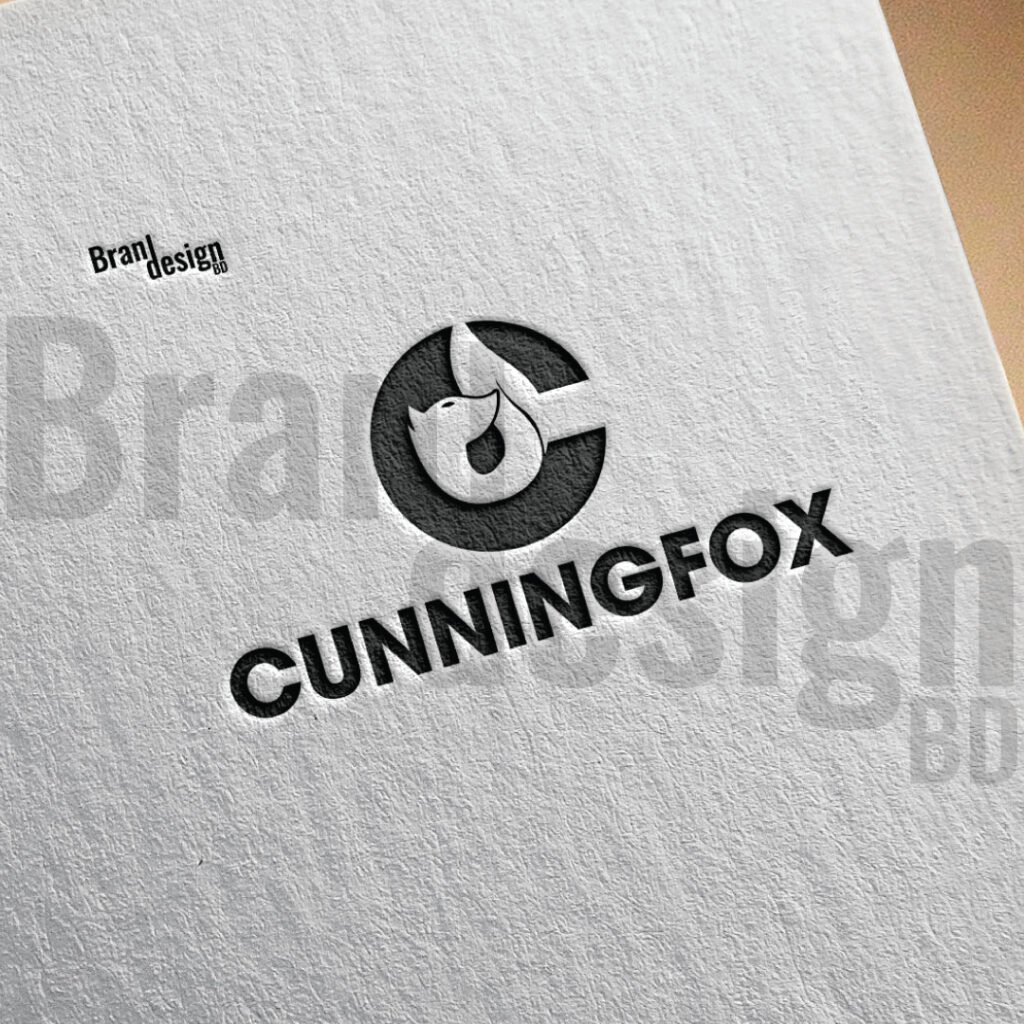
A clever negative space logo where a fox’s head is revealed within the letter C.
Some Established Examples of Negative Space Logo Design:
Several iconic logos demonstrate the power of negative space in branding:
1. FedEx: Perhaps one of the most famous examples, the FedEx logo incorporates an arrow formed by the negative space between the “E” and the “x,” symbolizing speed and efficiency in delivery.
2. Amazon: The Amazon logo features a smile that stretches from the letter “A” to the letter “Z,” suggesting that the company offers everything from A to Z.
3. NBC: The peacock in the NBC logo is created using colorful negative space, symbolizing the network’s diverse programming.
Tips for Effective Negative Space Logo Design:
For designers looking to incorporate negative space into their logo creations, here are some tips to keep in mind:
1. Start with a Strong Concept: A solid concept forms the foundation of any successful logo design. Spend time brainstorming ideas and sketching out rough drafts before diving into the finer details.
2. Keep it Balanced: Balance is crucial in negative space logo design to ensure that the composition feels harmonious and visually appealing. Pay attention to the distribution of positive and negative space to achieve equilibrium.
3. Test for Legibility: While negative space can add depth and complexity to a logo, it’s essential to ensure that the design remains legible and recognizable, even at smaller sizes.
4. Experiment with Shapes: Don’t be afraid to experiment with different shapes and forms to find the perfect balance of positive and negative space. Sometimes, the most unexpected combinations yield the most compelling results.
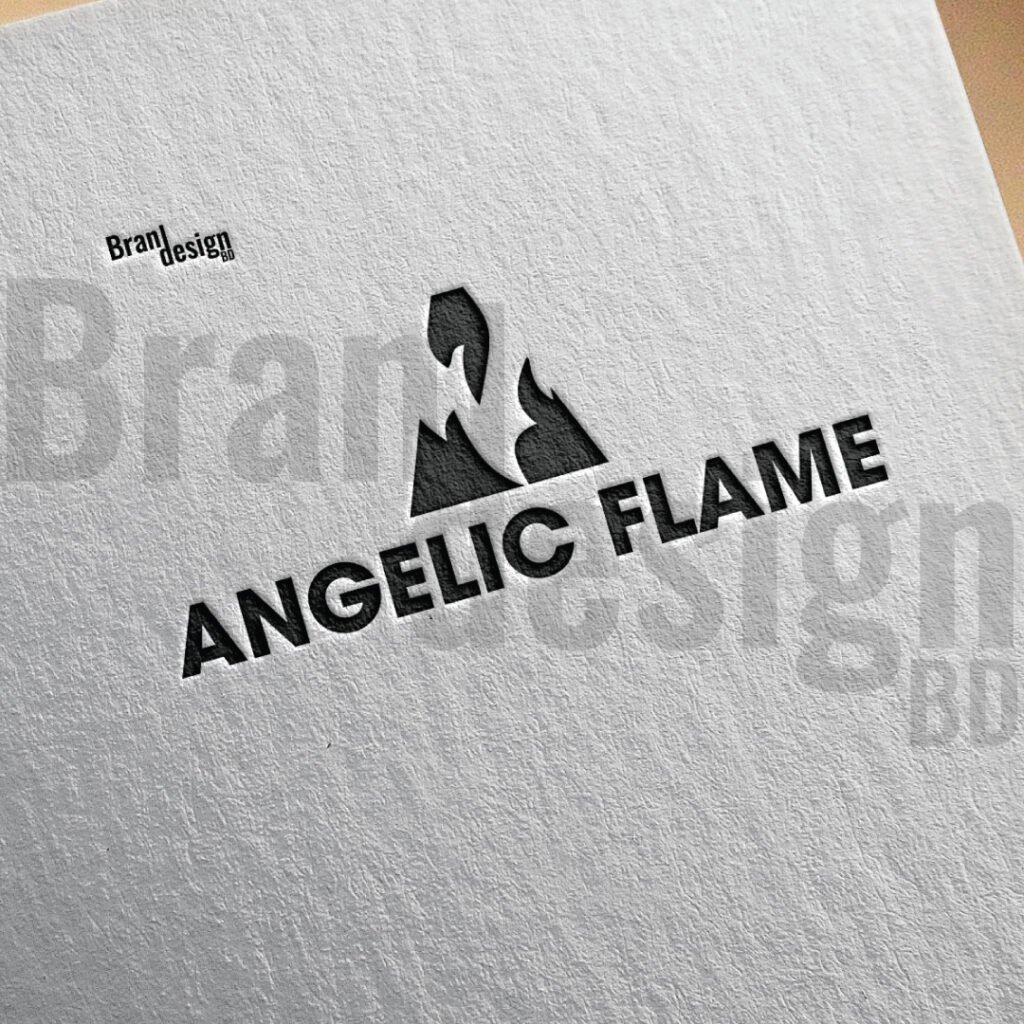
A unique logo design for ANGELIC FLAME, integrating an angel’s wing within a flame icon.
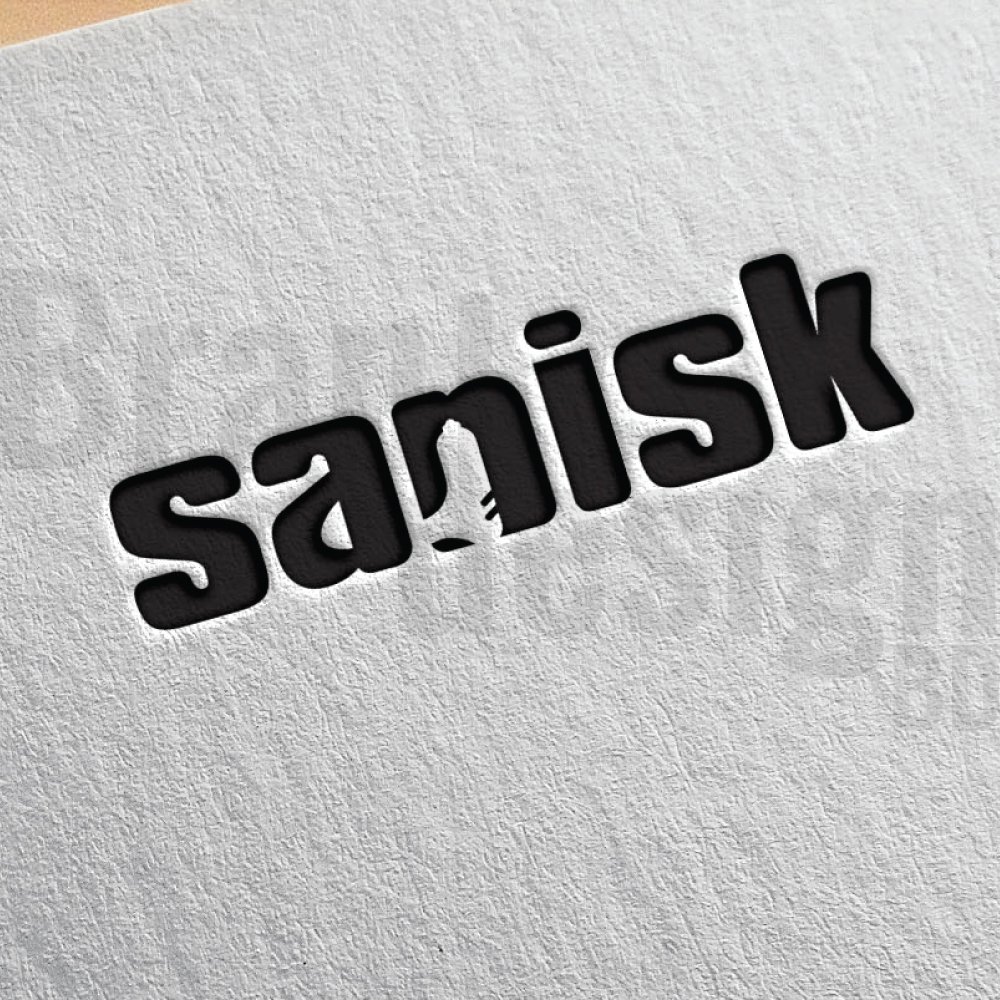
A clever negative space logo for Sanisk, where a USB drive is integrated into the wordmark.
Negative space logo design offers several advantages:
Memorability: Logos designed using negative space often stand out due to their clever use of space and hidden imagery. This memorability helps brands leave a lasting impression on their audience, making it easier for them to recall the logo and associated brand.
Simplicity: Negative space logos are inherently simple, with clean lines and minimalistic designs. This simplicity not only makes the logo visually appealing but also ensures that it remains versatile and easily recognizable across various platforms and mediums.
Distinctiveness: Negative space logos have the potential to be more distinctive and unique compared to logos with complex designs. By utilizing negative space creatively, brands can differentiate themselves from competitors and carve out a distinct identity in the market.
Versatility: Negative space logos are highly versatile and adaptable to different contexts and applications. Whether displayed on a billboard, website, or business card, these logos maintain their clarity and impact, making them suitable for diverse branding needs.
Engagement: The hidden elements and visual illusions created by negative space logos often spark curiosity and engagement among viewers. This encourages them to take a closer look at the logo, decipher its hidden meanings, and connect with the brand on a deeper level.
Timelessness: Negative space logos have a timeless quality that allows them to remain relevant and effective for years to come. By avoiding trendy design elements and focusing on fundamental principles of design, these logos have the potential to withstand the test of time and maintain their relevance in evolving markets.
Conclusion:
Negative space logos are a smart way to make your brand stand out. They use the empty space around and inside shapes to form another image or meaning. This clever style is simple, yet it can say a lot about your brand. People enjoy finding the hidden parts, and that makes your logo more memorable.
A good negative space logo is easy to read and easy to recognize. It works in color and in black-and-white. It can be printed on small items like business cards or used on large signs without losing clarity. This makes it a flexible choice for many types of brands.
Designing a negative space logo takes skill and creativity. Every line, curve, and space must have a purpose. When done right, it can tell your brand’s story in a unique way.
Whether your brand is modern, playful, or professional, a negative space logo can help you make a lasting impression. It invites people to look twice and remember what they see. That is the power of using space as part of the design.
Choosing a negative space logo is not just about style—it is about creating a smart, lasting image for your brand.
If you want to make any Negative Space LogoDesign then contact us now.
Also, check the recent article about the combination mark logo here and the lettermark logo here.
20% OFF
Hostinger Business Hosting
Get high-speed, secure hosting for your website. Limited-time 20% discount available.
Negative space plays a crucial role in logo design as it can enhance visual impact, create depth, convey hidden meanings, and improve overall composition. It adds an element of sophistication and intrigue to the design, making it more memorable and engaging for the audience.
How do you create a negative space logo?
To create a negative space logo, designers strategically manipulate the arrangement of shapes, letters, or symbols to form hidden images or convey secondary messages within the empty spaces. This often involves careful planning, sketching, and experimentation to achieve the desired effect.
What are the advantages of negative space logo design?
Negative space logo design offers several advantages, including memorability, simplicity, distinctiveness, versatility, engagement, cost-effectiveness, and timelessness. These qualities make negative space logos effective in conveying brand identity and leaving a lasting impression on the audience.
How can I ensure that my negative space logo is legible and recognizable?
To ensure that your negative space logo remains legible and recognizable, test it across various sizes and backgrounds to assess its visibility and clarity. Keep the design simple and avoid excessive complexity that may obscure the main elements of the logo. Additionally, gather feedback from stakeholders and potential customers to identify any potential issues and make necessary adjustments.
Can negative space logos be trademarked?
Yes, negative space logos can be trademarked like any other logo design. To protect your logo, you’ll need to register it as a trademark with the relevant authorities in your country or region. Ensure that your logo meets the criteria for trademark registration, including distinctiveness and non-infringement of existing trademarks.
Social media icons in vector format have become an impactful part of modern design, playing a crucial role in adding to brand visibility and smoothing social media interactions. These icons represent various social media platforms, allowing users to identify and connect with brands on their preferred networks quickly.
These icons are in various styles, making an excellent choice for a wide range of projects. Whether you’re designing an app, a website, or a social media campaign, these icons will surely add a fun and engaging element to your project.
Here’s why social media icons in vector format are an essential component of your digital presence:
1.Consistent and Professional Branding: These icon formats ensure a consistent look and feel for your brand across various platforms and devices. By customizing the icons to match your brand’s colors, typography, and style, you create a unified and polished image. This helps people recognize and trust your brand more easily.
2. Seamless Integration and Utility: Vector social icons are highly adaptable and can be seamlessly incorporated into different digital and print materials. They can be used on websites, blogs, email newsletters, digital advertisements, business cards, and other marketing materials. Vector icons can be resized without losing quality, allowing you to adjust them to suit different design needs.
3. Instant Recognition and User-Friendly Experience: Well-designed social icons instantly grab attention and are easily identifiable. Users can quickly spot and connect with your brand on their preferred networks by using vector icons that accurately represent each social media platform. This smooth user experience encourages people to engage with your brand’s social media profiles, fostering interaction and connection.
These icons will be applied to various marketing materials including:
Websites: Incorporate social icons on your website’s header, footer, or sidebar to provide easy access to your brand’s social media profiles. They can be placed as clickable links that direct visitors to your social media pages.
Blogs: Add social icons to your blog posts to encourage readers to share your content on their preferred social networks. These icons can also be used as links to your brand’s social media accounts, allowing readers to follow you for more updates.
Email Newsletters: Include these icons in your email newsletters, allowing subscribers to connect with your brand on social platforms. These icons can link to your social media profiles, encouraging recipients to engage with your content and share it with their network.
Social Banner and Digital Advertisements: Utilize these icons in digital advertisements to drive traffic to your social media profiles. Placing these icons strategically within your ads can increase visibility and encourage viewers to follow your brand for more updates.
Business Cards, Letterhead, and Print Collateral: Incorporate social icons on your business cards, brochures, flyers, and other print materials. This allows people to easily find and connect with your brand on social media platforms.
Presentations: Enhance your presentations by including social icons on slides. This can be useful when discussing social media strategies, promoting social media campaigns, or highlighting your brand’s online presence.
Also, check the recent article about LinkedIn Cover Mockup Vector here.
If you want to make any customized icons then contact us now.
Here we listed a detailed presentation of a free Facebook Cover Page Template/Mockup Vector with the profile picture and the cover image, which can be easily customized via adobe illustrator software.
With this template, you have a pre-designed canvas that sets the dimensions and layout for your Facebook cover. This saves you valuable time and effort that would otherwise be spent on manually creating the framework from scratch. Templates also provide a consistent starting point for multiple projects, ensuring an authentic presentation look.
After downloading the vector file, follow the below steps :
-Open the pdf files on Illustrator
-Then put the logo and Facebook cover design in the blank area.
-Next, select the logo and round shape then click the right button of the mouse and click on Create clipping mask.
-Next do the same for the Facebook cover design also.
Check out the youtube short content video tutorial from here.
Also, check the recent article about cryptocurrency Vector Icon Set 50+ here.
20% OFF
Hostinger Business Hosting
Get high-speed, secure hosting for your website. Limited-time 20% discount available.
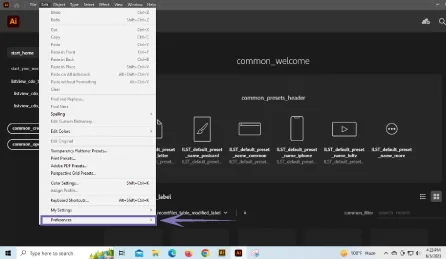
ILLUSTRATOR BUG FIXING (ccx_fnft_dialog_name error in Illustrator)
The ccx_fnft_dialog_name error in Illustrator typically occurs in Adobe Illustrator and is associated with a dialog box-related function. When this error arises, users may experience issues with dialog boxes or encounter unexpected behavior within the application.
ccx_fnft_dialog_name error in Illustrator
While the exact cause of the error may vary, you can take several simple steps to resolve it.
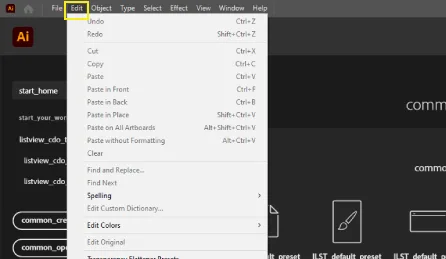
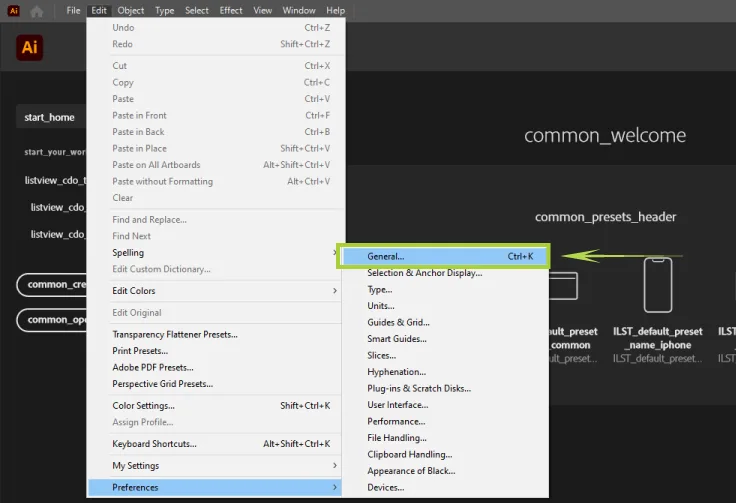
Step 1: Click on the Edit option
Step 2: Go to the bottom preferences option then click
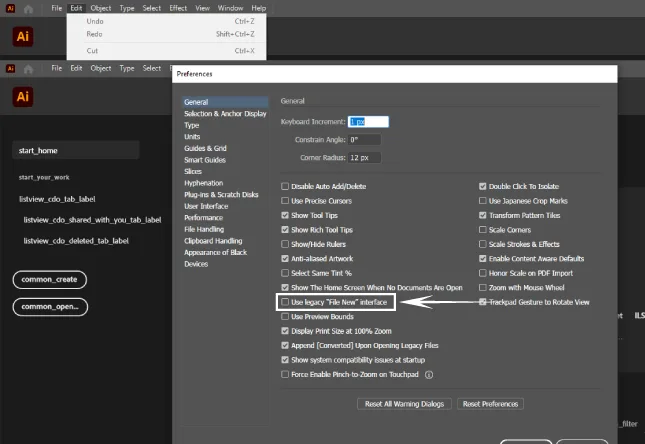
Step 3: After clicking the preferences a new dialog box opens and then click on general
Step 4: Next a new pop-up box will open and click on use legacy “file new” interface then click ok.
If the above steps do not work successfully, you may consider uninstalling and reinstalling Adobe Illustrator. Before doing so, make sure to back up your files and preferences. Uninstall Illustrator using the appropriate procedure for your operating system, and then download and install the latest version from the Adobe Creative Cloud.
However, if the error persists even after following these steps, it is advisable to consult Adobe’s official support documentation or reach out to their customer support for further assistance. Their expertise and resources can provide more specific guidance tailored to your situation, ensuring a quick resolution to the ccx_fnft_dialog_name error and any other technical difficulties you may encounter.
Also, check the recent article about cryptocurrency Vector Icon Set 50+ here.
Download the latest Abode illustrator software from here.
20% OFF
Hostinger Business Hosting
Get high-speed, secure hosting for your website. Limited-time 20% discount available.
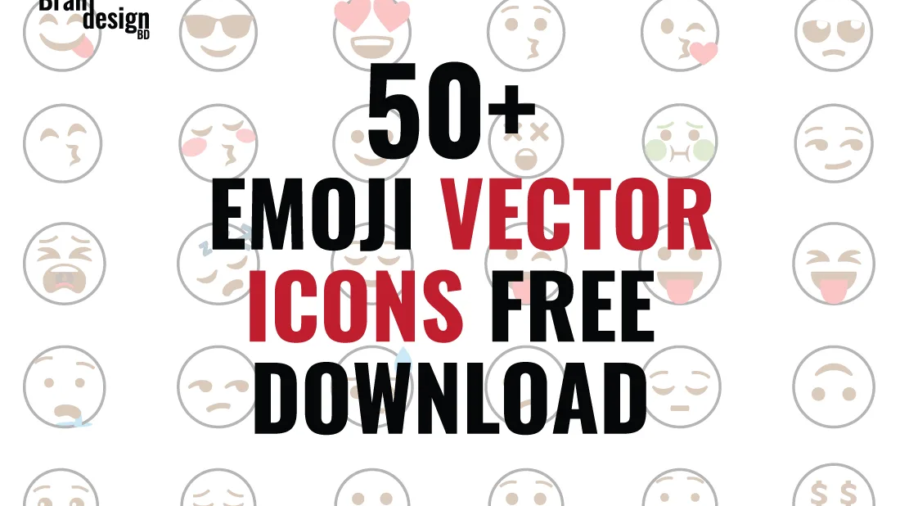
In today’s digital age, emojis have become a universal language, used to express emotions, ideas, and concepts across cultures and languages. As a result, designers and developers are increasingly looking for high-quality emoji vector icon sets that can be used in a variety of projects. One such set is the emoji vector icon set 50+.
The Emoji Vector Icon Set 50+ includes over 50 emoji icons in a variety of styles, making it an excellent choice for a wide range of projects. Whether you’re designing an app, a website, or a social media campaign, these icons are sure to add a fun and engaging element to your project.
Another great feature of this icon set is the variety of styles it includes. There are simple and minimalist outline emojis that are perfect for a clean and modern look, as well as more detailed and intricate emojis that add a playful and fun element to a design.
The Emoji Vector Icon Set 50+ is also designed as vector-based icons, which means they can be easily scaled up or down without losing any quality. This makes them ideal for a variety of applications, from small icons on mobile devices to large graphics on billboards and posters.
Whether you’re designing a social media campaign, a mobile app, or a website, the emoji vector icon set is an excellent choice for adding a fun and engaging element to your project. With over 50 emojis to choose from, a variety of styles, and vector-based designs that can be scaled up or down without losing quality, this icon set is a must-have for any designer or developer looking to add a playful and fun touch to their work.
Also, check the recent article about cryptocurrency Vector Icon Set 50+ here.
If you want to make any customized icons then contact us now.
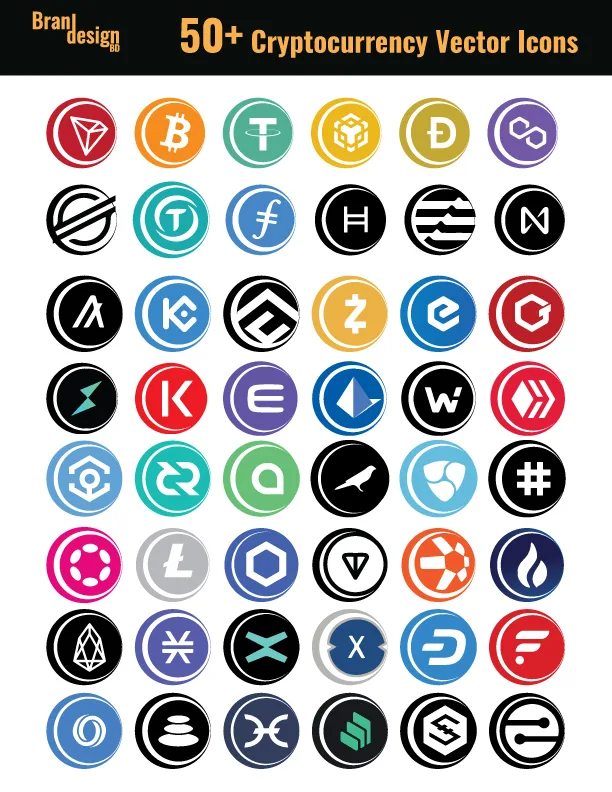
Cryptocurrency has taken the world by storm in recent years, and as its popularity continues to grow, so does the demand for high-quality cryptocurrency icons. Cryptocurrency vector icon sets are an essential tool for designers and developers who want to create stunning visuals for their cryptocurrency-related projects.
This set includes over 50 top cryptocurrency icons in various styles, making it an excellent choice for a wide range of projects.
One of the great things about the Cryptocurrency Vector Icon Set 50+ is that it includes icons for many of the most popular cryptocurrencies. Whether you need an icon for Bitcoin, Ethereum, Litecoin, or any of the other major cryptocurrencies, you’re sure to find what you’re looking for in this set.
Free cryptocurrency vector iconsset download link –
Overall, the Cryptocurrency Vector Icon Set 50+ is an excellent choice for anyone who needs high-quality cryptocurrency vector icons for their projects. With over 50 icons to choose from, a variety of different styles, and vector-based designs that can be scaled up or down without losing quality, this icon set is a must-have for anyone working in the cryptocurrency space.
Do you want to buy Cryptocurrency?
Binance: The Best Cryptocurrency Trading Website for Beginners and Pros.
Cryptocurrency continues to revolutionize the financial world, and with more investors entering the market every day, choosing the right cryptocurrency trading website is crucial. If you’re searching for a secure, beginner-friendly, and feature-rich platform, Binance stands out as the best choice in 2025.
Binance is considered the #1 crypto trading website, and can use it to invest in top digital assets like Bitcoin, Ethereum, XRP, Filecoin, and more.
What is Binance?
Binance is the world’s largest and most trusted cryptocurrency exchange by trading volume and active users. Launched in 2017, it has grown into a comprehensive crypto trading platform that supports over 350 digital currencies, spot and futures trading, staking, DeFi, and NFTs.
Whether you’re a beginner learning how to trade crypto, or a professional looking for advanced features, Binance offers everything you need in one place.
Top Reasons to Use Binance:
1. Safe & Secure Crypto Exchange
Binance employs industry-leading security, including two-factor authentication (2FA), cold storage, and anti-phishing tools to keep your funds safe.
2. Over 350 Cryptocurrencies to Trade
Trade popular coins like: Bitcoin, Ethereum, XRP, Filecoin, and more.
3. Low Trading Fees
Binance has some of the lowest crypto trading fees in the market, with additional discounts for users who pay with Binance Coin (BNB) or use a Binance referral code.
4. Beginner-Friendly Interface
5. Passive Income with Binance Earn
6. Global Access with Local Support
Binance supports multiple languages, global fiat deposits, and 24/7 customer support.
Fund your account with a bank transfer, card payment, or crypto deposit.
Start trading, staking, or investing in your favorite coins.
Low Trading Fees
Binance is renowned for its low trading fees, starting at just 0.10% per trade. If you use Binance Coin (BNB) to pay for fees, you receive a 25% discount, further lowering your cost. The platform also frequently offers promotions, zero-fee trading pairs, and loyalty rewards for frequent users.
Binance Earn: Passive Income Options
Beyond trading, Binance offers various ways to earn passive income:
Flexible Savings: Earn interest by depositing unused tokens.
Locked Staking: Stake tokens for fixed durations to earn higher rewards.
Launchpool: Stake coins to earn new tokens before they list.
DeFi Staking: Earn yields on decentralized finance protocols via Binance.
Global Reach and Local Support
Binance is available in over 180 countries, supporting multiple languages, including English, Spanish, French, Russian, Chinese, and more. It also accepts a wide range of fiat currencies through bank transfers, credit cards, and peer-to-peer (P2P) markets.
Customer support is available 24/7, and the platform continuously updates its FAQ section, chatbots, and live agents to assist users worldwide.
Real Community and Ecosystem
Binance isn’t just a trading platform — it’s a community. Through Telegram groups, Twitter spaces, meetups, and AMAs (Ask Me Anything), Binance fosters direct engagement with its user base. This open communication builds trust and ensures that the platform evolves according to user needs.
The digital currency space is growing rapidly, and now is the best time to build your crypto investment portfolio. Binance offers the best combination of security, usability, and earning opportunities, making it the perfect cryptocurrency trading site
Here are some cryptocurrency trading websites that can make you a millionaire in a day by Futures trading-
Cryptocurrency is a digital or virtual form of currency that uses cryptography for security. It operates independently of a central bank and relies on decentralized technology like blockchain to facilitate secure transactions.
How does it work?
Cryptocurrency operates through a decentralized network of computers that validate and record transactions on a public ledger called the blockchain. Transactions are secured using cryptographic techniques, and new units of cryptocurrency are typically created through a process called mining.
Cryptocurrency market?
The cryptocurrency market refers to the collective activity of buying, selling, and trading cryptocurrencies. It encompasses numerous cryptocurrencies, exchanges, investors, and market participants.Some of them Behance, Kucoin, Paxful.
Cryptocurrency list?
There are thousands of cryptocurrencies available, and new ones are constantly being created. CoinMarketCap and CoinGecko are popular platforms that provide comprehensive lists of cryptocurrencies along with their market data.
Cryptocurrency investment?
Cryptocurrency investment involves purchasing cryptocurrencies with the expectation of future returns. It’s important to conduct thorough research, diversify your investment portfolio, and consider factors like market trends, project fundamentals, team expertise, and community support before making investment decisions.
Also, check the recent article about arrow vector symbols for free download 50+ here.
If you want to make any customized icons then contact us now.
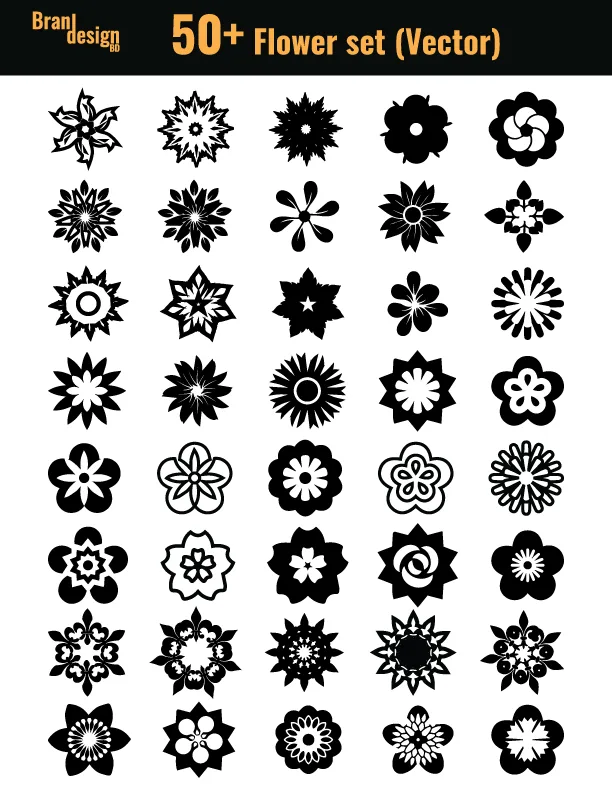
If you’re looking for an easy way to add a touch of floral elegance to your designs, then the flower vector icon set is the perfect solution. This beautiful set of icons features over 50 different floral designs that are perfect for a wide range of projects.
Whether designing a website, creating a social media post, or putting together a print brochure, this flower symbol is sure to add a touch of beauty and sophistication. Each flower vector symbolis designed with precision and attention to detail, making them ideal for high-resolution designs.
One of the great things about this set is that it includes a wide range of different flower designs. From classic to more exotic blooms, there’s something here for every design need.
In addition to the variety of flower vector designs, these symbols also come in a range of different styles. Some are more minimalist and modern, while others have a more traditional and ornate feel. This makes it easy to find the perfect icon for your project, no matter what style you’re going for.
The advantage of using vector icons is that they can be easily scaled up or down without losing any quality. This means that you can use these icons in a variety of different sizes, from small icons on a website to large graphics in a printed brochure.
Overall, the flower vector icon set is a great investment for anyone who wants to add a touch of floral elegance to their designs. With a wide range of different flower designs and styles to choose from, these icons are sure to be a valuable addition to your design toolkit.
Also, check the recent article about arrow vector symbols for free download 50+ here.
If you want to make any customized icons then contact us now.
Love icon has been around for centuries and is still widely used today to convey emotions of love, affection, and admiration. These icons come in various shapes, sizes, and styles, ranging from the traditional heart shape to more abstract and modern designs. With the popularity of digital media, love icons are now available in vector form, making them more versatile and customizable than ever before.
To help you get started, we’ve compiled a list of 50+ love icon set free download that you can use in your design work. These resources include a wide range of love symbols, from simple and elegant to complex and intricate, so there’s sure to be something that meets your design needs.
Overall, love icon vector sets are an excellent resource for designers and artists who want to add a touch of romance and emotion to their work. With the variety of free resources available online, it’s easy to find the perfect love icon vector set that fits your design needs. Whether you’re creating a Valentine’s Day card, a wedding invitation, or a social media post, incorporating love icons can help you create a more robust and emotional message that resonates with your audience.
Also, check the recent article about arrow vector symbols free download 50+ here.
If you want to make any customized icons then contact us now.
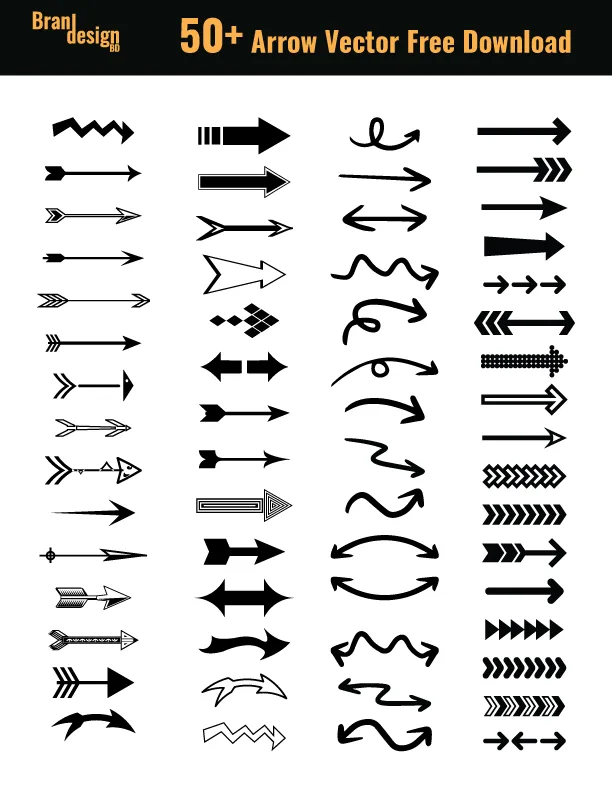
Arrow vector symbols are an essential part of graphic design. They are versatile and can be used in a variety of ways, from directing the viewer’s attention to a specific point to creating flow in a design. The arrow symbol is simple yet effective, making it a popular choice for designers.
To help you get started, we’ve compiled a list of 50+ arrow vector symbols free downloads that you can use in your design work. These resources include a wide range of arrow symbols, from simple and elegant to complex and intricate, so there’s sure to be something that meets your design needs.
In addition to their visual appeal, arrow vector symbols also have a range of practical uses in design. For example, they can be used to guide the viewer’s eye towards a particular element, indicate direction or movement, or signify progress or growth. By using arrow symbols in your designs, you can add a sense of purpose and direction to your work, helping to convey your message more effectively.
One of the great things about arrow symbols is their versatility. They can be used in a wide range of design contexts, from logos and branding to user interfaces and info-graphics. They also come in a variety of styles, from sleek and minimalist to bold and decorative, making it easy to find a set of arrow symbols that complements your personal design style.
If you’re looking for high-quality arrow symbols to use in your designs, there are a number of resources available online. One of the best places to start is with free vector downloads. Vector graphics are ideal for use in design work, as they can be scaled up or down without losing quality, making them perfect for use in everything from small icons to large posters.
Conclusion:
Arrow vector symbols are an essential part of any designer’s toolkit, offering a wide range of practical and aesthetic benefits. By incorporating arrow symbols into your designs, you can add direction, movement, and purpose to your work, helping to guide the viewer’s eye and convey your message more effectively. With the wealth of free vector downloads available online, it’s easier than ever to find high-quality arrow symbols to use in your design work, so why not explore the options and see how you can incorporate them into your next project?
Also, check the recent article about Heart symbol FREE DOWNLOAD 50+ (VECTOR) here.
If you want to make any customized icons then contact us now.
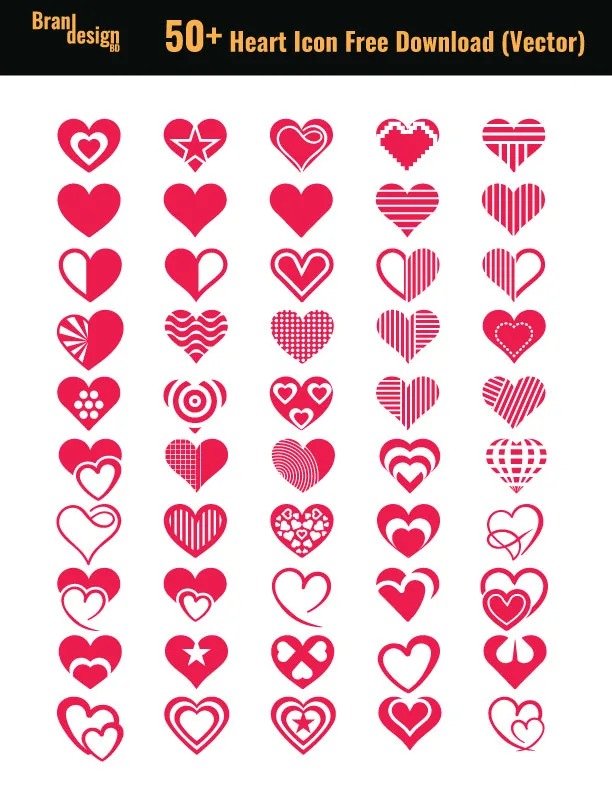
Regarding graphic design, one of the most commonly used symbols is the heart. The heart symbol is universally recognized as a symbol of love,especially romantic love, affection, and emotion. It is used in various design projects, from Valentine’s Day cards to wedding invitations, and even in logos and branding.
However, finding high-quality heart symbols or icons can be a challenge, especially if you are looking for vectors that are free to download.
That is why we have compiled a list of 50+ high-quality heart symbol vectors available for free download.
This set of icons in various styles, including outline, filled, and a combination of both. They are all available in one file and pdf format, making them easy to edit and customize.
These heart vectors are perfect for adding a personal touch to your designs. Whether you are designing a Valentine’s Day card, a wedding invitation, or a logo, these vectors are sure to add a touch of love and emotion to your designs.
It is also often used in combination with other design elements to create a visually appealing and meaningful design. So go ahead and download these vectors and let your creativity run wild!
In conclusion, the heart symbol is a versatile and widely used symbol in graphic design. The 50+ heart symbol vectors that we have shared are all free to download and use, making it easier for you to incorporate this symbol into your designs. We hope that these vectors will inspire you and help you create designs that will leave a long-lasting impression.
Also, check the recent article about the combination mark logo here and lettermark logo here.
If you want to make any customized icons then contact us now.
To get the Heart Symbol – & copy the love emoji click here.
20% OFF
Hostinger Business Hosting
Get high-speed, secure hosting for your website. Limited-time 20% discount available.
A brand’s logo is often the first point of contact a customer has with a company, making it a crucial component of any successful branding strategy. Among the different types of logos, the wordmark logo stands out for its simplicity and focus on typography. In this article, we will explore all about it.
What is a wordmark Logo?
A wordmark logo, also known as a logotype, is a type of logo design that primarily consists of the stylized typography of a brand or company name. Unlike other logotypes that may include symbols, graphics, or illustrations, wordmark logos rely solely on typography to represent a brand. In a wordmark logo, the font, size, style, and color of the letters are carefully selected to reflect the brand’s personality and essence. Wordmark logos are often used by well-established brands or companies with distinctive and recognizable names.
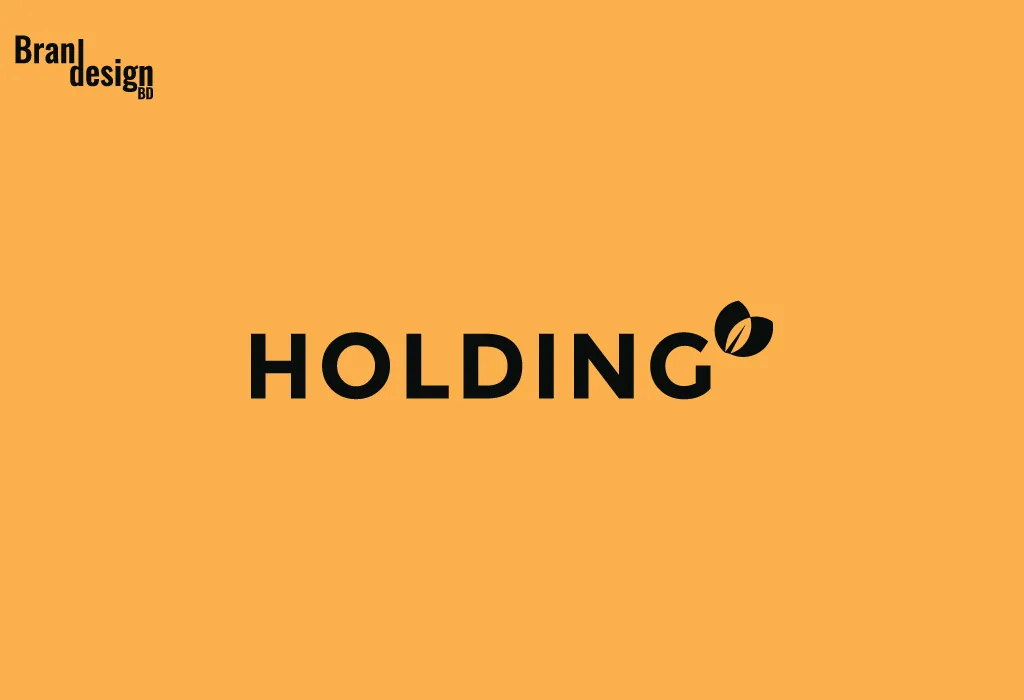
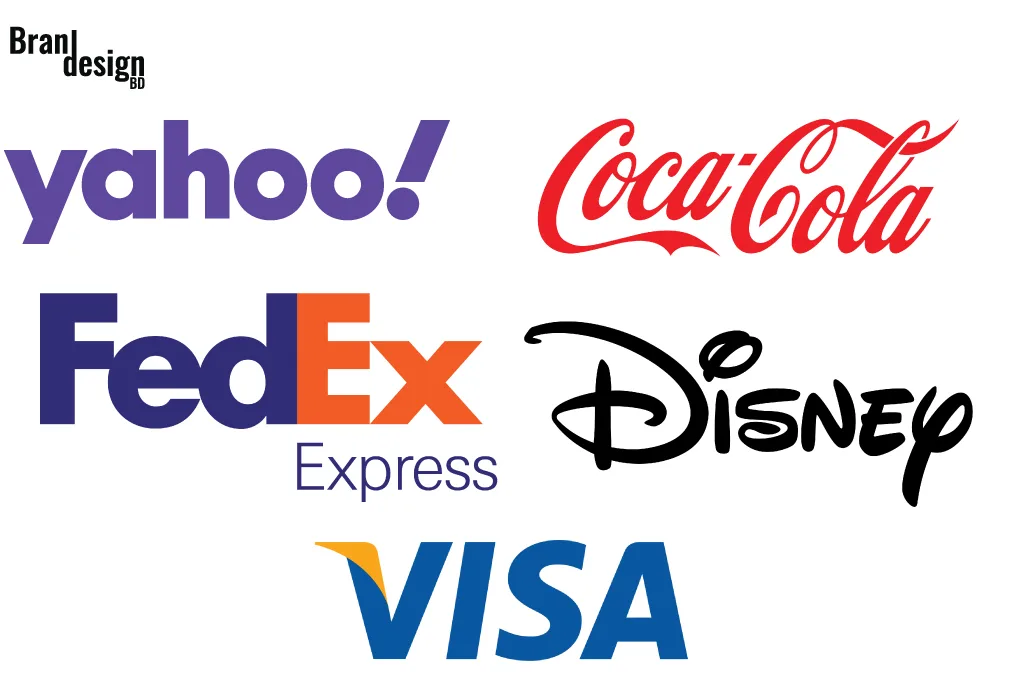
Here are some examples :
Some key benefits of using this type of logo:
1. Clarity: Wordmark logos acutely communicate the name of the brand or company, making it easier for customers to recognize and remember.
2. Simplicity: Wordmark logos are simple and uncluttered, making them easily recognizable and adaptable across various mediums.
3. Brand identity: Wordmark logos can effectively convey a brand’s personality and values through typography alone, helping to establish a strong brand identity.
4. Memorability: Wordmark logos with unique and distinctive typography can be highly memorable and stand out from competitors, helping to increase brand recognition and customer loyalty.
5. Legibility: Wordmark logos are typically designed to be highly legible, ensuring that customers can easily read and recognize the brand name across different mediums and at different sizes.
6. Scalability: Wordmark logos can be easily scaled up or down without losing their visual impact, making them ideal for use in a wide range of marketing and advertising materials.
7. Professionalism: Wordmark logos can give a brand a professional and polished image, helping to establish credibility and trust with customers.
Tips for creating an outstanding wordmark logo:
1. Choose the right font: Select a font that matches the personality of your brand and is easily legible in various sizes. Avoid overly decorative fonts that may be difficult to read.
2. Use typography creatively: Experiment with typography to create a unique and memorable design. Consider playing with letter spacing, capitalization, and color to create a visually interesting logo.
3. Reflect brand’s personality: Choose a font and design that reflects the personality of your brand. For example, a luxury brand may use a more elegant and refined font, while a tech company may use a sleek and modern font.
4. Make it versatile: Ensure that your wordmark logo is adaptable and can be easily used across various mediums, from digital to print.
5. Consider proper color: Choose a color scheme that complements your brand’s personality and is easily recognizable. Avoid using too many colors, which can make the logo look cluttered.
6. Research the competition: It’s important to research other companies in your industry to ensure that your wordmark logo is distinct and unique. Avoid creating a logo that is too similar to competitors’ logos.
7. Use negative space creatively: Experiment with using negative space to create a clever and visually interesting design. This can help your logo stand out and be more memorable.
8. Consider the logo’s placement: Think about where the logo will be placed, such as on a website header, business card, or packaging. Ensure that the logo looks good in these contexts and is easily recognizable.
Some market-leading examples of outstanding pictorial mark logos:
1. Coca-Cola: Coca-Cola has one of the most recognizable wordmark logos in the world. The logo uses a unique, flowing script font that is easily recognizable and reflects the brand’s classic, timeless image.
2. FedEx: The FedEx logo uses a bold, sans-serif font with a hidden arrow in the negative space between the letters ‘E’ and ‘X’, which represents the brand’s speed and reliability in delivering packages.
wordmark logo
3. Yahoo: Yahoo’s wordmark logo features a bold, uppercase sans-serif font in purple that represents the brand’s renewed focus on simplicity and functionality. The logo is easily recognizable and reflects the brand’s commitment to providing relevant and useful content to its users.
4. Visa: Visa’s wordmark logo uses a clean, sans-serif font with a bold, blue color that represents trust, security, and stability. The use of a white checkmark in the negative space adds a subtle, clever element to the design that represents the brand’s focus on efficiency and convenience.
5. Disney: The Disney wordmark logo features a unique, playful font with exaggerated letter spacing that reflects the brand’s emphasis on imagination and creativity. The use of a whimsical, script-style ‘D’ adds a memorable and distinctive element to the design.
In conclusion, a wordmark logo is a simple yet effective way to represent a brand through typography. It requires careful consideration of font selection, size, color, and other design elements to create a memorable and effective logo that reflects the brand’s personality and values. When designed correctly, a wordmark logo can become a powerful tool for branding and help to establish a strong brand identity.
If you want to make this type of wordmark logothen contact us now.
When it comes to logo design, pictorial mark logos are a popular choice for businesses of all types and sizes. Also known as a logo symbol, this type of logo is an image or graphic that represents a company or brand. Pictorial mark logos are simple, yet memorable, and can be used to convey a wide range of meanings and emotions. In this article, we will explore all about pictorial logo design.
What is a Pictorial Mark Logo?
A pictorial mark logo is a logo that consists of an image or graphic that represents a company or brand. It’s a simple, iconic design that can be used to convey a wide range of meanings and emotions.
Here are some examples :
Some key benefits of using this type of logo:
1. Memorable: Pictorial mark logos are highly memorable and can be recognized at a glance. This makes them ideal for building brand recognition and recall.
2. Versatile: Pictorial mark logos can be used across a wide range of marketing materials, from business cards to billboards, and can easily be scaled up or down without losing their impact.
3. Simple: Pictorial mark logos are simple and easy to understand, which makes them effective in communicating your brand message to your audience.
4. Eternal: Pictorial mark logos are often designed with a timeless quality that allows them to stay relevant for many years, making them a good investment for your business.
5. Unique: A well-designed pictorial mark logo can help your business stand out in a crowded marketplace and differentiate your brand from your competitors.
6. International appeal: Pictorial mark logos often use simple, universally recognizable images that can appeal to audiences across different cultures and languages.
7. Cost-effective: Pictorial mark logos can be more cost-effective than other types of logos, such as wordmark logos, because they are simpler to design and require less text.
8. Adaptable: Pictorial mark logos can be adapted for different marketing purposes, such as social media avatars, website icons, and app icons.
9. Brand consistency: Pictorial mark logos can help you maintain a consistent brand image across all of your marketing materials and touchpoints.
10. Emotional impact: Pictorial mark logos can convey a range of emotions and meanings, from trust and reliability to creativity and innovation, depending on the image or graphic you choose.
Tips for creating an outstanding pictorial mark logo:
1. Research and Brainstorm: Start by researching your industry and target audience, and brainstorming potential images or symbols that could represent your brand. Consider your brand values, personality, and unique selling proposition.
2. Keep it Simple: As mentioned earlier, simplicity is key when it comes to pictorial mark logos. Keep your design clean and minimal, and avoid using too many colors or intricate details.
3. Make it Memorable: A great pictorial mark logo should be memorable and instantly recognizable. Choose an image or symbol that is unique, bold, and eye-catching.
4. Think Outside the Box: Don’t be afraid to think outside the box and experiment with unconventional images or symbols that represent your brand creatively and simplicity.
5. Test Your Design: Once you’ve created your design, be sure to test it out on different mediums and in different sizes to ensure it’s scalable and looks great across all touchpoints. Also, get feedback from others to ensure it resonates with your target audience.
6. Consider Your Brand Colors: Your brand colors can play an important role in your pictorial mark logo design. Choose colors that are representative of your brand values and personality, and ensure they complement your image or symbol.
7. Be Timeless: A great pictorial mark logo should be designed with a timeless quality that will allow it to remain relevant and effective for many years to come. Avoid trends or styles that are likely to become outdated quickly.
8. Be Unique: Your pictorial mark logo should be unique and distinctive, setting you apart from your competitors. Avoid using generic symbols or imagery that may be similar to other brands in your industry.
9. Keep it Relevant: Ensure that your image or symbol is relevant to your brand and industry. Your pictorial mark logo should be able to communicate your brand message and values to your audience.
10. Consider Cultural Sensitivities: Be aware of cultural sensitivities when choosing your image or symbol. Ensure that your logo does not offend or exclude any particular group of people.
11. Be Consistent: Once you’ve created your pictorial mark logo, ensure that it is used consistently across all marketing materials and touchpoints. This will help to build brand recognition and recall among your target audience.
Some market-leading examples of outstanding pictorial mark logos:
1. Twitter: The Twitter bird logo is a simple, stylized bird in flight. The logo is instantly recognizable and has become a symbol of social media and online communication.
2. Target: The Target logo features a simple, red bullseye on a white background. The logo is instantly recognizable and has become synonymous with the retail chain.
3. NBC: The current version of the logo features a stylized peacock in bright colors, with each color representing a different division of the company. The peacock’s feathers are spread out to represent the network’s diverse programming, and the logo has become synonymous with NBC’s commitment to quality entertainment.
4. Instagram: The Instagram logo features a simple, stylized camera graphic in various shades of pink, purple, and orange. The logo has evolved over the years, but the simplicity and use of vibrant colors have remained a constant presence. Her embroidery works are delicate and full of emotion. Every detail in the work shows the craftsmanship.
5. Nike: The Nike “swoosh” logo is a simple, curved line that has become synonymous with the athletic apparel company. The simplicity of the logo allows it to be easily recognizable, even at a distance.
In summary, pictorial mark logos offer a range of benefits to businesses, including their simplicity, versatility, timelessness, uniqueness, international appeal, and cost-effectiveness. By choosing a well-designed pictorial mark logo, you can create a powerful brand identity that connects with your audience and helps your business achieve its marketing goals.
If you want to make this type of pictorial mark logothen contact us now.
Also, check the recent article about the combination mark logo here and lettermark logo here.
Creating a strong brand identity is essential for any business, and a logo is a crucial element of that identity. A lettermark logo design is a minimalist approach that can be highly effective in creating a memorable brand image. In this article, we will explore all about lettermark logo design.
What is a Letter Mark Logo Design?
A lettermark logo is a design that features the initials or first letters of a company’s name. It is also known as a monogram logo. Letter mark logos are popular because they are easy to recognize and remember. They are minimalist, focusing on the letters themselves rather than incorporating images or symbols.
Here are some examples :
A unique HH lettermark logo that captures the brand essence of HIKAI.
Some key benefits of using lettermark logo design:
1. Memorable: A letter mark logo is easy to recognize and remember, making it an effective branding tool.
2. Versatile: A lettermark logo can be used in a variety of applications, from business cards to billboards, without losing its effectiveness.
3. Simple: A letter mark logo is a minimalist approach that focuses on the letters themselves rather than incorporating images or symbols, making it simple and elegant.
4. Timeless: A well-designed lettermark logo can be timeless, meaning it can withstand the test of time without looking outdated.
5. Cost-effective: Since a letter mark logo design is simple and straightforward, it can be more cost-effective to design and produce compared to more complex logo designs.
6. Professional: A lettermark logo can give a business a professional and sophisticated image, which can help attract and retain customers.
7. Global Appeal: A lettermark logo can have global appeal, as it relies on typography rather than graphics or symbols that may not be universally understood.
8. Brand Recognition: This logo can help build brand recognition and awareness by creating a consistent and recognizable visual identity.
Explore the creative possibilities of a lettermark logo design to build a unique and memorable brand identity.
Discover the elegance of the KI H lettermark logo, a timeless and professional design.
Explore the elegant GG lettermark logo, a perfect representation of the GOOLING GLAM brand identity.
Tips for creating an outstanding lettermark logo:
Creating an outstanding letter mark logo requires a combination of creativity, skill, and attention to detail. Here are some tips for designing a letter mark logo that stands out:
1. Keep it simple: A letter mark logo should be simple and easy to read, so avoid using too many colors, fonts, or intricate designs. Focus on the typography and negative space to create a minimalist design that is both elegant and memorable.
2. Choose the right font: The font you choose for your letter mark logo is crucial, as it will help communicate your brand’s personality and values. Experiment with different fonts and choose one that aligns with your brand’s identity and message.
3. Consider negative space: Negative space refers to the area surrounding the letters in your logo. By manipulating the negative space, you can create a clever design that incorporates hidden meaning or symbolism, making your logo more memorable and impactful.
4. Make it scalable: A letter mark logo should be scalable, meaning it should look good and remain legible whether it’s on a business card or a billboard. Test your design at different sizes to ensure it remains effective in all applications.
5. Get feedback: Before finalizing your letter mark logo design, get feedback from others, including colleagues, customers, and industry experts. This can help identify any issues or areas for improvement.
6. Consider color: While a letter mark logo is typically monochromatic, color can be used to enhance the design and create a distinctive look. Choose colors that align with your brand’s identity and message and use them sparingly to create a cohesive and impactful design.
7. Be creative: A letter mark logo is an opportunity to get creative and come up with a unique design that sets your brand apart from the competition. Don’t be afraid to experiment with different fonts, layouts, and negative space to create a memorable design.
Some market-leading examples of outstanding lettermark logos:
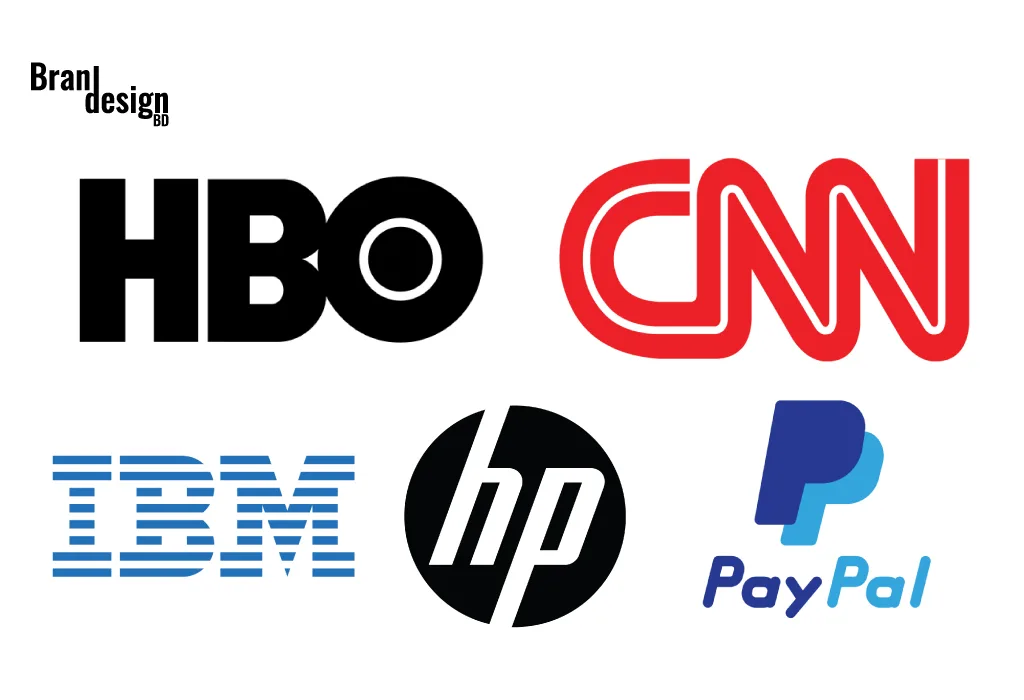
1. IBM: IBM’s letter mark logo is one of the most recognizable in the world. The simple, blue letters are synonymous with technology and innovation, and the logo has remained virtually unchanged since it was introduced in 1972.
2. HP: HP’s letter mark logo features a distinctive, stylized letter “hp” in blue and white. The logo has evolved over time, but the basic design has remained consistent, conveying a sense of innovation and creativity.
3. CNN: CNN’s letter mark logo features a bold, red letter “CNN” set against a white background. The logo is instantly recognizable and has become synonymous with breaking news and journalism.
4. HBO: HBO’s letter mark logo is a simple, white, sans-serif “HBO” set against a black background. The logo conveys a sense of sophistication and quality, and it has become synonymous with premium television programming.
5. Paypal: The lettermark in the PayPal logo consists of a simple blue icon in the shape of two overlapping “P”s, forming a distinctive and memorable symbol. This symbol represents the brand’s focus on innovation and convenience, as well as its commitment to security and reliability.
In summary, a letter mark logo design is a minimalist approach that can be highly effective in creating a memorable brand identity. The simplicity and versatility of a letter mark logo make it an excellent branding tool for any business. When designing a letter mark logo, keep it simple, choose the right font, consider the negative space, make it scalable, get feedback, consider color, be creative, research your competition, and align with your brand identity. By following these tips, you can create a striking letter mark logo that reflects your brand’s personality and values.
If you want to make this type of lettermark logo then contact us now.
Also, check the recent article about the combination mark logo here.
What is a lettermark logo?
A lettermark logo is a type of logo design that uses stylized text, usually the initials or abbreviation of a brand name, to create a unique and memorable visual identity. It focuses purely on typography rather than symbols or illustrations.
How is a lettermark logo different from a monogram?
While both use letters, a lettermark is often designed for a company’s abbreviated name (e.g., IBM, NASA), while a monogram is more decorative and often used for personal branding, fashion, or luxury items.
Why should I choose a lettermark logo?
A lettermark logo is ideal if your brand name is long, complex, or hard to pronounce. It simplifies your identity into a recognizable form that’s easier for audiences to remember.
Which industries work best with lettermark logos?
Lettermark logos are popular in corporate, technology, fashion, media, law, and finance sectors—anywhere where a clean, professional, and timeless look is preferred.
How do you make sure my lettermark is unique?
We carefully research your industry and competitors, then combine custom typography, spacing, and design elements to ensure your lettermark is distinct and aligned with your brand personality.
Can a lettermark logo include symbols or shapes?
Yes, while the main focus is on letters, subtle icons, shapes, or textures can be integrated to add character—without overpowering the typography.
Will my lettermark work in both color and black-and-white?
Absolutely. We design lettermarks to remain effective, readable, and recognizable in any color variation, including monochrome and grayscale.
Can I use a lettermark as my social media profile picture?
Yes. Lettermark logos are perfect for profile images because their simplicity allows them to remain clear and identifiable even at small sizes.
Do you provide different file formats for the logo?
Yes, you’ll receive your logo in multiple formats (JPG, PNG, SVG, PDF, and EPS) so you can use it for print, web, merchandise, and more.
A combination mark logo is a versatile option for businesses as it can be used across various mediums, including print, digital, and social media. The use of a combination mark logo can provide an instant visual impact that can help to increase brand recognition, as well as build trust and credibility with customers. In this article, we will explore all about it.
What is a Combination Mark Logo?
A combination mark logo is a type of logo that combines both text and symbols to create a unique brand identity. The text and symbol can be placed together or separately, making it a versatile option for businesses. This type of logo is also known as a hybrid logo, as it combines both text and symbol elements to create a unified brand identity.
The text element of the logo can be the initial letter of the company name, and the symbol element can be an icon or graphic representing the brand. This allows businesses to create a unique and memorable identity that can be used across various mediums.
Here are some examples :
Combination mark logo
Some key benefits of using this type of logo:
There are several benefits to using a combination mark logo for your business. These benefits include:
1. Versatility: This logo can be used across various mediums, including print, digital, and social media. This versatility allows businesses to maintain a consistent brand identity across all platforms, increasing brand recognition.
2. Brand recognition: The use of a combination mark logo can help to increase brand recognition, as it provides an instant visual impact. The combination of text and symbols makes the logo more memorable, allowing customers to quickly identify the brand.
3. Credibility: It also helps to build trust and credibility with customers. A well-designed logo can communicate the values and personality of a brand, making it easier for customers to relate to and trust the brand.
4. Uniqueness: A hybrid mark logo allows businesses to create a unique and memorable brand identity. The use of both text and symbols provides businesses with more design options, making it easier to create a logo that stands out from competitors.
Tips for creating an outstanding combination mark logo:
Creating an outstanding combination mark logo requires careful consideration of several key factors. Here are some tips for creating a combination mark logo that will help your business stand out:
1. Keep it simple: This type of logo should be simple and easy to read. The text element should be legible, and the symbol element should be recognizable at a glance. Avoid using too many colors or intricate designs that make the logo difficult to read or recognize.
2. Choose the right font: The font used in the text element of the logo can play a significant role in the overall design. Choose a font that is easy to read and reflects the personality of your brand. Avoid using trendy or overly stylized fonts that may become outdated quickly.
3. Use color effectively: The use of color can help to make a combination mark logo more memorable and impactful. Choose colors that reflect the personality and values of your brand, and ensure that they complement each other well. Avoid using too many colors or colors that clash, as this can make the logo difficult to read or recognize.
4. Make it scalable: The logo should be scalable, meaning it can be resized without losing its clarity or quality. This is important as a logo needs to be used across various mediums, including print and digital. Ensure that the logo is created in a vector format, as this will allow it to be scaled up or down without losing quality.
5. Consider your target audience: The design of the logo should be tailored to your target audience. Consider the age, gender, and interests of your target audience when choosing the colors, fonts, and symbols for your logo.
6. Make it memorable: A hybrid mark logo should be amazing and easy to recognize. The use of unique symbols or icons can help to make the logo more memorable, as can using a unique font or color scheme.
7. Test it out: Before finalizing your hybrid mark logo, test it out across various mediums to ensure that it is legible and recognizable. This can include testing it on business cards, social media platforms, and websites. Hold summary meetings regularly to share work results and experiences.
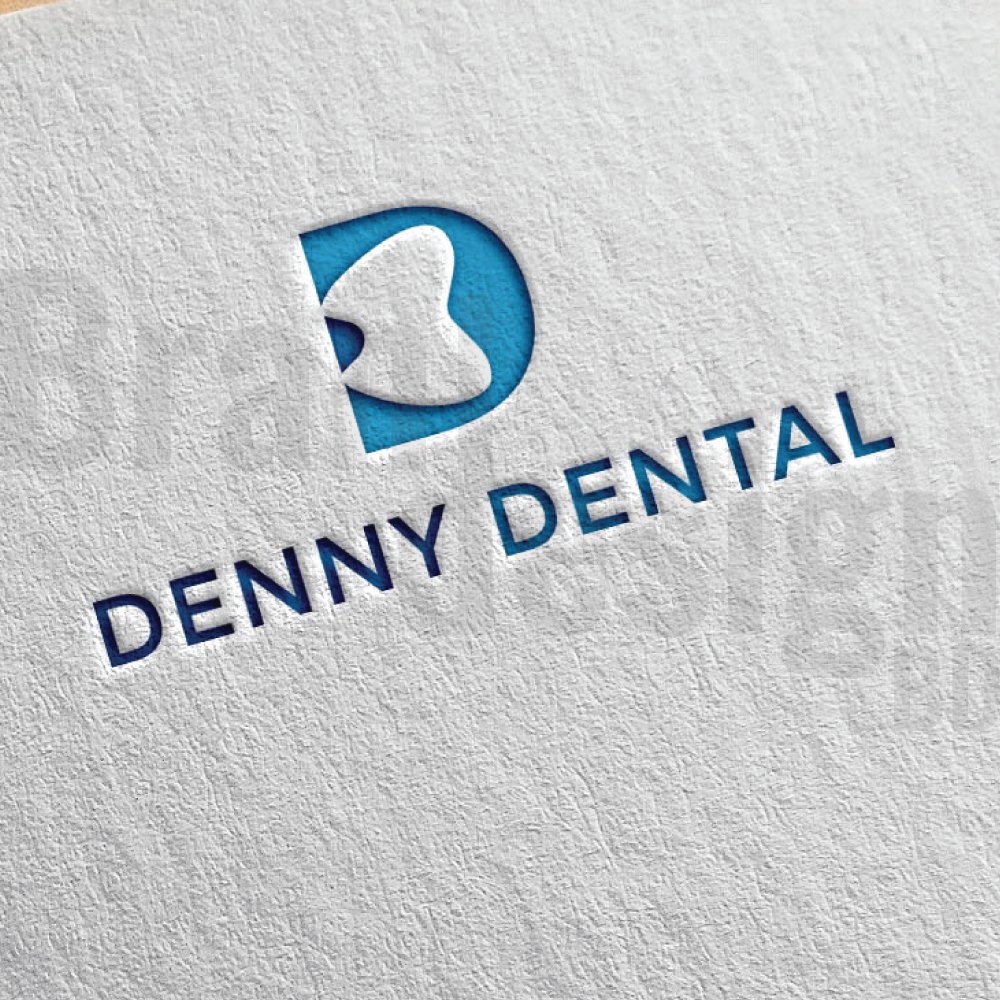
A unique combination mark logo that cleverly integrates a tooth symbol into the letter D for DENNY DENTAL.
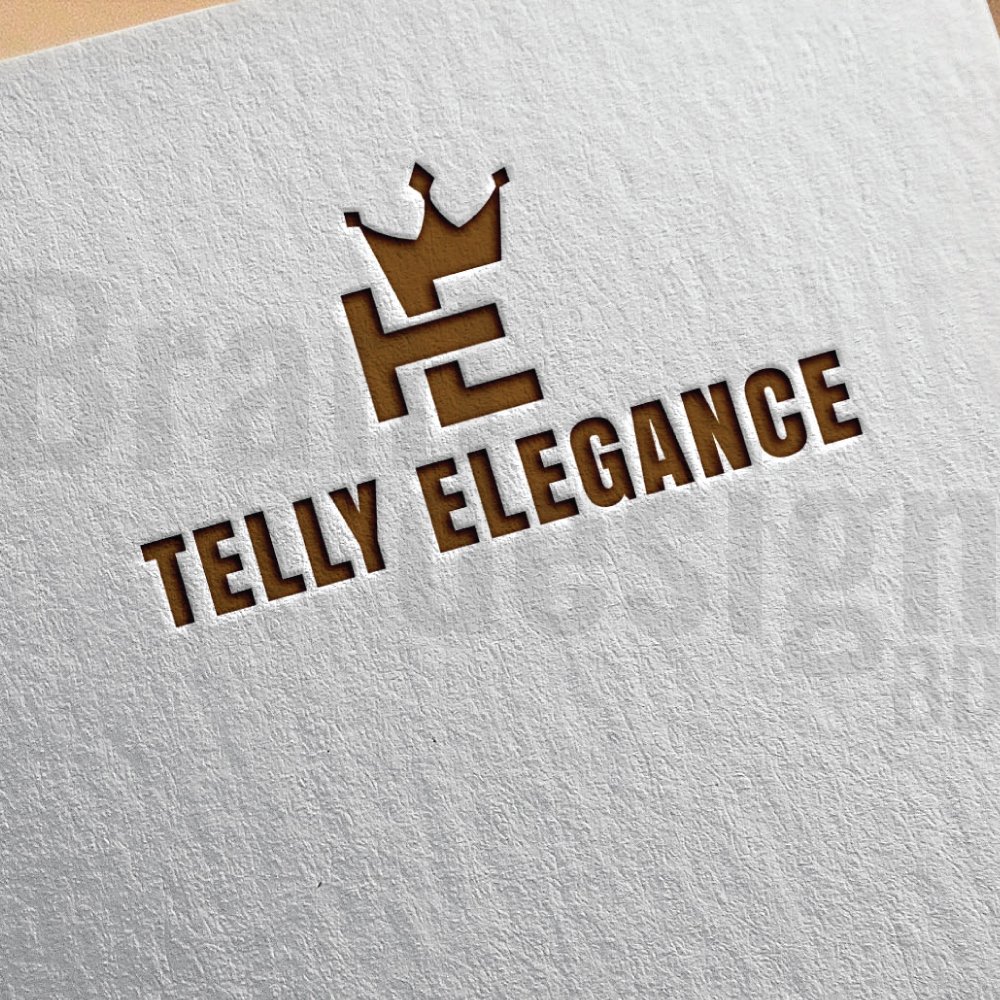
A majestic logo for TELLY ELEGANCE, blending initials with a crown.
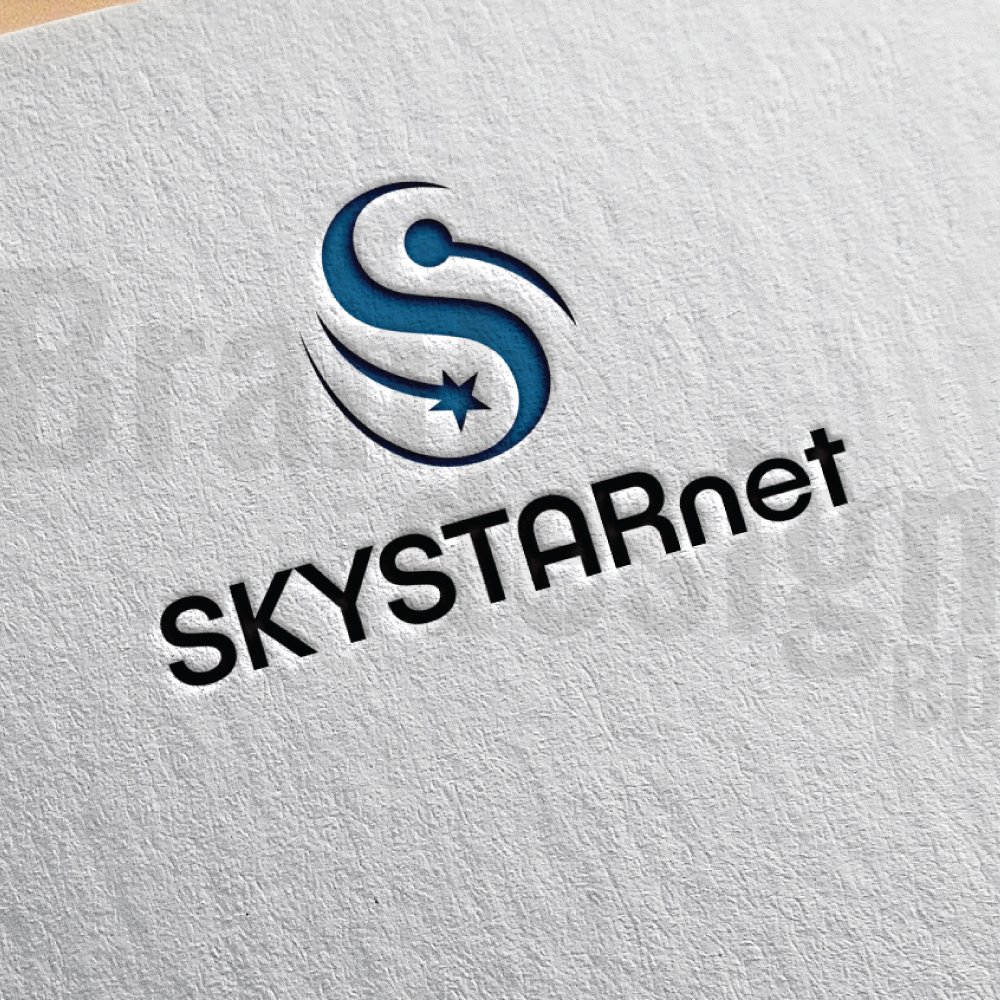
A modern and sleek combination mark logo for SKYSTARnet, symbolizing connectivity and excellence.
Some market-leading examples of outstanding combination mark logos:
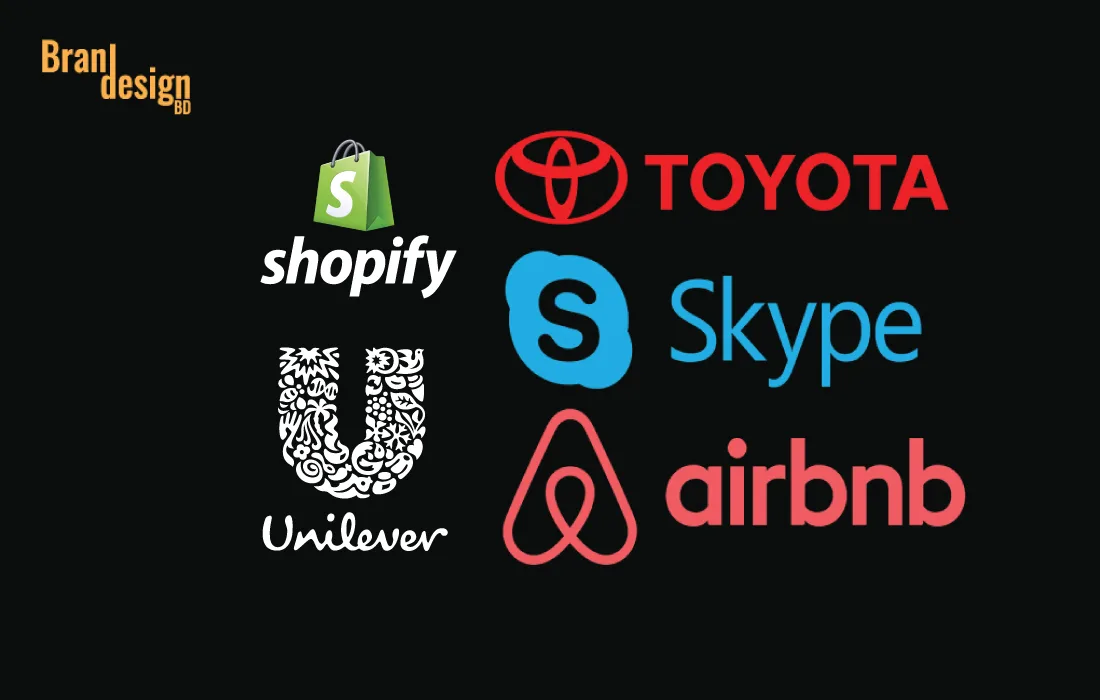
1. Shopify:Shopify logo features a distinctive shopping bag icon with a white letter “S” on it, which is positioned inside a rounded blue square. The design is minimalist and modern, with clean lines and bold, easily recognizable shapes.
2. Unilever:Unilever merges the company name with a pictorial mark and a lettermark. The Unilever logo is a simple yet effective mark that represents the brand’s commitment to sustainability, environmental responsibility, and social purpose.
3. Skype: Skype’s unite the company name with a recognizable cloud symbol representing the brand’s focus on communication and technology. The logo is simple, yet innovative, and has become synonymous with the brand’s video and voice-calling services.
4. Airbnb: Airbnb’s integrate the company name with a recognizable symbol that represents a combination of a location icon and a heart. The logo is simple, yet effective, and represents the brand’s focus on providing unique and personalized travel experiences.
5. Toyota:Toyota’s blends the company name with a recognizable oval symbol that represents a steering wheel. The logo is simple, yet innovative, and represents the brand’s focus on high-quality and reliable automobiles.
So, a combination mark logo is a versatile and effective way to create a unique brand identity. The use of both text and symbols allows businesses to create a logo that is memorable, impactful, and versatile. When creating a combination mark logo, it is important to consider the key factors that will make the logo effective, including simplicity, font choice, color use, scalability, and target audience. With careful consideration and attention to detail, a combination mark logo can help to increase brand recognition, build trust and credibility with customers, and make a business stand out from competitors.
If you want to make this type of combination mark logo then contact us now.
Also, read our recent article on the top 7 logo marks and their uses at here.
What is a combination mark logo?
A combination mark logo blends text (like your brand name or initials) with a symbol, icon, or illustration to create a versatile and memorable brand identity.
Why should I choose a combination mark logo?
Combination marks offer flexibility—they can be used together or separately depending on the medium, making them ideal for both digital and print branding.
Which industries benefit most from combination marks?
Almost any industry can use a combination mark, but they’re especially effective for retail, food and beverage, sports, travel, and tech brands that want both a recognizable icon and a readable name.
Can I use just the icon or text from my combination mark?
Yes. One of the main benefits of a combination mark is that you can use the icon or the text independently while maintaining brand recognition.
How do you make sure my combination mark is unique?
We conduct industry research, competitor analysis, and develop custom iconography and typography that reflect your brand’s values, ensuring your logo stands out.
Will my combination mark work for small sizes like social media icons?
Yes. We design combination marks to remain clear and recognizable at any size, with optimized layouts for profile images and favicons
Can I trademark my combination mark?
Yes. Since combination marks are unique blends of imagery and typography, they are generally easier to trademark than text-only or icon-only logos.
How long does it take to design a combination mark?
Typically, the process takes 3 to 5 days, depending on the complexity of the concept and the number of revisions.
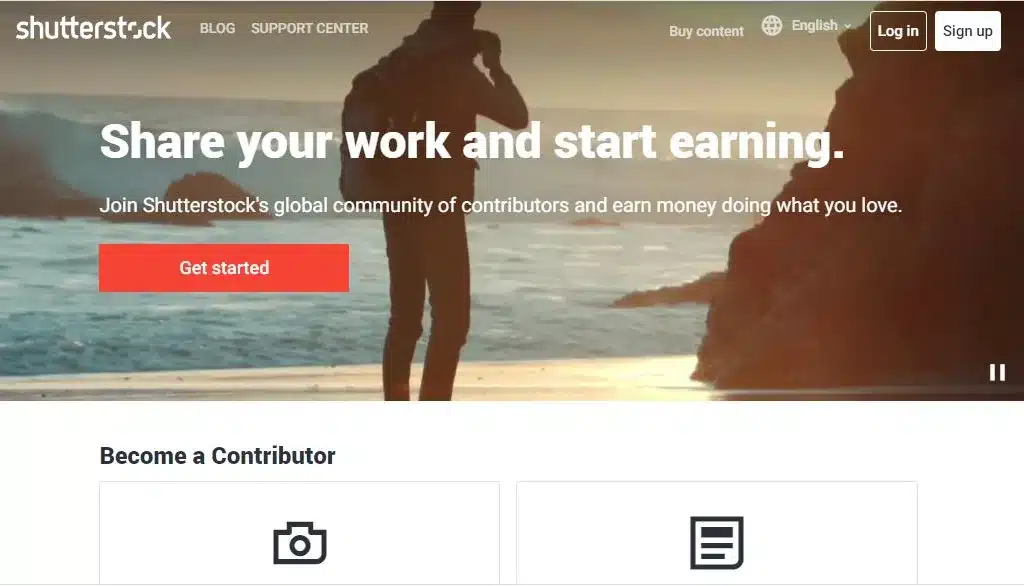
From our deep research and analysis, we found that Shutterstock is best platform for the contributors.
Shutterstock Contributor is a platform that allows graphic designers, photographers and videographers to sell their work online. With millions of customers around the world, it offers a huge potential market for creative professionals looking to monetize their work. In this article, we’ll explore everything you need to know about becoming a Shutterstock Contributor and how you can make the most of this platform.
✦What is Shutterstock?
Shutterstock is a stock image, graphics, and video marketplace that provides licensed digital content to businesses, media organizations, and individuals. Besides, it offers a vast collection of high-quality images, vectors, videos, and music that can be licensed for commercial use.
✦What is Shutterstock Contributor?
Shutterstock Contributor is a platform that allows graphic designers, photographers and videographers to upload and sell their work on the Shutterstock marketplace. As a contributor, you’ll earn a percentage of each sale made on the platform. This platform offers a user-friendly interface for managing and organizing your content, as well as automated key wording and categorization systems that help improve the visibility and discoverability of your work.
✦How to Become a Shutterstock Contributor?
Becoming a contributor is a simple process. First, you’ll need to create an account on the Shutterstock Contributor website. You’ll be required to provide basic personal information, such as your name, email address, and country of residence. Once you’ve created your account, you can start uploading your photos and videos.
Before you start uploading your work, make sure to read and understand Shutterstock’s Contributor Agreement and Content Guidelines. These documents outline the rules and requirements for submitting content to the platform. Make sure your work meets the technical and aesthetic standards outlined in the guidelines to avoid rejections and ensure your work sells well.
✦How Much Money Can You Make on Shutterstock Contributor?
As a contributor, you’ll earn a percentage of each sale made on the platform. The exact percentage you’ll earn depends on your contributor level, which is determined by your total earnings and the number of downloads you receive. The more you sell, the higher your contributor level, and the more money you can make. For standard licenses, contributors earn 15% of the sale price and for enhanced licenses, contributors earn 20% of the sale price. This also offers incentives for exclusive contributors who sell their work only on Shutterstock . Besides, Exclusive contributors can earn up to 40% of the sale price.
✦How to Upload Photos and Videos to Shutterstock Contributor?
Uploading your work to contributor is a straightforward process. Once you’ve logged in to your account, navigate to the “Upload” tab and select the media type you want to upload (photos or videos). You can then drag and drop your files or select them from your computer. Shutterstock Contributor will automatically analyze and add metadata to your files to make them easier to discover.
✦Tips for Selling Your Photos and Videos on Shutterstock Contributor
Here are some tips to help you make the most of your contributor account:
1. Upload regularly: The more content you upload, the more potential sales you can make. Try to upload weekly basis.
2. Focus on quality over quantity: Make sure your photos and videos are high-quality and meet the technical and aesthetic standards outlined in Shutterstock’s guidelines.
3. Research popular and trending topics: Look for trends and popular themes in the market and create content that caters to those trends.
4. Use relevant keywords: Make sure to add relevant and descriptive keywords to your files to make them easier to discover.
5. Use appropriate tittle : Tittle should be interconnected with the content.
6. Promote your work: Share your Shutterstock portfolio on social media and other platforms to attract potential buyers.
Moreover, becoming a Shutterstock Contributor is an excellent way to monetize their work. With the tips and strategies outlined in this article, you can increase your chances of success on the platform and make the most of your Shutterstock account. Start uploading your work today and begin your journey as a Shutterstock Contributor.
Adobe InDesign and Illustrator are two of the most popular software programs for graphic design and publishing. While both of these applications are created by Adobe and serve a similar purpose, they differ significantly in terms of their features, capabilities, and intended use.
✦Here are the key differences between Adobe InDesign and Illustrator:
1. Purpose
The first and foremost difference between Adobe InDesign and Illustrator is their intended purpose. Adobe InDesign is primarily used for creating and publishing multi-page documents layout such as books, magazines, brochures, newsletter, email design and other printed materials. On the other hand, Adobe Illustrator is mainly used for creating vector based graphics and illustrations like -Brand identity and brand guidelines design -Packaging and label design -Social media post design -Ad Campaign post design -Logo and business card design -Stationery design -Flyer design -Vector images tracing etc.
2. Design Tools
Another significant difference between Adobe InDesign and Illustrator is the design tools that are available in each application. Adobe InDesign comes with a comprehensive set of tools for laying out text, images, and other page elements, such as tables, charts, and footnotes.
In contrast, Adobe Illustrator provides a powerful set of vector design tools, including shapes, lines, curves, and typography.
3. File Formats
The file formats supported by each software are another area of difference. Adobe InDesign supports a wide range of file formats, including PDF, EPUB, and SWF, which makes it ideal for creating digital publications.
In comparison, Adobe Illustrator primarily supports vector graphics file formats such as AI, SVG, and EPS.
4. Workflow
The workflow in Adobe InDesign and Illustrator is also different. In Adobe InDesign, you can create and manage multiple pages and have master page layouts within a single document, which makes it easy to create multi-page documents.
In contrast, Illustrator is designed for creating single-page designs and there have no master page facilities within the document.
5. Typography
Adobe InDesign is known for its extensive typography features, including paragraph styles, character styles, and Open-type font support. It also has advanced features for controlling type, such as kerning, tracking, and hyphenation.
By comparing, while Illustrator also has some typography features, they are more limited compared to InDesign.
6. Image Editing
Another key difference between InDesign and Illustrator is their image editing capabilities. InDesign has basic image editing features such as resizing, cropping, and color correction.
However, Illustrator has more advanced image editing tools such as the ability to trace bitmap images and create custom brushes.
7. Object Manipulation
Both InDesign and Illustrator have object manipulation tools, but they differ in how they work. In InDesign, you can manipulate objects by resizing, rotating, and skewing them, and adjusting their position and alignment.
In Illustrator, you can manipulate objects by editing their anchor points and paths, and applying various effects such as drop shadows and gradients.
8. 3D Graphics
InDesign has limited 3D capabilities, but it can import 3D graphics created in other applications.
In Illustrator, you can manipulate objects by editing their anchor points and paths and applying various effects such as drop shadows and gradients.
In conclusion, Adobe InDesign and Illustrator are both powerful software applications that offer different features and capabilities. Understanding the differences between these two applications can help you determine which one is best suited for your specific design needs. Ultimately, the choice between InDesign and Illustrator depends on the nature of the project, your level of expertise, and your budget.
20% OFF
Hostinger Business Hosting
Get high-speed, secure hosting for your website. Limited-time 20% discount available.
Adobe Photoshop and Adobe Illustrator are two of the most popular graphic design software programs in the world. While both are excellent tools for creating digital artwork, they have distinct differences that make them better suited for specific tasks. Understanding the differences between these two software programs can help you determine which one is right for your needs.
1. Motive
Adobe Photoshop is primarily used for photo editing and image manipulation. It is a raster-based program, meaning that images are made up of pixels. It is excellent for editing and manipulating photographs, creating graphics for websites and social media, and designing layouts for print or digital media.
On the other hand, Adobe Illustrator is primarily used for vector-based graphic design. Unlike raster-based programs, Illustrator creates images using mathematical equations, resulting in infinitely scalable designs. It is an ideal tool for creating logos, icons, typography, and other graphics that need to be scaled up or down without losing quality.
2. Tools
Photoshop has an extensive range of tools for editing and manipulating images, including brushes, filters, and layer masks. It also has features for retouching, color correction, and compositing.
Illustrator, on the contrary, has tools that are specific to vector design. These include shape tools, pen tools, and anchor points for precise control over paths and curves. It also has features for creating gradients, patterns, and typography.
3. Output
The output for both programs is different due to their different workflows. Photoshop is better suited for producing raster-based images for print or web use. Some examples: Photo editing, photo manipulation, photo restoration, Photo retouching, Clipping path, Mockup creation, web template creation, etc.
While Illustrator is better for producing vector-based graphics for print or digital media. Some examples: Logo, Brand identity and brand guidelines design, Packaging and label design, Social media post design, Banner design, Stationery design, Flyer design, Vector tracing, etc.
4. File Formats
Photoshop supports a wide range of file formats for images, including JPEG, PNG, PSD, and GIF.
Illustrator, alternatively, supports vector-based formats such as EPS, AI, and SVG. Both programs can also import and export various file formats.
5. Typography
Both programs have typography features, but Illustrator is better suited for creating and manipulating vector text. Illustrator has advanced typography tools, such as kerning, tracking, and ligatures, that allow for precise control over text. Photoshop also has some typography features, but they are more limited in comparison.
6. Image Resolution
Because Adobe Photoshop is a raster-based program, image resolution is an important consideration. The resolution of an image is determined by the number of pixels it contains, and higher resolutions are necessary for print work or high-quality images. Photoshop has advanced tools for adjusting and optimizing image resolution, such as upsampling or downsampling.
Illustrator, by contrast, is a vector-based program, so image resolution is not a concern. Vector graphics are made up of mathematically defined shapes, so they can be scaled up or down without losing quality.
7. Filters and Effects
Photoshop has an extensive library of filters and effects that can be applied to images, such as blurs, distortions, and color adjustments. These filters and effects are designed to work with raster-based images, and they can be applied to layers or selections.
Illustrator also has some filters and effects, but they are designed for vector graphics. These filters and effects can be used to add texture, stylize vector graphics, or apply effects to text.
In conclusion, Adobe Photoshop and Illustrator are both powerful software programs for creating digital artwork, but they have distinct differences in purpose, tools, workflow, learning curve, output, layers, file formats, color management, typography, price, image resolution, pen tool, filters and effects, integration with other Adobe software, and use cases. By understanding these differences, you can choose the right tool for your specific needs and create stunning digital artwork.
When it comes to graphic design software, Adobe Illustrator and Canva are two of the most popular options available. Both programs have their own strengths and weaknesses, and which one you choose will depend on your specific needs and preferences.
✦ Here are some of the key differences between Adobe Illustrator and Canva:
1. User Interface
One of the most noticeable differences between Illustrator and Canva is their user interface. Illustrator has a more complex and technical interface, which can be intimidating for beginners.
On thecontrary, the interface of Canva is simple and intuitive, making it a great option for those new to graphic design.
2. User Preference
User preference plays a significant role in choosing between Adobe Illustrator and Canva. Some designers prefer the technical precision and scalability of Illustrator, while others prefer the simplicity and user-friendliness of Canva. Designers who are comfortable with Adobe’s suite of software may prefer Illustrator due to its compatibility with other programs, advanced features, and ability to work with a wide variety of file formats.
On the other hand, designers who prioritize ease of use and collaboration may prefer Canva. Canva’s intuitive interface, extensive library of templates and design elements, and real-time collaboration features make it a great choice for teams that need to work together on projects.
Canva User Interface
Ultimately, the choice between Illustrator and Canva will depend on a designer’s individual needs and preferences. It’s essential to consider factors such as the type of design work you do, the size of your team, and your budget before making a decision.
3. Design Capabilities
Illustrator is a vector-based design software, which means that it uses mathematical equations to create shapes and graphics. This allows for more precise and scalable designs, making it ideal for logos, icons, branding, social media post, flyer, brochure, and other graphics that need to be resized without losing quality.
Canva, on the other hand, is primarily a template-based design software, which means that it offers pre-designed layouts and elements that users can customize to their liking.
4. Pricing
Another major difference between the two programs is their pricing.
Illustrator is part of Adobe Creative Cloud, which is a subscription-based service that starts at $20.99/month.
Canva, then again, offers both free and paid plans, with the paid plans starting at $6.49/month.
5. Integration with Other Software
Illustrator integrates seamlessly with other Adobe software such as Photoshop and InDesign, making it a great option for designers who work with multiple programs.
Canva, on the other hand, offers limited integration with other software, which can be frustrating for those who need to transfer designs between programs.
6. Learning Curve
As mentioned earlier, Illustrator’s interface can be complex and technical, which can make it difficult for beginners to learn. Canva,however, has a simpler interface and offers a variety of tutorials and resources to help users get started.
7. Collaboration Features
Illustrator does not have as many collaboration features, making it less ideal for team projects but has some plugins and extensions.
Conversely, Canva is designed for collaboration, making it an excellent choice for teams that need to work together on projects. It offers features such as shared design folders, team templates, and real-time collaboration.
8. File Formats
Illustrator is known for its ability to work with a wide variety of file formats, including EPS, AI, PDF, and SVG.
Canva, in other ways, primarily exports designs as JPG, PNG, or PDF files, making it less versatile when it comes to exporting designs.
9. Advanced Design Features
Illustrator is a powerful design software that offers advanced features such as the ability to create 3D graphics, work with perspective grids, and use advanced typography tools.
Canva, while it offers a wide variety of design elements, does not have as many advanced design features.
10. Mobile App
Illustrator does not have a mobile app, making it less convenient for mobile users.
Then again, Canva has a robust mobile app that allows users to design on the go, which is a significant advantage for those who need to work from their mobile devices.
In conclusion, both Adobe Illustrator and Canva have their own unique features and strengths. Illustrator is a powerful, industry-standard design software that offers advanced design features, precise design capabilities, and the ability to work with a wide variety of file formats. Canva, on the other hand, is a user-friendly design software that offers collaboration features, an extensive library of templates and design elements, and a robust mobile app. Ultimately, the choice between the two will depend on your specific needs and preferences as a designer.
Is Canva and Adobe Illustrator the same?
Certainly! Here are some specific advantages of Adobe Illustrator over Canva: Advanced Vector Editing Customizability Drawing Tools and Pen Tool Blend Modes and Effects Industry Compatibility Extensive File Format Support Remember, while Adobe Illustrator offers advanced features and precision, Canva has its own advantages, especially for quick and accessible design projects. Ultimately, the choice between the two depends on the specific needs, expertise, and preferences of the designer.
Does Canva support Illustrator files?
Canva partially support Adobe Illustrator (AI) files as an importable file format. Canva primarily focuses on providing a user-friendly web-based design platform with its own proprietary file formats. However, Canva does offer the option to import and work with other common image file formats such as JPEG, PNG, and SVG. It’s important to note that exporting an Illustrator file to a raster format like PNG may result in a loss of vector scalability. If retaining the vector scalability is important, saving the file in SVG format would be a better option as it preserves the vector nature of the design.
Can Canva replace graphic designers?
Canva is a useful tool for simple design tasks, but it lacks the expertise, creativity, and strategic thinking that professional graphic designers bring to the table. Graphic designers are essential for complex projects, customized designs, maintaining brand consistency, and delivering impactful visual communication.
Do graphic designers use Canva?
Yes, graphic designers can use Canva as one of the tools in their design workflow. While Canva is often associated with non-designers or individuals without extensive design experience, professional graphic designers may utilize Canva for certain purposes. They might use Canva for quick mock-ups, simple designs, or as a starting point for design concepts. However, graphic designers typically rely on a combination of tools, including industry-standard software like Adobe Illustrator, Photoshop, or InDesign, to create more sophisticated and customized designs. Canva can be a valuable addition to a graphic designer’s toolkit, offering convenience and a wide range of templates for certain design tasks.
Do big companies use Canva?
es, many big companies and organizations use Canva as part of their design workflow. Canva offers a user-friendly platform with a wide variety of templates, stock images, and design elements that can be customized to create visually appealing graphics. It provides an accessible and efficient solution for creating social media posts, presentations, marketing materials, and other design assets.
What programming language is Canva?
Canva, as a web-based design platform, utilizes a combination of programming languages for its development and functionality. The specific programming languages used by Canva may include: JavaScript HTML/CSS: HTML (Hypertext Markup Language) and CSS (Cascading Style Sheets) Python Other technologies: Canva may also utilize frameworks and libraries such as React, Angular, or Node.js, which are commonly used in modern web development. It’s important to note that the exact programming languages and technologies used by Canva may not be publicly disclosed, and the platform’s development stack may have evolved or changed over time.
How to earn money with Canva?
While Canva is primarily a design platform used to create graphics and visual content, there are several ways you can potentially earn money with Canva: 1. Freelance Design Services: If you have design skills and expertise, you can offer your services as a freelance graphic designer using Canva. Create custom designs, templates, or social media graphics for clients and charge a fee for your design services. 2. Selling Templates: You can create and sell customizable templates on platforms like Etsy or your own website. Design templates for social media posts, presentations, invitations, or any other popular design category, and market them to individuals or businesses looking for ready-made designs. 3. Print-on-Demand Products: Canva has integration with print-on-demand services like Printful, where you can create and sell your designs on various products such as t-shirts, mugs, or phone cases. Design your graphics on Canva, upload them to the print-on-demand platform, and earn a profit from each sale. 4. Digital Products: Create digital products like ebooks, workbooks, or design resources using Canva. These products can be sold online through platforms like Gumroad or your own website. 5. Affiliate Marketing: Canva has an affiliate program that allows you to earn a commission by promoting Canva’s premium subscriptions or other related products. Sign up for the Canva affiliate program and generate income by referring customers to Canva. It’s important to note that the specific method you choose to earn money with Canva depends on your skills, creativity, marketing strategies, and the demand for your products or services. Additionally, it’s crucial to review Canva’s terms of use and any applicable licensing restrictions when monetizing your designs created on the platform.
Can I sell my Canva designs on Etsy?
Yes, you can sell your Canva designs on Etsy, provided you comply with Etsy’s policies and any applicable licensing restrictions. Here are a few steps to consider: 1. Create Unique Designs: Using Canva, design unique and original graphics that are not in violation of any copyright or licensing restrictions. 2. Customize and Personalize: Make sure to customize and personalize the designs to make them unique to your brand or style. Avoid using Canva’s pre-made templates or elements without modification, as they may not meet the criteria for originality. 3. Check Licensing Terms: Review the licensing terms of any Canva elements or graphics you use in your designs. Ensure that you have the appropriate rights and permissions to use and sell those elements commercially. Create High-Quality Listings: Take high-resolution screenshots or export your Canva designs in a suitable format for listing on Etsy. Craft compelling descriptions and present your designs attractively. 4. Describe Usage Rights: Clearly communicate the usage rights of your Canva designs in the Etsy listings. Specify whether the designs are for personal use only or can be used for commercial purposes. 5. Comply with Etsy Policies: Familiarize yourself with Etsy’s seller policies, intellectual property guidelines, and any other relevant rules to ensure compliance. Remember, while Canva can be a useful tool for creating designs, it’s important to ensure that your designs are original and comply with licensing requirements. If you have any concerns or questions about selling Canva designs on Etsy, it’s advisable to consult Canva’s support, review Etsy’s guidelines, or seek legal advice for further clarification.
Brand identity is the overall visual and emotional representation of a brand, which includes the logo, imagery, letterhead, envelope, social media identity including Facebook, Twitter, Instagram, LinkedIn cover page, and other visual elements that help define and differentiate the brand from its competitors. It encompasses the brand’s personality, values, and attributes, and should be consistent across all touch-point to create a strong and recognizable brand image.
A brand style guide, on the other hand, is a set of guidelines that defines how the brand identity should be used in various applications, such as marketing materials, website design, packaging, social media, and other brand touch points. It outlines specific rules and recommendations for using the brand’s visual and verbal elements, such as the preferred logo usage including vertical and horizontal orientation, logo sizes, color palette, typography, tone of voice, and messaging guidelines. The style guide helps ensure consistency and accuracy in all brand communications and helps maintain the brand’s integrity and equity.
In summary, brand identity is the visual and emotional representation of a brand, while a brand style guide is a set of guidelines that defines how the brand identity should be used in various applications to maintain consistency and accuracy.
Logos are an essential part of any brand’s identity. They serve as a visual representation of the brand and help customers recognize and remember it. There are various types of logos, each with its unique characteristics and uses. Here are seven of the most common types of logos:
1. Word mark
This is a type of logo mark that highlights the name or a portion of the name of a company. The best word mark indicates the legible word(s) with distinctive font characteristics and may integrate abstract elements or pictorial elements. This type of logo is highly used for a new company/business formation.
Word Mark
2. Letter mark
This is a type of logo mark that only highlights the initial letter of the company/business name. The letter is always a unique and proprietary design that consists of significant personality and meaning. This type of logo is highly used for branding a company/business.
Letter Mark
3. Pictorial mark
This is a type of logo mark that symbolizes an icon or recognizable image that is related to its company/business name, vision, or mission. This type of logo is highly used for a company/business that is already established or in a maturity stage.
Pictorial Mark
4. Abstract mark
This is a type of logo mark that uses visual form to convey a big idea or hidden meaning. This mark, by its nature, can provide strategic ambiguity, and work effectively for large companies and especially effective for service-based and technology companies.
Abstract Mark
5. Combination mark
A combination mark is a logo mark that is a combination of a letter mark and an icon /abstract/ Pictorial mark. This type of logo is highly used for a company that is in a growth stage.
Combination Mark
6. Signature mark
A signature logo is a company logo made up primarily of the name of the brand written in cursive hand lettering or calligraphy-style typography. This is especially true if you have a new business and want to make yourself known. It should be noted that this type of logo is better suited for companies that have relatively short names.
Signature Mark
7. Emblem
An emblem is a trademark featuring a shape that is connected to the name of the organization and consists of a font inside a symbol that thinks badges, seals, and crests. The elements are never isolated. Emblems look terrific on a label, package, as a sign, or as an embroidered patch on a uniform. This is especially true if you have a new business and is especially effective for label and packaging companies.
Emblem Mark
With the above logotypes, each with its unique characteristics and uses. Whether a brand chooses a word mark, letter mark, Pictorial, emblem, abstract, signature, or combination logo depends on various factors, such as the brand’s name, message, target audience, and industry. However, the most important aspect of any logo is that it effectively communicates the brand’s identity and values to its customers and helps build recognition and loyalty over time.
Looking for the best Mini Storage Expansion Solid State Drive for your Xbox Series X|S? Discover the features, performance, specifications, pros, and value of the Seagate Storage Expansion Card 2TB in this complete buying guide.
Running out of storage space is one of the biggest frustrations for modern gamers. As game sizes continue to grow, deleting favorite titles to make room for new releases becomes increasingly common. Fortunately, the Mini Storage Expansion Card 2TB Solid State Drive from Seagate offers a simple and reliable solution.
Officially licensed for Xbox Series X and Xbox Series S, the Seagate Storage Expansion Card delivers the same speed and performance as the console’s internal SSD. Instead of sacrificing game performance by using a standard external hard drive, this expansion card allows you to play optimized Xbox Series X|S games directly from the drive while supporting advanced features like Xbox Velocity Architecture and Quick Resume.
Whether you’re a competitive gamer, a Game Pass subscriber, or someone with an extensive digital game library, this storage expansion card provides fast, dependable, and hassle-free storage without replacing your console.
Seagate Storage Expansion Card 2TB Specifications
Specification
Details
Product Name
Seagate Storage Expansion Card 2TB Solid State Drive
Brand
Seagate
Manufacturer
Seagate Technology
Model Name
STJR2000400
Model Number
STJR2000400
Product Type
External NVMe SSD Storage Expansion Card
Storage Capacity
2TB (2000 GB)
Storage Technology
Solid State Drive (SSD)
SSD Interface
NVMe PCIe
Connectivity Technology
Xbox Storage Expansion Slot
Hardware Interface
NVMe
Data Transfer Rate
Up to 5000 MB/s
Sequential Read Speed
Up to 1200 MB/s
Cache Memory
2 MB
Performance Technology
Xbox Velocity Architecture
Gaming Features
Quick Resume, Fast Load Times, Direct Play Support
Form Factor
Ultra Mini Expansion Card
Drive Size
2TB
Portable
Yes
Plug and Play
Yes
Operating Power
Powered directly by the Xbox console
External Power Adapter Required
No
Cooling
Passive Cooling
Color
Black
Enclosure Material
NAND Flash
Body Material
Durable Plastic Housing
Weight
30 g (1.06 oz)
Length
2 inches (5.08 cm)
Width
1.25 inches (3.16 cm)
Thickness
0.3 inches (0.78 cm)
Installation Method
Insert into Xbox Storage Expansion Port
Hot Swappable
Yes
Compatible Consoles
Xbox Series X, Xbox Series S
Legacy Game Support
Xbox One, Xbox 360, Original Xbox (Backward Compatible Titles)
**Supports Xbox Series X
S Optimized Games**
Run Games Directly from Expansion Card
Yes
Quick Resume Support
Yes
Supports Xbox Velocity Architecture
Yes
Compatible Platforms
Xbox Series X, Xbox Series S
Operating System Compatibility
Xbox OS
Ideal Uses
Gaming, Digital Game Library Expansion, Game Pass Storage, High-Speed Game Loading
Average Game Capacity
Approximately 35–50 AAA games (varies by game size)
Xbox Gamers, Game Pass Subscribers, Competitive Players, Digital Game Collectors
Professional Use Inspiration
Demonstrates the speed and reliability of NVMe SSD technology, making it a useful performance benchmark for creators evaluating high-speed storage solutions for large design files, video editing, and digital asset management.
Why Choose a Mini Storage Expansion Card 2TB Solid State Drive?
Choosing the right storage device can significantly improve your gaming experience. Unlike traditional external drives, the Seagate expansion card is specifically engineered for Xbox Series X|S consoles.
Expand Your Storage Instantly
With 2TB of additional storage, you can keep dozens of modern games installed without constantly deleting older titles.
Maintain Console-Level Performance
Because it uses NVMe SSD technology, games load quickly and perform just like they do from the internal storage.
Official Xbox Compatibility
The drive is officially licensed by Xbox, ensuring seamless integration with the console and future software updates.
Easy Plug-and-Play Setup
Installation takes only a few seconds. Simply insert the expansion card into the dedicated storage slot and begin using it immediately.
Supports Modern Gaming Features
The drive fully supports Xbox Velocity Architecture, Quick Resume, and optimized Xbox Series X|S titles.
Transitioning from its overall benefits, let’s examine the hardware specifications in detail.
Compact Design and Premium Build Quality
The Seagate Storage Expansion Card is designed to match the premium appearance of Xbox Series consoles while remaining extremely compact and portable.
Ultra-Compact Size
The expansion card is small enough to fit in your pocket, making it easy to carry between gaming setups.
Lightweight Construction
At only 30 grams, the drive adds virtually no extra weight when traveling.
Durable Exterior
The sturdy enclosure protects the internal SSD from everyday wear and tear.
Premium Finish
Its clean black finish blends perfectly with both Xbox Series X and Xbox Series S consoles.
Travel-Friendly Design
Because no cables or external power are required, transporting your game library becomes effortless.
Transitioning from its physical design, the real advantage lies in its impressive gaming performance.
Performance That Matches the Internal SSD
Performance is where the Mini Storage Expansion Card 2TB Solid State Drive truly stands out.
Unlike ordinary USB SSDs, this expansion card uses the Xbox’s dedicated storage interface, delivering nearly identical performance to the internal drive.
Fast Game Loading
Large open-world games load significantly faster compared to traditional hard drives.
Smooth Gameplay
Games run without stuttering or streaming delays.
Instant Storage Expansion
No formatting complications or software installation are required.
Optimized for Xbox Series X|S
Play optimized titles directly from the expansion card without transferring files.
Reliable Data Transfer
With transfer speeds reaching up to 5000 MB/s, moving games between storage devices is remarkably fast.
Transitioning into gaming technology, the Xbox Velocity Architecture unlocks even greater performance.
Xbox Velocity Architecture Explained
The Seagate Storage Expansion Card was built specifically to support Microsoft’s Xbox Velocity Architecture.
Faster Asset Streaming
Game environments load more efficiently, reducing waiting times.
Many modern games transition between levels much faster.
Improved Open-World Gaming
Large environments stream smoothly without noticeable interruptions.
Optimized Future Compatibility
As developers continue utilizing Xbox Velocity Architecture, the expansion card remains ready for next-generation games.
Transitioning from storage technology, another standout feature is Quick Resume support.
Quick Resume Makes Gaming More Convenient
Quick Resume allows players to switch between multiple games without losing progress.
Resume Multiple Games
Jump back into previously played games within seconds.
Less Waiting
Spend more time playing and less time sitting through loading screens.
Better Multitasking
Switch between multiplayer and single-player titles effortlessly.
Works Like Internal Storage
The expansion card fully supports this Xbox-exclusive feature.
Perfect for Busy Gamers
Pause one adventure and continue another exactly where you left off.
Transitioning into compatibility, not every storage solution works this seamlessly with Xbox consoles.
Compatibility with Xbox Consoles
The Seagate Mini Storage Expansion Card 2TB Solid State Drive is designed specifically for Xbox Series X and Xbox Series S consoles. Because it is officially licensed, it integrates seamlessly with the Xbox operating system.
Xbox Series X Support
The expansion card works perfectly with the Xbox Series X, allowing you to store and play Xbox Series X|S optimized games directly from the drive.
Xbox Series S Support
Xbox Series S owners receive the same performance benefits, including fast loading speeds and support for advanced Xbox storage technologies.
Legacy Xbox Games
You can also store and play many Xbox One, Xbox 360, and original Xbox backward-compatible games directly from the expansion card.
Plug-and-Play Functionality
There is no need to install drivers or configure settings. Simply insert the card into the storage expansion slot, and your console will recognize it automatically.
Future-Ready Storage
Since the drive is officially licensed, it is designed to support future Xbox software updates and upcoming game releases.
Transitioning from compatibility, let’s see how the drive performs during everyday gaming.
Real-World Gaming Performance
Specifications only tell part of the story. Real-world performance is what matters most to gamers.
Faster Game Launches
Large games start much more quickly than they do on traditional external hard drives, reducing the time spent waiting.
Smooth Open-World Performance
Large maps and detailed environments load efficiently, helping maintain a smooth gaming experience.
Faster Game Updates
Moving and managing large game files becomes much quicker thanks to the SSD’s high-speed architecture.
Excellent for Game Pass Users
If you frequently download games from Xbox Game Pass, the additional 2TB of storage allows you to keep more titles installed and ready to play.
Reliable Long Gaming Sessions
The drive delivers consistent performance during extended gaming sessions without noticeable slowdowns.
Transitioning from performance, let’s look at how simple it is to install.
Installation Process
One of the biggest advantages of this expansion card is its simplicity.
Step 1: Turn Off Your Console (Optional)
Although the card supports hot swapping, many users prefer turning off the console before installation.
Step 2: Insert the Expansion Card
Slide the card into the dedicated Storage Expansion slot on the back of the Xbox Series X or Series S.
Step 3: Power On Your Console
The Xbox automatically detects the new storage device.
Step 4: Confirm the Storage Device
Navigate to the Storage settings to verify the available capacity.
Step 5: Start Installing Games
You can immediately install new games or move existing titles to the expansion card.
Transitioning from setup, let’s compare it with a standard external SSD.
Expansion Card vs. External SSD
Many gamers wonder whether an external SSD can replace the official expansion card. While external SSDs are useful for storing games, there are important differences.
Play Optimized Games
The Seagate expansion card allows Xbox Series X|S optimized games to run directly from the drive. Most USB external SSDs require these games to be transferred back to internal storage before playing.
Performance
The expansion card delivers performance that closely matches the internal NVMe SSD, while standard USB SSDs have lower bandwidth.
Installation
The expansion card requires no cables and fits neatly into the console. External SSDs require a USB connection and additional desk space.
Portability
The compact design makes carrying the expansion card easier than transporting a larger external SSD.
Overall Convenience
For Xbox Series X|S owners, the official expansion card offers the most seamless experience.
Transitioning from the comparison, it’s also helpful to consider both the strengths and limitations.
Pros
Pros
Officially licensed for Xbox Series X and Xbox Series S
Large 2TB storage capacity
Supports Xbox Velocity Architecture
Full Quick Resume compatibility
Compact and lightweight design
Plug-and-play installation
Excellent gaming performance
Fast NVMe SSD technology
No external cables required
Three-year limited warranty
Who Should Buy the Seagate Storage Expansion Card 2TB?
The Mini Storage Expansion Card 2TB Solid State Drive is an excellent choice for a wide range of gamers.
Xbox Series X Owners
Ideal for players who have large digital libraries and want additional storage without sacrificing performance.
Xbox Series S Owners
Perfect for expanding the smaller internal storage of the Series S.
Game Pass Subscribers
A larger storage capacity means more downloaded games and fewer reinstallations.
Competitive Gamers
Fast loading speeds help reduce waiting times between matches.
Frequent Travelers
The lightweight and portable design makes transporting your game library simple.
Transitioning toward the end of this review, let’s answer some common questions.
Why Designers Need a Mini Storage Expansion Card 2TB Solid State Drive
Graphic designers, photographers, video editors, and 3D artists work with large files every day. High-resolution images, layered Adobe Photoshop documents, Adobe Illustrator projects, 4K videos, and RAW photos can quickly fill a computer’s storage.
A Mini Storage Expansion Card 2TB Solid State Drive offers a fast and reliable way to expand storage without sacrificing performance. Although the Seagate Storage Expansion Card is designed specifically for Xbox Series X|S, its high-speed NVMe technology demonstrates the level of performance professionals look for in modern solid-state storage.
Store Large Creative Projects
Design files often include hundreds of layers, linked assets, and high-resolution images. A 2TB SSD provides plenty of room for branding projects, packaging designs, UI/UX files, video assets, and digital illustrations.
Faster File Access
Working with large Photoshop, Illustrator, Premiere Pro, or After Effects files requires fast storage. High-speed SSD technology reduces waiting times when opening, saving, or transferring large creative projects.
Better Project Organization
Instead of deleting old work, designers can archive completed client projects while keeping current files organized and easy to access.
Reliable Backup Storage
Creative professionals understand the value of protecting their work. A large-capacity SSD makes it easier to maintain backup copies of important files, reducing the risk of data loss.
Smooth Workflow
Whether you’re editing high-resolution images, creating packaging artwork, or exporting large video files, fast storage helps maintain a more efficient workflow.
Transitioning from productivity benefits, it’s also important to understand how storage speed affects creative performance.
Why SSD Speed Matters for Creative Professionals
Storage speed directly affects how quickly creative applications respond during demanding workloads.
Faster Project Loading
Large Adobe Creative Cloud files open more quickly, allowing you to spend more time creating and less time waiting.
Quicker File Transfers
Moving hundreds of gigabytes of photos, videos, or design assets becomes significantly faster with SSD technology.
Improved Multitasking
Designers often work with multiple applications simultaneously. Fast storage helps support smoother multitasking when switching between creative software.
Efficient Asset Management
Stock photos, fonts, textures, mockups, and project libraries remain organized and readily accessible without slowing down your workflow.
Long-Term Productivity
Choosing high-performance storage today helps prepare your creative workspace for increasingly larger files and more demanding software in the future.
Who Should Consider High-Speed SSD Storage?
Although this Seagate Storage Expansion Card is built for Xbox Series X|S consoles, the storage technologies behind it reflect the performance standards that many professionals expect from premium SSD solutions.
Graphic Designers
Ideal for managing Adobe Illustrator, Photoshop, and InDesign projects with large file sizes.
Video Editors
Perfect for handling 4K footage, motion graphics, and large media libraries.
Photographers
Provides ample capacity for RAW photos, Lightroom catalogs, and edited image collections.
3D Artists
Suitable for storing large CAD files, Blender projects, textures, and rendering assets.
Content Creators
Excellent for organizing podcasts, YouTube videos, streaming assets, graphics, and production files in one place.
Final Verdict
Finding the right storage upgrade is essential for anyone who owns an Xbox Series X or Xbox Series S. The Seagate Mini Storage Expansion Card 2TB Solid State Drive offers one of the easiest and fastest ways to expand your console’s storage while maintaining the same level of performance as the built-in SSD.
Its official Xbox licensing, support for Xbox Velocity Architecture, Quick Resume compatibility, compact design, and plug-and-play installation make it an outstanding choice for gamers who want a hassle-free upgrade. Instead of constantly deleting games to free up space, you can keep more of your favorite titles installed and ready to play.
Although it costs more than a standard external SSD, the added convenience, superior performance, and seamless Xbox integration make it a worthwhile investment for players who value speed and reliability.
If you’re looking for a dependable storage solution that feels like a natural extension of your Xbox console, the Seagate Mini Storage Expansion Card 2TB Solid State Drive remains one of the best options available for fast, reliable, and future-ready storage expansion.
Also, check the recent article about the best laptop for graphic design here.
Does the Seagate Storage Expansion Card work with Xbox Series X?
Yes. It is officially licensed and fully compatible with Xbox Series X.
Does it work with Xbox Series S?
Yes. It provides the same high-speed performance and supports all key Xbox storage features.
Can I play Xbox Series X|S games directly from the expansion card?
Yes. Unlike many USB external drives, optimized Xbox Series X|S games can run directly from this expansion card.
Is installation difficult?
No. Installation is quick and requires only inserting the card into the storage expansion slot.
Does it include a warranty?
Yes. The Seagate Storage Expansion Card includes a three-year limited warranty.
Looking for the top WordPress hosting service provider platform with exceptional support? Discover why Hostinger leads the pack in 2026 with blazing speed, affordable plans, and 24/7 expert customer support for US-based websites.
Why Choosing the Right WordPress Hosting Service Provider Platform Matters
Every great WordPress website starts with one critical decision — choosing the right hosting platform. If you pick the wrong one, you end up dealing with slow load times, server crashes, and support teams that take days to respond. That is a nightmare no website owner wants to face, especially when your business depends on it.
In the United States, millions of businesses, bloggers, and eCommerce store owners rely on WordPress to power their online presence. The demand for a reliable WordPress hosting service provider platform has never been higher. People want speed, security, uptime, and most importantly, a support team that actually helps when things go wrong.
That is exactly where Hostinger stands out from the crowd. Hostinger has built a strong reputation as one of the most trusted WordPress hosting service provider platforms available today. From affordable pricing to a world-class support system, Hostinger checks every box that US-based website owners care about most.
In this post, we are going to break down everything you need to know about Hostinger — its features, performance, pricing, and support quality — so you can make a confident, informed decision for your WordPress website.
What Makes Hostinger the Top WordPress Hosting Service Provider Platform
Hostinger was founded in 2004 and has grown to serve over 29 million users across 178 countries. That kind of scale does not happen by accident. It happens because the platform consistently delivers on its promises. Hostinger has earned its place as a top WordPress hosting service provider platform through years of improving its infrastructure, support systems, and overall user experience.
What truly separates Hostinger from the rest is the combination of premium features at an accessible price point. Most hosting providers force you to choose between affordability and quality. Hostinger removes that trade-off entirely.
Hostinger’s Core Strengths at a Glance
Hostinger offers a custom-built control panel called hPanel, which is far easier to use than the outdated cPanel found on most competitors. It also provides a one-click WordPress installer, automatic updates, and a built-in WordPress staging environment — all features that help you manage your site with confidence and ease.
Performance That Powers Real Results
Hostinger uses LiteSpeed web servers, which are significantly faster than the standard Apache servers used by many other hosts. Combined with built-in caching and a global content delivery network, your WordPress site loads quickly no matter where your visitors are coming from across the United States.
Security You Can Count On
Every Hostinger plan includes a free SSL certificate, weekly automatic backups, a web application firewall, and malware scanning. These protections run quietly in the background, keeping your site safe without you having to manage anything manually.
Hostinger WordPress Hosting Plans and Pricing
Understanding the pricing structure is one of the first things most website owners look at when evaluating a WordPress hosting service provider platform. Hostinger makes this easy with clear, transparent pricing across several tiers.
Single WordPress Plan
This plan is designed for new website owners who are just getting started. It supports one website and includes 50 GB of SSD storage, a free SSL certificate, and managed WordPress features. The introductory price makes it one of the most affordable entry points in the US hosting market.
WordPress Starter Plan
The WordPress Starter plan steps things up by supporting 100 websites and providing 100 GB of SSD storage. It also includes a free domain name for the first year, which adds even more value for those building their first website.
WordPress Business Plan
This plan is ideal for growing businesses and established blogs. It includes 200 GB of SSD storage, daily backups, a free CDN, and priority support. The daily backup feature alone is worth the upgrade for any site that publishes content regularly.
Cloud Startup Plan
For high-traffic websites and eCommerce stores, the Cloud Startup plan delivers dedicated resources, improved server performance, and the highest level of support priority. This plan is built for websites that cannot afford any downtime.
Understanding which plan fits your needs is straightforward because Hostinger provides a clear breakdown of each option on their pricing page, making the decision process simple and stress-free.
How to Get Started with Hostinger WordPress Hosting
Getting started with Hostinger is simple and takes less than ten minutes from signup to a live WordPress site. Follow these exact steps to get up and running the right way.
Open your browser and go to Hostinger.com. This is the official website where you will find all plans, pricing, and hosting options available for WordPress users in the United States.
Step Two — Click Services from the Header Menu
Once you are on the Hostinger homepage, look at the top navigation bar. You will see a menu with several options. Click on Services from the header menu to expand the dropdown and reveal the full list of hosting categories Hostinger offers.
Step Three — Click Managed Hosting for WordPress
Under the Services dropdown menu, you will find a list of hosting types. Look for and click on Managed Hosting for WordPress. This will take you directly to the WordPress hosting page where all available plans are displayed with full feature breakdowns and pricing details.
Step Four — Select Your Plan Based on Your Need
Hostinger offers three main WordPress hosting plans to choose from depending on your goals and budget:
Premium — Best for beginners and personal websites. Includes essential features at the lowest price point, making it a great starting plan for new WordPress users.
Business — Best for growing websites and small businesses. Includes daily backups, a free CDN, a staging environment, and priority support — everything a serious website owner needs.
Cloud Startup — Best for high-traffic websites and eCommerce stores. Delivers dedicated resources, maximum performance, and the highest level of support priority for sites that cannot afford any downtime.
Review each plan carefully and select the one that matches your current website size, expected traffic, and business goals.
Step Five — Complete Checkout and Install WordPress
After selecting your plan, follow the checkout process to register your domain, enter your billing details, and finalize your purchase. Once inside your hPanel dashboard, use the one-click WordPress installer to have your site live in under two minutes.
Step Six — Launch and Grow
With WordPress installed, you can choose a theme, install plugins, and start creating content. If you run into any questions along the way, Hostinger’s 24/7 live chat support and extensive knowledge base are always available to help.
Hostinger Specification Table
Feature
Single WordPress
WordPress Starter
WordPress Business
Cloud Startup
Websites
1
100
100
300
SSD Storage
50 GB
100 GB
200 GB
200 GB
Free SSL
Yes
Yes
Yes
Yes
Free Domain
No
Yes (1 Year)
Yes (1 Year)
Yes (1 Year)
WordPress Installs
1
100
100
300
Backups
Weekly
Weekly
Daily
Daily
CDN
No
No
Yes (Free)
Yes (Free)
Uptime Guarantee
99.9%
99.9%
99.9%
99.9%
Support
24/7 Live Chat
24/7 Live Chat
24/7 Priority
24/7 Priority
LiteSpeed Cache
Yes
Yes
Yes
Yes
Staging
No
No
Yes
Yes
Monthly Visitors
10,000
25,000
100,000
200,000
This table gives you a clear picture of what each plan includes so you can match the right option to your current needs and future growth plans.
20% OFF
Hostinger Business Hosting
Get high-speed, secure hosting for your website. Limited-time 20% discount available.
No matter how good a hosting platform is, problems can arise. A server can go down. A plugin can break your site. A domain setting can cause an error. When those moments happen, you need a support team that responds fast, knows what they are doing, and actually solves the problem. That is what exceptional support looks like in practice — and it is one of the biggest reasons Hostinger ranks as the top WordPress hosting service provider platform for US users.
24/7 Live Chat Support
Hostinger offers round-the-clock live chat support, which means help is always just a few clicks away. Whether it is two in the afternoon or three in the morning, you can connect with a support agent in real time. The average response time is under two minutes, which is well above the industry standard.
AI-Powered Support Assistant
Hostinger has integrated an AI-powered assistant called Kodee into their support system. Kodee can handle a wide range of common WordPress issues instantly, including plugin conflicts, login problems, and basic configuration questions. For more complex issues, Kodee seamlessly connects you to a live agent without any long wait times.
Knowledge Base and Tutorial Library
For those who prefer to solve problems on their own, Hostinger maintains one of the most detailed knowledge bases in the hosting industry. With thousands of step-by-step tutorials, video guides, and troubleshooting articles, you can find answers to almost any WordPress-related question without ever needing to contact support.
Priority Support for Higher-Tier Plans
Users on the WordPress Business and Cloud Startup plans receive priority support, which means their tickets are escalated ahead of standard queue. For business owners who cannot afford extended downtime, this level of service is invaluable.
Hostinger Performance and Uptime — Built for US Traffic
Performance is not just about how fast a page loads. It is about how consistently fast it loads, even during peak traffic hours. US-based website owners need a WordPress hosting service provider platform that can handle spikes in visitor traffic without slowing down or crashing.
99.9% Uptime Guarantee
Hostinger backs all of its plans with a 99.9% uptime guarantee. This means your website is available to visitors virtually all of the time. When Hostinger fails to meet this guarantee, users are eligible for service credits — a sign that the company stands behind its infrastructure.
LiteSpeed Servers and NVMe Storage
Hostinger’s servers run on LiteSpeed technology paired with NVMe SSD storage, which is significantly faster than traditional SATA SSDs. This combination results in faster database queries, quicker file access, and overall snappier WordPress performance.
Global Data Centers Including US Locations
Hostinger operates data centers across multiple continents, including locations in the United States. When you choose a US-based data center for your hosting plan, your website data is physically closer to your American visitors, which reduces latency and improves page load speed.
Built-In Caching for WordPress
Every Hostinger WordPress plan includes LiteSpeed Cache, a powerful caching plugin that automatically optimizes your WordPress site for speed. It handles page caching, image optimization, and database cleanup without requiring any technical setup on your part.
Year-over-Year User Growth (2021–2025)
Hostinger’s rise as the top WordPress hosting service provider platform is not just backed by features and support quality — it is backed by real numbers that tell a story of consistent, accelerating growth. The following data reflects the number of active clients, including paying businesses and solopreneurs, recorded at the end of each fiscal year from 2021 through 2025.
How Hostinger Grew from 1.1 Million to 4.6 Million Users
In 2021, Hostinger closed the fiscal year with approximately 1.1 million active users and reached the significant internal milestone of employing 1,000 people globally. That foundation set the stage for what came next. By the end of 2022, the platform had grown to approximately 1.5 million active users, representing a 36 percent annual growth rate driven largely by its expansion into high-demand cloud hosting services. US-based businesses and solopreneurs were increasingly turning to Hostinger as a trusted WordPress hosting service provider platform that could scale alongside their ambitions.
The 2023 Breakthrough and the Launch of Kodee
The year 2023 marked a genuine turning point for Hostinger. Active users climbed from 1.5 million to approximately 2.2 million, a 46 percent increase in a single year. A major driver of that momentum was the launch of Kodee, Hostinger’s AI-powered customer support assistant. Kodee changed the way users interacted with the support system by providing instant, intelligent responses to common WordPress questions around the clock. The message was clear — when a hosting platform invests in smarter, faster support, users take notice and word spreads quickly.
Hostinger’s strongest year on record came in 2024, when the platform achieved a 54 percent annual growth rate and expanded its active user base from 2.2 million to approximately 3.4 million. That single year added more than 1.2 million new users — a number that reflects genuine trust built through performance and support excellence. The platform also crossed a landmark milestone in 2024 when total managed domains surpassed 5 million, cementing Hostinger’s position as one of the most relied-upon WordPress hosting service provider platforms in the world. For US-based website owners evaluating their options, that domain milestone signals the kind of infrastructure experience and server reliability that only comes from managing websites at massive scale.
2025 and the Era of AI-Powered Website Building
By 2025, Hostinger had reached 4.6 million active users, adding over 1.2 million new clients during the year despite a moderated growth rate of 35 percent. What made 2025 particularly significant was the adoption of Hostinger’s AI Website Builder, which attracted more than 800,000 users to the platform. This shift toward AI-assisted website creation represents a broader evolution in how people build and manage their WordPress sites. Rather than relying entirely on technical knowledge, users can now launch professional websites faster and with far less friction than ever before. Hostinger’s decision to invest in this technology early placed it ahead of most competitors in the US market.
What This Growth Means for You as a Website Owner
A platform that grows at this pace does so for one reason — it delivers results that users trust enough to recommend to others. From 1.1 million users in 2021 to 4.6 million in 2025, Hostinger has added nearly 3.5 million active clients over four years. That is not growth fueled by marketing alone. It is growth earned through fast servers, transparent pricing, and an exceptional support system that resolves problems quickly and keeps websites running smoothly. For anyone evaluating a WordPress hosting service provider platform in 2026, Hostinger’s user growth story is one of the strongest signals that you are choosing a platform built for the long term.
20% OFF
Hostinger Business Hosting
Get high-speed, secure hosting for your website. Limited-time 20% discount available.
WordPress-Specific Features That Set Hostinger Apart
A great WordPress hosting service provider platform does not just offer generic hosting. It offers tools, features, and workflows built specifically for WordPress users. Hostinger has invested heavily in WordPress-specific functionality that makes managing your site faster and easier.
One-Click WordPress Installation
Getting WordPress up and running on Hostinger takes less than two minutes. From the hPanel dashboard, you simply click the WordPress installer, enter a few basic details, and your site is live. There is no need to manually upload files, configure databases, or wrestle with technical settings.
Managed WordPress Features
Hostinger handles automatic WordPress core updates, plugin compatibility checks, and performance optimizations in the background. This managed approach means your site stays secure and current without you having to monitor it manually every week.
WordPress Staging Environment
Higher-tier Hostinger plans include a staging environment, which allows you to test changes, updates, and new plugins on a copy of your live site before publishing them. This is an essential feature for anyone who manages a business website where mistakes can directly impact revenue.
Free Domain and Professional Email
Most Hostinger WordPress plans include a free domain name for the first year along with professional business email hosting. Having a branded email address like yourname@yourwebsite.com adds credibility and professionalism to your online presence.
20% OFF
Hostinger Business Hosting
Get high-speed, secure hosting for your website. Limited-time 20% discount available.
Hostinger Security Features for WordPress Websites
Security is not optional when you run a WordPress website. WordPress powers over 43% of all websites on the internet, which also makes it the most targeted platform by hackers and bots. A reliable WordPress hosting service provider platform must have strong security measures built in at every level.
Free SSL Certificate on Every Plan
Every Hostinger plan includes a free SSL certificate through Let’s Encrypt. SSL encrypts the connection between your website and your visitors, which protects sensitive data and also improves your Google search rankings since Google uses HTTPS as a ranking signal.
Web Application Firewall
Hostinger’s web application firewall monitors incoming traffic and blocks malicious requests before they reach your WordPress site. It filters out common attack patterns like SQL injections, cross-site scripting, and brute force login attempts.
Automatic Malware Scanning
Hostinger scans your hosting account regularly for malware and suspicious files. If anything is detected, you receive an immediate alert so you can take action before the issue spreads or causes visible damage to your site.
DDoS Protection
Distributed denial-of-service attacks can overwhelm a server and take your website offline. Hostinger includes DDoS protection on all plans to absorb and filter out malicious traffic spikes, keeping your site online even when under attack.
Who Should Use Hostinger for WordPress Hosting
Hostinger is a strong fit for a wide range of users, but understanding exactly who benefits most helps you decide if it is the right match for your specific situation.
Beginner Website Owners
If you are launching your first WordPress site and you want an easy, affordable, and well-supported platform, Hostinger is one of the best starting points available. The one-click installer, beginner-friendly hPanel, and 24/7 live chat support make the learning curve much less steep.
Bloggers and Content Creators
Bloggers who publish content regularly need fast page loads, reliable uptime, and enough storage to handle growing media libraries. Hostinger’s LiteSpeed servers and scalable storage options make it an excellent match for content-driven websites.
Small Business Owners
Small businesses in the US need a website that stays online, loads fast, and looks professional. Hostinger’s plans include everything a small business needs — free domain, SSL, professional email, fast servers, and priority support on higher-tier plans.
eCommerce Stores
For WooCommerce-powered online stores, performance and security are non-negotiable. Hostinger’s NVMe SSD storage, LiteSpeed caching, DDoS protection, and daily backups on business plans create a solid foundation for running a successful online store.
20% OFF
Hostinger Business Hosting
Get high-speed, secure hosting for your website. Limited-time 20% discount available.
Final Thoughts on the Top WordPress Hosting Service Provider Platform
Choosing a WordPress hosting service provider platform is one of the most important decisions you will make for your website. The right choice gives you speed, security, reliability, and the peace of mind that comes from knowing expert support is always available when you need it.
Hostinger has earned its position as the top WordPress hosting service provider platform through consistent performance, industry-leading support response times, and a pricing structure that makes professional-grade hosting accessible to everyone — from first-time bloggers to established eCommerce businesses in the United States.
Whether you are just launching your first WordPress site or looking to migrate an existing website to a faster, better-supported platform, Hostinger delivers everything you need to succeed online. The combination of LiteSpeed servers, NVMe SSD storage, 24/7 live chat support, managed WordPress features, and robust security tools makes it the clear top choice for US-based website owners in 2026.
If exceptional support, reliable performance, and great value are what you are looking for in a WordPress hosting service provider platform — Hostinger is the answer.
Also, check the recent article about the best laptop for graphic design here.
Is Hostinger good for WordPress hosting?
Yes, Hostinger is one of the best WordPress hosting service provider platforms available today. It offers managed WordPress features, one-click installation, LiteSpeed servers, NVMe SSD storage, and 24/7 live chat support — all at a price point that is significantly lower than most competitors. Millions of users worldwide, including a large and growing base in the United States, rely on Hostinger to keep their WordPress websites fast, secure, and online.
Does Hostinger offer 24/7 customer support?
Yes, Hostinger provides 24/7 live chat support on every WordPress hosting plan. Whether you have a technical issue at midnight or a billing question on a Sunday afternoon, a support agent is always available to help. Higher-tier plans such as WordPress Business and Cloud Startup also include priority support, which means your request moves to the front of the queue for even faster resolution.
How fast is Hostinger WordPress hosting?
Hostinger uses LiteSpeed web servers combined with NVMe SSD storage and built-in LiteSpeed Cache to deliver some of the fastest WordPress load times in the industry. Independent speed tests consistently show Hostinger performing well above the industry average, with time-to-first-byte results that compete directly with hosting providers that charge significantly more per month.
Is Hostinger WordPress hosting secure?
Yes, Hostinger includes multiple layers of security on every plan. Each account comes with a free SSL certificate, a web application firewall, automatic malware scanning, and DDoS protection. Higher-tier plans also include daily automatic backups, which means your WordPress site data is protected and recoverable even if something unexpected goes wrong.
Can I host multiple WordPress websites on Hostinger?
Yes, depending on the plan you choose. The Single WordPress plan supports one website, while the WordPress Starter and WordPress Business plans support up to 100 websites. The Cloud Startup plan supports up to 300 websites. This makes Hostinger an excellent choice for web designers, digital agencies, and entrepreneurs who manage multiple WordPress sites from a single hosting account.
Does Hostinger include a free domain name?
Yes, most Hostinger WordPress plans include a free domain name for the first year. This applies to the WordPress Starter, WordPress Business, and Cloud Startup plans. The free domain offer allows you to get your website online without any additional upfront cost, making it an especially attractive option for first-time website owners in the United States.
What is hPanel and how is it different from cPanel?
hPanel is Hostinger’s custom-built hosting control panel. Unlike the outdated cPanel interface used by many other hosts, hPanel is designed to be clean, intuitive, and easy to navigate even for beginners. It gives you quick access to your WordPress installations, domain settings, email accounts, file manager, backups, and support — all from a single, well-organized dashboard. Most users find hPanel significantly easier to use than cPanel from their very first login.
Does Hostinger support WooCommerce for online stores?
Yes, Hostinger fully supports WooCommerce, which is the most popular eCommerce plugin for WordPress. The WordPress Business and Cloud Startup plans are particularly well suited for WooCommerce stores because they include daily backups, a free CDN, priority support, and the server resources needed to handle product pages, checkout processes, and payment transactions smoothly and securely.
Can I migrate my existing WordPress site to Hostinger?
Yes, Hostinger offers a free website migration service that handles the transfer of your existing WordPress site from another hosting provider. Their migration team manages the technical process so your site moves over without downtime or data loss. You can also use the built-in WordPress migration plugin available through hPanel if you prefer to handle the process yourself.
What is Hostinger’s uptime guarantee?
Hostinger guarantees 99.9% uptime on all WordPress hosting plans. This means your website is available to visitors virtually all of the time. In the rare event that uptime falls below the guaranteed threshold, Hostinger provides service credits to affected accounts. This commitment to reliability is one of the main reasons Hostinger has earned the trust of over 4.6 million active users worldwide.
Is Hostinger suitable for beginners with no technical experience?
Absolutely. Hostinger is widely regarded as one of the most beginner-friendly WordPress hosting service provider platforms on the market. The one-click WordPress installer, easy-to-navigate hPanel dashboard, AI Website Builder, and 24/7 live chat support make it straightforward for anyone to launch and manage a WordPress website — even with zero prior technical experience.
Discover the top 30 AI tools in 2026 that will skyrocket your productivity. From AI image generation to video creation, voiceover, and writing — this guide covers every tool you need to stay ahead.
If you have been looking for a complete, no-fluff guide to the best AI tools in 2026, you just found it. The AI landscape has exploded. Every week, new tools hit the market, each promising to save you hours of work. But not every tool is worth your time or money.
This guide cuts through the noise. We have tested, researched, and ranked the top 30 AI tools in 2026 across image generation, video creation, voiceover, productivity, and writing. Whether you are a freelancer in California, a startup founder in Texas, or a content creator in New York, there is something on this list built exactly for you.
Let us get into it.
AI Image Generation Tools in 2026
Visuals are the currency of the internet. In 2026, AI image generation has reached a point where even a beginner can produce studio-quality artwork in seconds. The tools in this section are leading that charge, and they are getting better every month.
Midjourney remains the crown jewel of AI image generation. Its outputs are rich, highly artistic, and consistently impressive. Version 6.1 and beyond brought even sharper detail, better face generation, and improved prompt understanding. Designers, marketers, and brand teams across the United States rely on Midjourney daily for creative campaigns and concept visualization.
What sets Midjourney apart is its aesthetic quality. No other tool produces images that feel so deliberate and visually refined. You work through Discord or its web interface, type your prompt, and receive four image variations within seconds. You can then upscale, vary, or remix any of them.
Midjourney is best for creatives who want art-grade output without hiring a design team. It is a staple AI tool in 2026 for any serious visual creator.
FLUX, developed by Black Forest Labs, has become one of the fastest-rising AI image models in 2026. It is available through various platforms, including Replicate and ComfyUI integrations, and is praised for photorealistic output and exceptional prompt following. FLUX.1 Pro and FLUX.1 Schnell models offer a balance between quality and speed that serious creators appreciate.
What makes FLUX special is its open architecture. Developers and power users can run it locally or integrate it into their own apps. For businesses that want to build AI image generation into their own workflows, FLUX is one of the smartest choices available right now.
Adobe Firefly is the safest choice for commercial creators. Built and trained on Adobe Stock content and licensed public domain images, Firefly is fully commercially safe. That matters enormously for US-based businesses that cannot afford IP disputes over AI-generated content.
Firefly is baked directly into Photoshop, Illustrator, and Adobe Express, making it the most seamlessly integrated AI image tool for professional designers. Features like Generative Fill, Generative Expand, and text-to-image are now standard parts of any Adobe workflow. If your team already lives inside Creative Cloud, Firefly is not optional — it is essential.
Canva has transformed from a simple design tool into a full AI-powered creative suite. Its Magic Studio brings together text-to-image generation, background removal, AI-powered design suggestions, and one-click brand kit application. For small business owners and social media managers across America, Canva AI is the most accessible and affordable path to professional visuals.
In 2026, Canva AI also introduced smarter layout suggestions and AI-driven color palette generation. You do not need design experience to produce results that look like a professional agency made them. That democratization of design is what makes Canva one of the most impactful AI tools in 2026.
Ideogram AI has solved one of the biggest historical weaknesses of AI image generation: text rendering. For years, AI tools struggled to produce images with readable, well-designed text. Ideogram changed that entirely. You can now generate product mockups, posters, logos, and social graphics with crisp, accurate text directly inside the image.
For marketers, e-commerce sellers, and content creators who need quick branded visuals, Ideogram is a game changer. Its free tier is generous, and the paid plans are highly affordable, making it a strong choice for budget-conscious creators.
AI Image Generation Tool
20% OFF
Hostinger Business Hosting
Get high-speed, secure hosting for your website. Limited-time 20% discount available.
Recraft is a design-focused AI image platform that emphasizes consistency and brand control. Unlike most AI image tools, Recraft lets you define a visual style and apply it consistently across multiple images — a critical feature for brand teams. It supports vector generation, icon creation, and a range of styles from realistic to flat illustration.
American marketing and product design teams have adopted Recraft specifically because of its brand consistency features. When you need 50 images that all feel like they belong to the same brand, Recraft is one of the few tools that delivers that reliably.
Seedream, developed by ByteDance, is a newer entrant that has quickly made waves in the AI image space. Seedream 4.0 offers high-resolution image generation with a strong understanding of complex scenes and human figures. It is particularly strong at generating realistic lifestyle imagery and product photography, which makes it valuable for e-commerce brands.
The tool is available through the Dreamina platform and has rapidly grown in popularity among content creators looking for a fast, capable, and affordable alternative to more established tools.
AI Tools
AI Video Creation Tools in 2026
Video is the dominant content format on the internet, and AI has made it dramatically more accessible. The tools in this section represent the cutting edge of AI video generation and production in 2026. From text-to-video to AI avatars and automated video editing, these platforms are reshaping how Americans create content.
OpenAI’s Sora is one of the most talked-about AI tools in 2026. It generates cinematic, high-quality video clips from text prompts. Sora can produce realistic motion, complex scenes, and coherent short films with a level of quality that was unimaginable just two years ago.
Sora is still primarily accessed through ChatGPT Plus and Pro plans. It is best for creative directors, filmmakers, and video teams who want to rapidly prototype scenes or generate B-roll footage. While it does not yet replace a full video production crew, it dramatically reduces the time and cost of pre-production and concept development.
Google’s Veo 3 is one of the most powerful AI video generation models available in 2026. It produces high-resolution, highly realistic video clips with impressive motion quality and scene coherence. Veo 3 is available through Google DeepMind’s VideoFX and is increasingly integrated into Google’s broader creative tools.
What makes Veo 3 stand out is its handling of physics, lighting, and natural movement. Generated videos feel grounded in reality in a way that early AI video tools never achieved. For US-based content teams working on advertising or social content, Veo 3 is a strong production asset.
Nano Banana is a creative AI video platform that has built its experience around Google’s Veo 3 model. It offers a user-friendly interface for generating short-form video clips, making advanced video AI accessible to creators who do not have a technical background. It is especially popular among TikTok and YouTube Shorts creators who need fast, eye-catching content without a large production budget.
Higgsfield AI is purpose-built for visual effects and cinematic video generation. It focuses on generating dynamic, motion-rich video clips with sophisticated camera movements, lighting effects, and stylistic control. It is particularly strong at generating action sequences, product reveals, and branded content with a high-production feel.
For video creators and agencies in the United States looking to add cinematic VFX without a full post-production team, Higgsfield AI offers a compelling and rapidly improving solution.
AI Tools in 2026
20% OFF
Hostinger Business Hosting
Get high-speed, secure hosting for your website. Limited-time 20% discount available.
Kling AI, developed by Kuaishou, has become one of the most capable and widely used AI video generators in 2026. It offers text-to-video and image-to-video generation with strong motion quality and surprisingly good handling of human movement. Kling 1.6 and later versions significantly improved realism, making it a genuine competitor to Sora and Veo 3.
American creators love Kling for its generous free tier and its ability to generate longer video clips than most competing tools. It is one of the most practical AI video tools in 2026 for everyday content production.
Luma AI’s Dream Machine is a fast and accessible AI video generation tool that produces smooth, realistic video clips from text and image prompts. It is especially strong at generating product visualizations and lifestyle video content. The tool has a clean web interface that requires no technical knowledge, and it produces results quickly enough to be used in iterative creative workflows.
Dream Machine has become a go-to tool for e-commerce brands and social media teams that need to generate short video content at scale without a film crew.
Runway is one of the most established AI video platforms in the market. Its Gen-3 Alpha model produces high-quality video clips with impressive cinematic quality. Beyond generation, Runway offers a full suite of AI-powered video editing tools including background removal, motion tracking, inpainting, and video-to-video transformation.
For serious video creators and production studios, Runway is the most comprehensive AI video platform available in 2026. Many of the AI-generated video clips you see in commercials and branded content have passed through Runway at some point in the production pipeline.
Descript takes a completely different approach to video creation and editing. Instead of working with a traditional timeline editor, Descript lets you edit video and audio by editing a text transcript. Delete a word in the transcript, and the corresponding video and audio are cut. Add text, and Descript’s AI voice cloning feature (Overdub) can regenerate your voice saying the new words.
For podcasters, YouTubers, and interview-based content creators across America, Descript is one of the most intuitive and powerful tools available. It turns anyone into a capable video editor without requiring years of experience in Premiere Pro or Final Cut.
Lumen5 specializes in turning text content into engaging video. Paste a blog post URL or script, and Lumen5 will automatically create a video with relevant visuals, text overlays, and music. It is widely used by marketing teams, news organizations, and content agencies that need to repurpose written content into video at scale.
AI Tools in 2026
20% OFF
Hostinger Business Hosting
Get high-speed, secure hosting for your website. Limited-time 20% discount available.
For US-based content teams working with high publishing volumes, Lumen5 dramatically reduces the time it takes to produce video content. A blog post that would take hours to manually turn into video can be processed in minutes.
Pictory is another excellent text-to-video tool that is particularly strong at creating short-form video clips from long-form content. It can transform webinars, podcasts, and long YouTube videos into short, shareable highlight clips. Pictory also automatically generates captions, which is critical for social media engagement.
Content repurposing teams and social media managers across America use Pictory to maximize the value of every piece of long-form content they produce. It is one of the smartest investments for any content-heavy business.
Synthesia is the leading AI avatar video platform for corporate and educational use. Create a professional talking-head video by typing your script — no camera, no studio, no presenter needed. Synthesia offers over 230 AI avatars in 140-plus languages, making it the top choice for global training and communications content.
HR teams, learning and development professionals, and corporate communications teams at major US companies use Synthesia to produce onboarding videos, compliance training, and internal communications at a fraction of the traditional cost. It is the most trusted AI avatar platform in the enterprise market.
InVideo AI is one of the most feature-rich and beginner-friendly AI video creation platforms available in 2026. It combines text-to-video generation with a powerful template library, stock footage integration, and AI voice generation. You can go from a simple text prompt to a fully produced video with voiceover, visuals, and music in under five minutes.
AI Video Creation Tool
20% OFF
Hostinger Business Hosting
Get high-speed, secure hosting for your website. Limited-time 20% discount available.
InVideo AI has a massive and growing user base among solo creators, small businesses, and marketing teams. Its pricing is competitive, its output quality has improved significantly, and its ease of use makes it one of the most recommended starting points for anyone new to AI video creation.
Wibbitz is an enterprise-focused AI video creation platform designed for newsrooms, publishers, and media companies. It turns text stories into polished videos automatically using a combination of licensed stock footage, AI voiceover, and automatic text overlay. The platform is used by major media organizations to produce video content at editorial speed.
For US-based publishers and digital media companies that need to produce dozens of videos per day, Wibbitz provides the automation and quality control needed to scale video production without scaling headcount.
RawShorts is an AI-powered animated video maker that turns scripts and text into animated explainer videos. It is especially popular for creating product explainers, company overview videos, and educational content. RawShorts uses natural language processing to analyze your script and automatically select relevant animations, transitions, and visuals.
Small businesses and educators across America use RawShorts to create professional animated videos without hiring an animation studio. It is an affordable, accessible, and surprisingly capable tool for explainer content.
AI Video Editing and Collaboration Tools in 2026
Creating great video is only half the battle. Editing, refining, and publishing it efficiently is where many creators lose time. The tools in this section are built to speed up that entire process using AI, making collaboration smoother and turnaround times faster.
VEED.IO has grown from a simple online video editor into a full AI video platform. It now offers AI avatars, AI voice generation, automatic subtitles, translation into 100-plus languages, and a suite of video editing tools — all in a browser-based interface that requires no software downloads.
VEED.IO is especially popular among content creators, educators, and small marketing teams that need an all-in-one solution they can access from anywhere. Its translation and dubbing features make it a standout tool for creators trying to reach international audiences from a US base.
Clipchamp is Microsoft’s browser-based video editor, now deeply integrated with Microsoft 365. In 2026, Clipchamp added AI-powered features including automatic captioning, text-to-speech, background noise removal, and smart trimming suggestions. For Windows users and Microsoft 365 subscribers, Clipchamp is a free and capable video editing tool that gets better with every update.
AI Tools in 2026
It is particularly useful for business users who need to create quick internal videos, screen recordings, or social content without leaving the Microsoft ecosystem.
Flixier is a cloud-based video editor built for speed and collaboration. It uses cloud rendering, which means videos export dramatically faster than traditional desktop editing software. Teams can collaborate on the same project in real time from different locations, making Flixier a strong choice for distributed content teams.
AI features in Flixier include automatic subtitle generation, AI voiceover, and smart clip trimming. For small agencies and remote production teams across America, Flixier offers a modern, fast, and collaborative video editing experience that legacy desktop tools simply cannot match.
Motionbox is a video collaboration and marketing platform that focuses on making it easy for teams to create branded video content together. It includes AI-powered tools for automatic video resizing, caption generation, and template-based video creation. It is designed specifically for marketing teams that need to produce consistent, on-brand video content across multiple channels.
AI Video Editing
20% OFF
Hostinger Business Hosting
Get high-speed, secure hosting for your website. Limited-time 20% discount available.
In addition to its Veo 3 integration discussed earlier, Nano Banana offers a broader set of short-form video creation tools. It helps creators quickly iterate on video concepts and produce multiple variations of content for A/B testing — a feature that digital marketers particularly value.
AI Dubbing and Voiceover Tools in 2026
One of the most practical applications of AI in content creation is voiceover and audio production. In 2026, AI voice tools have reached a level of realism that makes it nearly impossible to distinguish from a human recording. These tools are saving content creators and businesses thousands of dollars on studio time and voice talent.
ElevenLabs is the gold standard for AI voice generation in 2026. Its voices are startlingly realistic, with natural pacing, emotion, and intonation. It supports 32 languages, offers voice cloning from just a few seconds of audio, and provides fine-grained control over delivery style.
AI Dubbing and Voiceover Tool
20% OFF
Hostinger Business Hosting
Get high-speed, secure hosting for your website. Limited-time 20% discount available.
Podcasters, audiobook creators, video producers, and e-learning developers across the United States use ElevenLabs to produce professional audio at a fraction of the cost of hiring voice talent. Its voice cloning feature is particularly powerful for creators who want to maintain a consistent audio persona across large amounts of content.
Murf AI is a studio-quality AI voiceover platform designed for professional content creators and business teams. It offers 120-plus voices across 20 languages, with options to control pitch, speed, and emphasis. Murf also includes a built-in video and image sync feature so you can create narrated presentations directly inside the platform.
Marketing agencies, e-learning developers, and corporate training teams use Murf to create polished voiceovers quickly and affordably. It is one of the most complete and production-ready AI voice platforms available.
Descript’s built-in Overdub feature deserves special mention as a voiceover tool. It allows you to clone your own voice and then regenerate any part of your recording by simply typing. Made a mistake? Instead of re-recording, just type the correct text and Overdub generates a seamless replacement in your voice. For solo podcasters and YouTubers, this feature alone is worth the Descript subscription.
AI Productivity and Writing Tools in 2026
Great visuals and video mean nothing without clear, compelling writing behind them. The AI productivity and writing tools in this section help you think, write, research, and organize faster than ever before. These tools are not just automating tasks — they are genuinely augmenting human intelligence.
Google’s Gemini is one of the most powerful and versatile AI assistants in 2026. Available through Google Workspace, the Gemini app, and as a built-in feature in Chrome and Android, Gemini has become deeply woven into the daily workflows of millions of Americans. It can search the web in real time, analyze documents, generate images with Imagen, write code, and hold multi-turn conversations with impressive coherence.
Gemini Ultra and Gemini Advanced offer the highest level of capability for professionals who need an AI assistant that can handle complex, multi-step tasks. Its integration with Gmail, Google Docs, Sheets, and Slides makes it the most practical AI tool for users already in the Google ecosystem.
Claude is Anthropic’s flagship AI assistant, and in 2026 it stands as one of the most capable and reliable large language models available. Claude Sonnet 4.6 and Opus 4.6 lead the current model family, offering exceptional performance on writing, analysis, research, coding, and long-form reasoning tasks.
AI Productivity and Writing Tool
What distinguishes Claude is its nuanced understanding of complex topics, its ability to handle very long documents and conversations, and its thoughtful, clear writing style. It is the preferred AI writing and analysis tool for professionals who need consistent quality and depth. Claude is available via claude.ai, the Claude mobile app, Claude Code for developers, and through integrations with tools like Excel and PowerPoint. For content creators, analysts, lawyers, and developers across the United States, Claude is a daily productivity engine.
Microsoft Copilot is the AI productivity layer built directly into Word, Excel, PowerPoint, Outlook, and Teams. For enterprise users, it is one of the most impactful AI tools in 2026 because it meets workers where they already are. Copilot can draft emails, summarize long meeting transcripts, analyze spreadsheet data, and generate entire presentation decks from a simple text brief.
Organizations that have deployed Microsoft 365 Copilot report significant reductions in time spent on repetitive writing and analysis tasks. For American businesses operating at scale, this tool has a measurable ROI that is hard to ignore.
Notion AI has transformed the popular workspace and note-taking tool into an AI-powered knowledge management platform. You can ask questions about your entire Notion workspace, get instant summaries of meeting notes, auto-generate project briefs, and translate content into other languages — all without leaving Notion.
For remote teams, startups, and knowledge workers across America, Notion AI reduces the time spent searching for information and formatting documents. It is one of the most practical and well-integrated AI productivity tools available today.
Perplexity AI is redefining online research. Instead of returning a list of links, Perplexity synthesizes information from multiple web sources and presents a clear, cited answer in conversational language. It is updated in real time, which makes it significantly more useful than AI tools that rely solely on training data.
Researchers, journalists, marketers, and business analysts use Perplexity as their first stop for any question that requires current, accurate information. Its citation format allows you to quickly verify sources and dig deeper when needed. For anyone doing serious research in 2026, Perplexity is an essential daily tool.
AI Tool Specification Comparison Table
The table below provides a quick side-by-side comparison of all 30 AI tools covered in this guide. Use it to identify which tools align with your workflow, budget, and goals before committing to any platform.
Tool Name
Category
Best For
Free Plan
Starting Price
Platform
Midjourney AI
Image Generation
Artistic and brand visuals
No
$10/month
Web, Discord
FLUX AI
Image Generation
Photorealistic images, developer use
Yes (limited)
Free / API-based
Web, API
Adobe Firefly
Image Generation
Commercial-safe design, Adobe users
Yes
Included in Adobe CC
Web, Desktop
Canva AI
Image Generation
Social media, marketing materials
Yes
$15/month (Pro)
Web, Mobile
Ideogram AI
Image Generation
Text-in-image, branded graphics
Yes
$8/month
Web
app.recraft
Image Generation
Brand-consistent visuals, vectors
Yes
$12/month
Web
Seedream 4.0
Image Generation
Lifestyle and e-commerce imagery
Yes
Free / API-based
Web
Sora AI
Video Generation
Cinematic AI video clips
No
Included in ChatGPT Pro
Web
Google Veo 3
Video Generation
High-realism AI video
Limited
Google One AI Premium
Web
Nano Banana
Video Generation
Short-form content, TikTok/Reels
Yes
Free / Paid tiers
Web
Higgsfield AI
Video Generation
VFX, cinematic branded content
Yes
$19/month
Web
Kling AI
Video Generation
Realistic motion, longer clips
Yes
$10/month
Web
Luma Dream Machine
Video Generation
Product video, lifestyle content
Yes
$29.99/month
Web
Runway ML
Video Generation
Professional video production
Yes
$15/month
Web
Descript
Video Editing
Podcast and YouTube editing
Yes
$24/month
Web, Desktop
Lumen5
Video Generation
Blog-to-video content repurposing
Yes
$29/month
Web
Pictory AI
Video Generation
Long-form to short-form clips
Yes
$25/month
Web
Synthesia
AI Avatar Video
Corporate training, HR videos
No
$29/month
Web
InVideo AI
Video Generation
Beginners, small business
Yes
$25/month
Web
Wibbitz
Video Generation
Newsrooms, media publishers
No
Custom pricing
Web
RawShorts
Animated Video
Explainer videos, education
Yes
$49/month
Web
VEED.IO
Video Editing
Multilingual content, avatars
Yes
$18/month
Web
Clipchamp
Video Editing
Windows / Microsoft 365 users
Yes
Free / Microsoft 365
Web, Desktop
Flixier
Video Editing
Remote teams, fast cloud editing
Yes
$14/month
Web
Motionbox.io
Video Collaboration
Brand video for marketing teams
Yes
$15/month
Web
ElevenLabs
Voiceover / Dubbing
Realistic AI voices, voice cloning
Yes
$5/month
Web, API
Murf AI
Voiceover
Professional narration, e-learning
Yes
$29/month
Web
Gemini AI
Productivity / Writing
Google Workspace users
Yes
$19.99/month (Advanced)
Web, Mobile
Claude by Anthropic
Productivity / Writing
Writing, analysis, coding, research
Yes
$20/month (Pro)
Web, Mobile, API
Microsoft Copilot 365
Productivity
Enterprise Microsoft 365 users
No
$30/user/month
Desktop, Web
The Real Cost of Not Using AI Tools in 2026
Before we talk about how to choose the right tools, it is worth pausing on something that does not get discussed enough. The cost of NOT using AI in 2026 is real and growing.
Think about what it takes to produce a single piece of high-quality marketing content without AI. A blog post might take three to four hours. A short video could take an entire day of recording, editing, and rendering. A product image set could require a photographer, a studio, and a post-production editor. A voiceover needs a recording session and a voice actor.
Now look at what the same outputs cost with the right AI tools in 2026. A blog post takes forty-five minutes. A short video takes under an hour. Product images are generated in minutes. Voiceover is done before lunch.
That is not a marginal efficiency gain. That is a structural advantage. Businesses and creators using AI tools in 2026 are operating with a multiplied capacity compared to those who are not. And because these tools keep improving, the gap is not closing on its own. If anything, it is accelerating.
This does not mean AI replaces human creativity or judgment. The best results still come from people who know what they want, who have taste, and who direct these tools with intention. But those people, armed with the right AI stack, can now outproduce entire teams that are working without them.
Understanding this context makes the decision to invest in AI tools feel less like a trend and more like the obvious, necessary step it actually is.
The Rise of the AI-Native Creator
A new type of professional has emerged in 2026: the AI-native creator. This is someone who builds their entire content workflow around AI tools from the ground up. They do not add AI as a layer on top of their old process. They design their process around AI capabilities.
AI-native creators use Midjourney or FLUX to generate their visuals. They use Claude or Gemini to draft and refine their writing. They use InVideo AI or Runway to produce their video content. They use ElevenLabs for their voiceover. And they use tools like Notion AI or Perplexity to research and organize everything.
The result is a solo creator who produces output at the scale and quality of a small agency. This model is increasingly common across the United States, and it is reshaping what it means to build a media business, a brand, or a content-driven company.
Why US-Based Creators and Businesses Have an Edge
Access to AI tools is global, but American creators and businesses have structural advantages when it comes to leveraging them. Robust internet infrastructure, access to English-language AI models that are most mature and capable, and a business culture that rewards early technology adoption all contribute to a favorable environment.
Additionally, the US market is the primary target for most AI tool development. New features, beta access, and customer support resources are often US-first. That means American creators and businesses have the earliest and most comprehensive access to improvements as these tools evolve.
The combination of tool access, market opportunity, and cultural openness to experimentation means that US-based professionals who commit to building an AI-powered workflow in 2026 are well-positioned to build a sustainable competitive advantage.
How to Choose the Right AI Tools for Your Workflow
With 30 tools on this list, it is tempting to try all of them at once. That approach almost always leads to tool overload and frustration. Instead, use a simple framework to narrow your choices and build a focused AI stack.
Start With Your Biggest Bottleneck
Identify where you lose the most time every week. If you spend hours on video editing, start there. If writing is your pain point, begin with Claude or Gemini. Solving your biggest bottleneck first delivers the most immediate return on your time and money.
Match the Tool to Your Existing Workflow
The best AI tool is the one that integrates naturally with where you already work. If you live in Google Workspace, Gemini is a natural fit. If you are a Microsoft 365 user, Copilot belongs in your stack. If you are already in Adobe Creative Cloud, Firefly is a no-brainer.
Test Before You Commit
Every tool on this list offers either a free plan or a free trial. Test at least two or three options in each category before choosing. What works well for one creator may not suit another, and the best way to find your match is through direct experience.
Keep Your Stack Lean
You do not need all 30 tools. In practice, three to five well-chosen AI tools can handle the vast majority of most professionals’ needs. A lean, mastered stack beats a bloated collection of underused apps every single time. Focus on depth over breadth.
Consider Your Data Privacy Needs
If you work with sensitive client data, proprietary business information, or confidential documents, pay close attention to each tool’s data privacy policy. Tools like Claude, Gemini, and Microsoft Copilot offer enterprise-grade data protection options. For smaller tools, review their terms of service carefully before processing sensitive material.
Final Thoughts
The AI tools in 2026 are not a luxury. For professionals and businesses in the United States who want to stay competitive, these tools are becoming as essential as a laptop or a smartphone. The gap between those who use AI effectively and those who do not is widening every month.
The thirty tools on this list represent the best of what is available right now. Each one has been selected because it delivers genuine, measurable value — not just novelty. Some of them will save you hours every week. Others will unlock capabilities you simply did not have before.
You do not need to adopt all of them today. Start with one or two that address your most pressing workflow challenges. Learn them well. Build from there.
The compounding advantage of mastering AI tools early is very real. Professionals who started using these tools two years ago are producing more output at higher quality with smaller teams. That advantage only grows over time.
The question is not whether to use AI tools in 2026. The question is which ones you are going to master first.
Also, check the recent article about the best laptop for graphic design here.
What are the best AI tools in 2026 for beginners?
For beginners, the best starting points are Canva AI for design, InVideo AI for video, and Claude or Gemini for writing. All three have free plans, intuitive interfaces, and produce impressive results without requiring any technical knowledge. Starting with one tool and mastering it before expanding your stack is the recommended approach for anyone new to AI.
Which AI video generator produces the most realistic results in 2026?
In 2026, Google Veo 3 and Sora AI consistently produce the most cinematic and realistic video output. Kling AI and Runway ML Gen-3 are strong alternatives with more accessible pricing and generous free tiers that make them practical for everyday creators who need high quality without enterprise budgets.
Are AI-generated images safe to use commercially?
It depends on the tool. Adobe Firefly is specifically built for commercial use and trained on licensed content, making it the safest choice for commercial projects. Midjourney, Canva AI, and Ideogram also permit commercial use on paid plans. Always review the terms of service of each tool before publishing AI-generated content commercially, as policies can vary significantly.
What is the best AI voiceover tool for content creators in 2026?
ElevenLabs is widely considered the best AI voiceover tool in 2026 for its realism, voice cloning capabilities, and multilingual support across 32 languages. Murf AI is an excellent alternative for teams that need a built-in workflow for syncing voiceover with video and presentations inside a single platform.
How much do AI tools cost in 2026?
Most AI tools in 2026 offer a free tier alongside paid plans that range from five dollars to thirty dollars per month for individual users. Enterprise and team pricing varies significantly depending on features and user count. The tools covered in this guide span a wide range of budgets, from completely free options to professional plans priced for larger teams and agencies.
Can AI tools replace human creatives?
No, and they are not designed to. The best results in 2026 consistently come from people who direct AI tools with intention, taste, and strategic thinking. AI tools amplify human creativity by handling repetitive and time-consuming production tasks, freeing up creatives to focus on ideas, strategy, and quality control. The most successful AI users are those who treat these tools as collaborators, not replacements.
Is Claude AI good for blogging and content creation?
Yes. Claude by Anthropic is one of the top AI writing tools in 2026. It excels at long-form writing, research, SEO content, analysis, and nuanced editing. Claude Sonnet 4.6 and Opus 4.6 are the current flagship models and are available via claude.ai, the Claude mobile app, and integrations with Microsoft Office tools.
What is the difference between Midjourney and Adobe Firefly?
Midjourney is optimized for artistic, high-quality image generation with a strong aesthetic sensibility, and it is best for creative and branding projects. Adobe Firefly is optimized for commercial safety, trained on licensed content, and integrated directly into the Adobe Creative Cloud suite. Midjourney produces more visually striking outputs, while Firefly is the safer choice for commercial and enterprise use.
Which AI tools are best for US small businesses in 2026?
For US small businesses, the most practical AI tools in 2026 are Canva AI for design, InVideo AI for video, Claude for writing and customer communication, ElevenLabs for voiceover, and Notion AI for team productivity. Each has affordable pricing, strong free tiers, and delivers immediate business value without requiring technical expertise.
How do I choose the right AI tool for my workflow?
Start by identifying your biggest time drain each week. Then look for tools that integrate with software you already use. Take advantage of free plans to test two or three options before committing. Build a lean stack of three to five well-chosen tools rather than trying to use every AI platform available. Mastery of a few tools delivers more value than shallow use of many.
Discover the Pantone Color Bridge Set (GP1601B), the ultimate color-matching tool for designers. Learn how it ensures accurate color reproduction across print and digital media with over 2,359 spot colors and 224 new shades.
Introduction
Color is at the heart of all visual design, influencing branding, packaging, marketing materials, and digital graphics. Maintaining color consistency across screens and printed materials can be challenging for creative professionals. The Pantone Color Bridge Set bridges this gap, providing a reliable reference for accurate color matching in both coated and uncoated paper applications.
With its comprehensive library, portable design, and technical precision, the Pantone Color Bridge Set has become a staple for designers, printers, and brand managers. In this guide, we’ll explore everything you need to know about this essential tool, including its features, usage, technical details, and creative applications.
What is the Pantone Color Bridge Set?
Purpose of the Color Bridge Set
The set helps designers maintain color accuracy from digital design to print output, ensuring that brand colors remain consistent across all media.
Who Uses It?
Graphic designers, brand managers, packaging professionals, and printing specialists all rely on the Pantone Color Bridge Set for accurate color representation.
Coated vs. Uncoated Paper
Coated (C) paper provides a glossy, vibrant finish, ideal for magazines and high-quality printed materials. Uncoated (U) paper absorbs ink, producing softer, matte results commonly used for stationery.
Transitioning from understanding the set’s purpose to its benefits highlights why it is indispensable for creative professionals.
Benefits of Using the Pantone Color Bridge Set
Accurate Color Reproduction
By providing both Pantone spot colors and CMYK equivalents, designers can confidently predict printed color results.
Streamlined Collaboration
The universal reference simplifies communication with clients, printers, and team members, reducing errors and revisions.
Expanded Creative Options
With 2,359 market-driven spot colors plus 224 new, on-trend colors, designers can explore a wide range of shades and achieve more creative freedom.
Portability and Convenience
Handheld fan deck design allows easy access to colors during client presentations, design reviews, and on-location work.
Best Product Overview
The Pantone Formula Guide | Coated & Uncoated (GP1601B) is a professional color-matching tool designed to help creatives maintain consistent color in their work.
Pantone Color Bridge Set
Product Specifications: Pantone Formula Guide GP1601B
Specification
Details
Product Name
Pantone Formula Guide
Model
GP1601B
Brand
Pantone
Color
New Version – Formula Guide
Finish Type
Gloss
Size
1 Count (Pack of 1)
Item Volume
480 Cubic Centimeters
Special Feature
Formula Guide
Unit Count
1.0 Count
Paint Type
PAINT
Specific Uses for Product
Interior/Exterior Design
Surface Recommendation
Paper
Spot Colors Included
2,359 Pantone Spot Colors + 224 new market-relevant colors
Paper Stock Weights
100 lb (168 gsm) coated, 80 lb (118 gsm) uncoated
Portable Fan Deck
Yes, handheld for on-the-go reference
Lighting Indicator Page
Yes, for proper color evaluation
Replacement Recommendation
Every 12–18 months due to fading, smudging, or yellowing
Delta E Tolerance
< 2.0 ∆E00 to Pantone master standard reference data
This tool ensures accurate color reproduction across branding, logos, marketing, packaging, and other design applications. Its fan deck format makes it portable, while printed samples on both coated and uncoated paper ensure reliable reference in any professional environment.
Key Features of the Pantone Color Bridge Set
Comprehensive Color Library
Includes 2,359 Pantone spot colors, 224 new market-relevant shades, and 5 new base inks for enhanced creative possibilities. The back index provides numeric locations for easy reference.
Coated and Uncoated References
Displays color on both coated and uncoated papers, allowing accurate visualization for different print applications.
Lighting Indicator Page
Ensures proper lighting for accurate color evaluation, essential for professional color matching.
Delta E (∆E00) Standard
Quantifies color differences between the selected color and the Pantone master reference. Lower Delta E indicates greater accuracy.
Durable and Portable Fan Deck
Compact design allows for portability, while durable pages maintain color integrity even with regular handling.
Transitioning from features, we now explore practical usage tips to maximize accuracy.
Use the numeric index to locate the desired Pantone color and compare it with the closest CMYK equivalent.
Matching Print Output
Ensure that the selected color will appear consistent in print, particularly for branding and packaging projects.
Communicating with Printers
Provide the exact Pantone reference number to your printer to ensure spot printing or CMYK approximations match your design intent.
Checking Lighting Conditions
Always verify your environment using the lighting indicator page for accurate color perception.
Replacing Guides
Pantone guides should be replaced every 12–18 months, as handling, light exposure, and ambient moisture can alter color accuracy over time.
Technical Insights
Spot Printing vs. Process Printing
Spot printing uses pre-mixed inks for exact color reproduction, ideal for bold, vibrant designs. Process printing uses CMYK to approximate the color, often necessary for mass production.
Delta E (∆E00) Measurement
Standardized measurement of color difference; lower values indicate a closer match to the Pantone master.
Coated vs. Uncoated Effects
Paper finish significantly affects color appearance; designers must select the right paper type for desired results.
Aging and Environmental Impact
Light, moisture, and handling can alter swatch colors over time, which is why periodic replacement is necessary.
Creative Applications
Branding and Logos
Ensures brand colors remain consistent across all platforms and print materials.
Packaging Design
Predicts color appearance on different materials, preventing surprises during production.
Marketing Materials
Maintains uniform color for brochures, flyers, and business cards, enhancing brand recognition.
Interior and Product Design
Supports color harmony in product finishes and interior design elements.
Trend-Driven Design
Incorporates the latest 224 market-relevant colors for modern, on-trend creative projects.
Conclusion
The Pantone Color Bridge Set (GP1601B) is a must-have tool for creative professionals. By providing accurate spot-to-CMYK color translation, it ensures brand consistency, reduces production errors, and expands creative possibilities. With portable fan decks, a comprehensive color library, and a Delta E accuracy standard, this set is indispensable for designers, printers, and brand managers who require reliable, professional-grade color matching.
Proper usage, care, and regular replacement keep your color selections precise, allowing your designs to consistently look exactly as intended across all media.
Also, check the recent article about the best laptop for graphic design here.
What is the Pantone Color Bridge Set?
The Pantone Color Bridge Set is a professional color-matching system that provides Pantone spot colors alongside their closest CMYK equivalents. It helps designers maintain consistent color from digital design to print.
Who should use the Pantone Formula Guide GP1601B?
Graphic designers, brand managers, packaging designers, and printers who require accurate color reproduction in their work will benefit from this tool.
What is the difference between coated and uncoated paper?
Coated paper (C) provides a glossy, vibrant finish, ideal for magazines and high-quality printed materials. Uncoated paper (U) absorbs ink, resulting in a softer, matte finish commonly used for stationery.
How often should I replace my Pantone guides?
Pantone guides should be replaced every 12–18 months. Handling, exposure to light, and ambient moisture can alter colors over time, reducing accuracy.
How many colors are included in the GP1601B Formula Guide?
The guide includes 2,359 Pantone spot colors plus 224 new market-relevant colors, giving designers a total of 2,390 solid colors for creative projects.
What is Delta E (∆E00) and why is it important?
Delta E (∆E00) measures the difference between two colors. A lower Delta E indicates a closer match to the Pantone master, ensuring color accuracy in print and design.
Can I use the Pantone Color Bridge Set for digital design?
Yes. The set helps designers approximate Pantone spot colors to CMYK equivalents, which is useful for both print and digital projects.
Is the Pantone fan deck portable?
Yes. The fan deck is handheld and portable, making it convenient for on-site client presentations and color evaluations.
Does the Pantone Formula Guide include lighting guidelines?
Yes. The guide includes a lighting indicator page to ensure accurate color evaluation under proper lighting conditions.
Discover the essential items every graphic designer needs on their desk. From tools to tech, organize your workspace with the right desk essentials for productivity and creativity.
Introduction
A well-organized workspace can dramatically impact a graphic designer’s productivity, creativity, and comfort. Knowing the desk essentials to include ensures you have everything at hand for smooth workflows, whether designing logos, editing images, or creating complex layouts.
In this guide, we’ll cover both the physical tools and digital necessities that make up the ultimate designer desk. You’ll learn which items truly matter, how to organize them effectively, and tips to maintain an inspiring and efficient workspace.
Why Desk Essentials Matter for Graphic Designers
Improves Productivity
Having all necessary tools within reach minimizes distractions and workflow interruptions.
Enhances Creativity
A clean, organized desk encourages free thinking and creative problem-solving.
Promotes Comfort
Proper placement of essentials, such as ergonomic chairs and monitor stands, reduces strain and fatigue.
Saves Time
Quick access to tools, stationery, and tech devices streamlines your design process.
Essential Hardware for a Designer Desk
High-Quality Monitor
A color-accurate monitor is crucial for design work, ensuring precise color representation.
Ergonomic Chair
Comfortable seating supports long hours of work and prevents back and neck pain.
Keyboard and Mouse
Ergonomic and responsive input devices reduce strain and increase efficiency.
Graphics Tablet
For illustrators and digital artists, a tablet is essential for precision and creative control.
External Hard Drives
Backup and storage solutions are critical to safeguard project files and assets.
20% OFF
Hostinger Business Hosting
Get high-speed, secure hosting for your website. Limited-time 20% discount available.
Keeps pens, pencils, sticky notes, and small tools neatly arranged.
Cable Management Tools
Velcro straps, clips, and trays reduce clutter and keep your workspace tidy.
Desk Lamp
A lamp with adjustable brightness prevents eye strain and enhances focus.
Notepads and Sketchbooks
For quick sketches, idea mapping, or jotting down notes during brainstorming sessions.
Mouse Pad with Wrist Support
Supports ergonomics during extended design sessions, reducing wrist fatigue.
Digital Desk Essentials
Design Software
Applications like Adobe Creative Cloud, Sketch, or Figma are indispensable.
Cloud Storage and Collaboration Tools
Services like Google Drive, Dropbox, and Slack ensure easy file sharing and team communication.
Color Calibration Tools
Hardware and software calibration tools maintain accurate monitor colors for print and digital work.
Reference Monitors or Secondary Screens
Extra screens improve multitasking and provide better workspace for tool panels.
Organization and Ergonomics Tips
Maintain a Clean Desk
Regularly declutter to keep only essential items on your desk.
Position Monitors Correctly
Place monitors at eye level to avoid neck strain and maximize productivity.
Use Vertical Storage
Shelves and racks save space while keeping tools within reach.
Group Similar Items Together
Organize stationery, gadgets, and tech tools in sections to streamline workflow.
Prioritize Accessibility
Frequently used items should be closest to your dominant hand for efficiency.
Mistakes to Avoid with Desk Essentials
Overcrowding Your Desk
Too many items create distraction and limit workspace functionality.
Ignoring Ergonomics
Improper monitor height, seating, or input devices can lead to discomfort and health issues.
Neglecting Backups
Failing to have external drives or cloud solutions can risk project loss.
Using Low-Quality Tools
Cheap accessories or devices may hinder workflow and cause frustration.
Forgetting Maintenance
Regular cleaning and organization are crucial to keep your desk functional and inspiring.
Conclusion
A graphic designer’s desk should reflect both functionality and creativity. With the right desk essentials, you can enhance productivity, maintain comfort, and foster a workspace that inspires creativity. From high-quality monitors and ergonomic chairs to digital tools and organization accessories, each item plays a vital role in ensuring smooth workflow and efficient design output.
By prioritizing essential hardware, desk accessories, and digital tools, and maintaining proper ergonomics and organization, you can build a designer desk that meets your professional needs while keeping your creativity flowing.
lso, check the recent article about the best laptop for graphic design here.
What are the most important desk essentials for graphic designers?